How AI Image Generation Works: AI Models, Prompts, and Diffusion
Learn how AI image generation works, including AI models, text-to-image technology, prompts, diffusion, and the image creation process.
On this page
AI image generation allows creators to transform written ideas into original visual content using artificial intelligence.
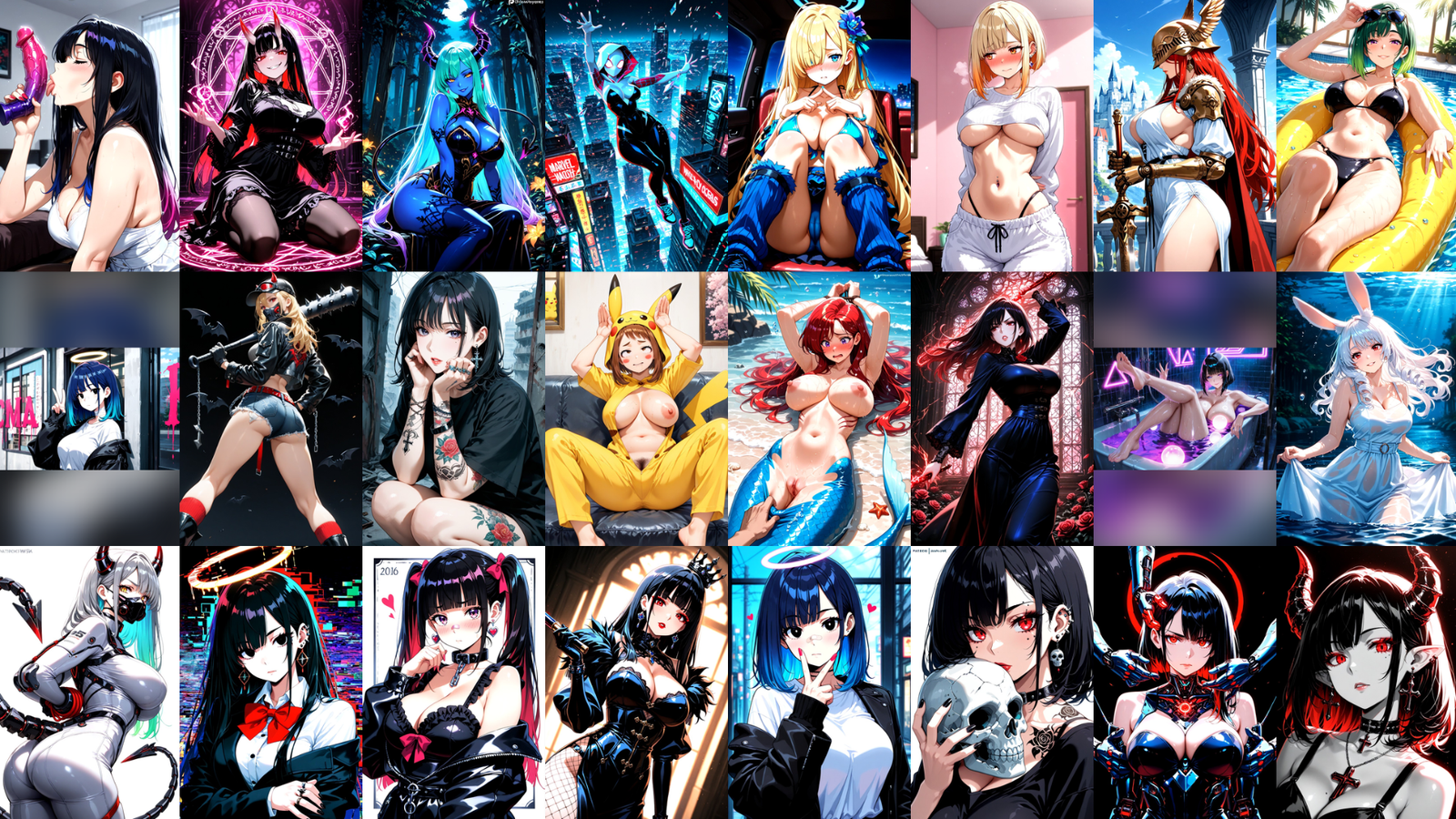
Instead of manually drawing an image, users can describe a character, environment, scene, or visual style using a prompt. An AI model then interprets those instructions and generates an image based on what it understands.
But there is more happening behind the scenes than simply entering text and receiving an image.
AI image generation combines:
- Generative AI models
- Text-to-image technology
- Prompt interpretation
- Image generation
- Diffusion technology
- Styles and visual settings
- Creative refinement
Understanding how these systems work can help creators write clearer prompts and get more control over their results.
→ AI Porn Generator LP
What Is AI Image Generation?
AI image generation is the process of using artificial intelligence to create new images based on instructions.
One of the most common methods is text-to-image generation.
A user describes what they want using a written prompt.
Example Prompt:
“1girl, adult woman, long silver hair, blue eyes, pale skin, dark medieval dress, tight bodice, deep cleavage, standing, seductive expression, half-lidded eyes, blush, looking at viewer, ancient castle interior, warm candlelight, dramatic lighting, ”
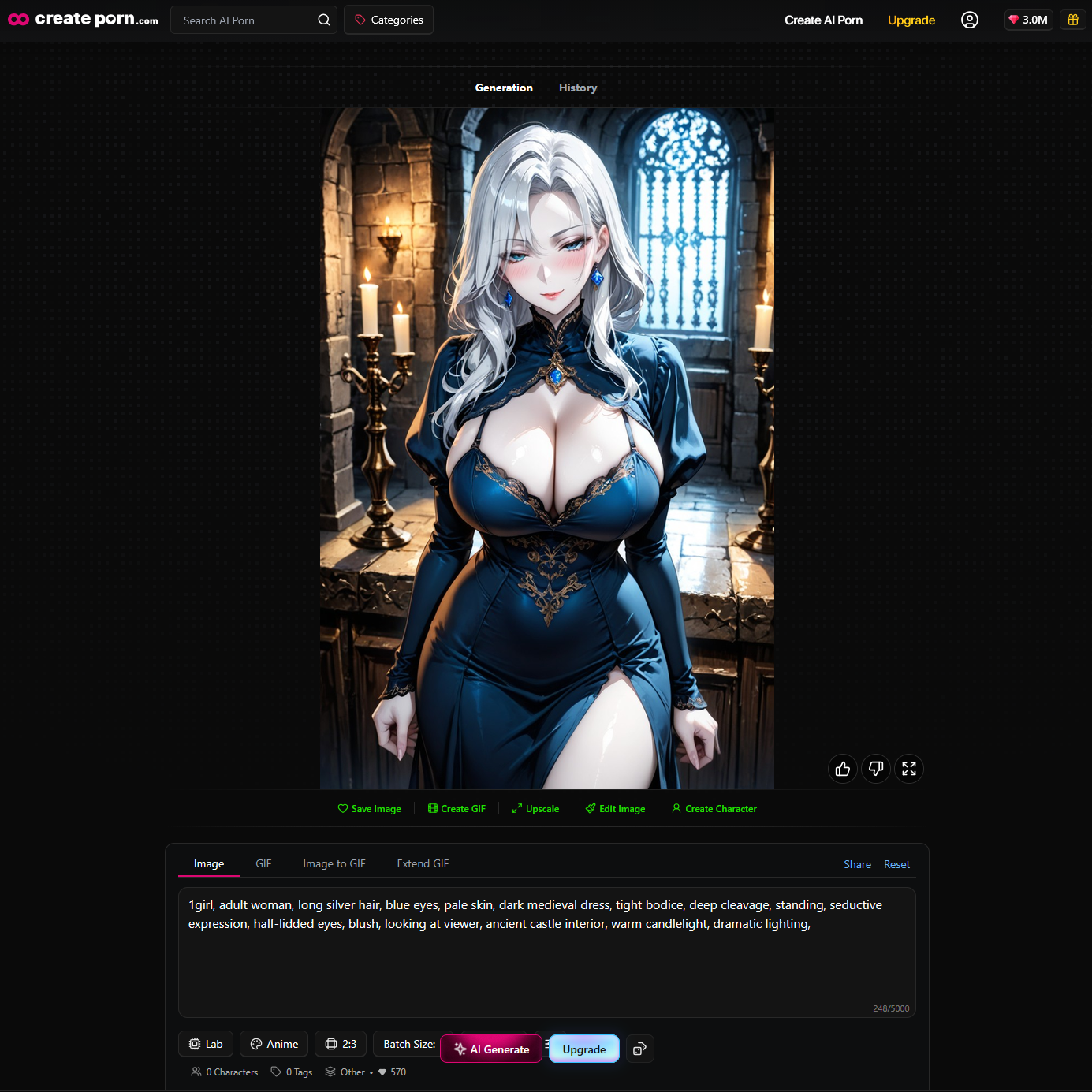
The AI analyzes the description and attempts to create an image matching those instructions.
The system is not simply selecting an existing image.
Instead, generative AI models create new outputs based on patterns and visual relationships learned during training.
How Text-to-Image AI Works
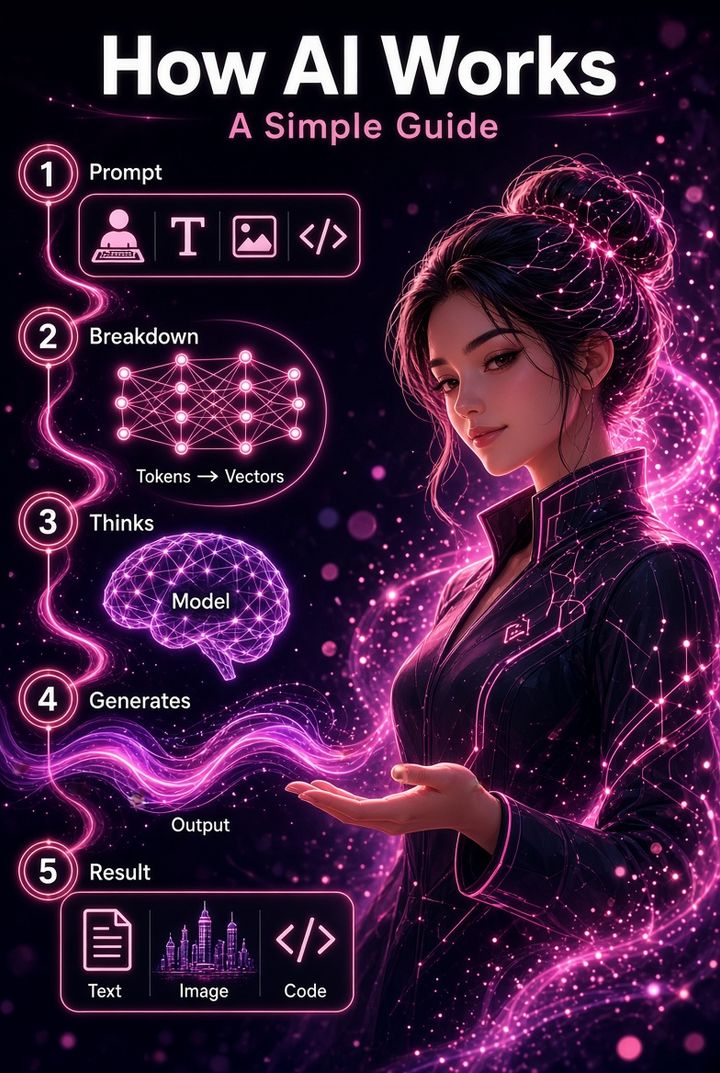
A simple text-to-image workflow looks like this:
Creative Idea
↓
Text Prompt
↓
AI Model Interpretation
↓
Image Generation
↓
Refinement
Each stage can influence the final result.
The creator starts with an idea and converts it into a prompt.
The AI model interprets the prompt and attempts to understand the visual concepts being described.
It then generates an image based on those instructions.
The creator can review the result and continue refining it by changing prompts, styles, settings, or individual details.
Step 1: Creating an AI Prompt
The first stage begins with a prompt.
A prompt is a written set of instructions describing what you want the AI to create.
Effective image prompts can contain several types of information.
Subject
What should appear in the image?
Examples:
- Character
- Environment
- Object
- Building
- Vehicle
- Scene
Character Appearance
If the image includes a character, you can describe:
- Hair
- Eyes
- Facial features
- Clothing
- Accessories
- Visual characteristics
Action
Describe what the subject is doing.
Examples:
- Standing
- Sitting
- Walking
- Looking toward the camera
- Holding an object
- Dancing
Environment
Where does the scene take place?
Examples:
- Fantasy castle
- Modern apartment
- Futuristic city
- Forest
- Beach
- Spaceship
Lighting
Lighting can help define the atmosphere.
Examples:
- Natural sunlight
- Golden-hour lighting
- Moonlight
- Neon lighting
- Candlelight
- Cinematic lighting
Visual Style
The prompt can also describe how the image should look.
Examples:
- Fantasy illustration
- Comic art
- Cinematic artwork
- Stylized digital art
Prompt Example:
“1girl, solo, long silver hair, messy hair, glowing blue eyes, pointed ears, pale skin, elegant white dress, sheer fabric, gold jewelry, hair ornament, sitting on a throne, one hand on chin, looking at viewer, legs crossed, fantasy castle interior, marble pillars, stained glass windows, cinematic lighting, volumetric lighting, golden hour light rays, detailed illustration, highly detailed,”
Output:
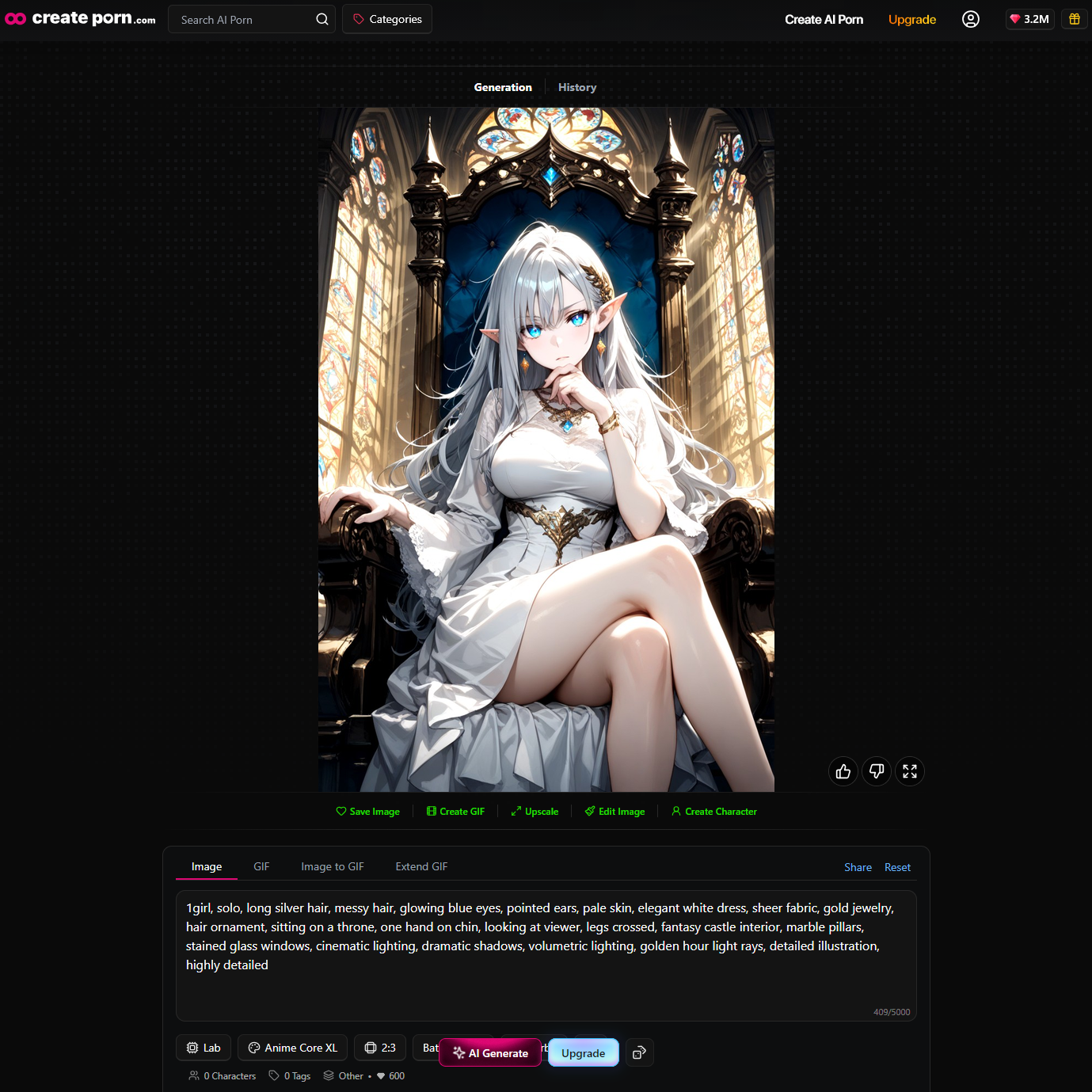
Providing useful information gives the AI more creative direction.
→ AI Prompt Guide
Step 2: How AI Models Interpret Prompts
After receiving a prompt, the AI model needs to convert written language into visual concepts.
For example:
“Fictional adult cyberpunk woman, black hair, futuristic jacket, walking through a neon city at night”
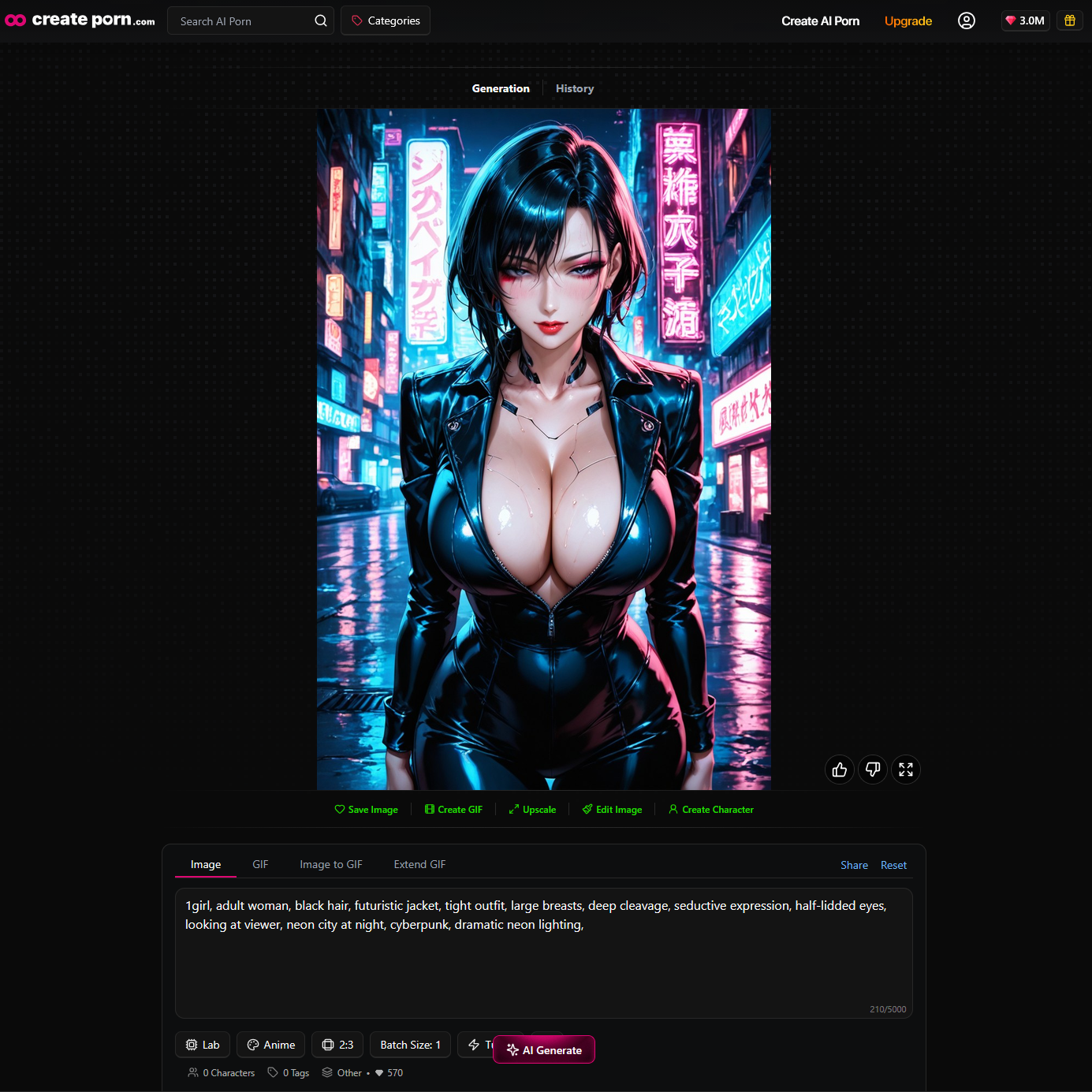
The AI needs to interpret several ideas:
- Fictional adult character
- Woman
- Black hair
- Cyberpunk
- Futuristic clothing
- Walking
- City
- Night
- Neon lighting
The model also considers how those ideas relate to one another.
It does not treat every word as a completely separate image request.
Instead, it attempts to understand the overall visual direction of the prompt.
This is one reason prompt structure matters.
Clearer instructions generally provide the model with more useful information.
How AI Models Learn Visual Concepts
AI image models are trained to recognize patterns and relationships between language and visual information.
During training, a model can learn associations between concepts.
For example:
- Forest and trees
- Ocean and water
- Castle and stone architecture
- Sunset and warm colors
- Cyberpunk and neon lighting
- Anime and specific illustration characteristics
The model does not understand these ideas exactly like a person.
Instead, it learns mathematical relationships between different types of information.
When someone enters a prompt, those learned relationships help guide the generation toward the requested visual concept.
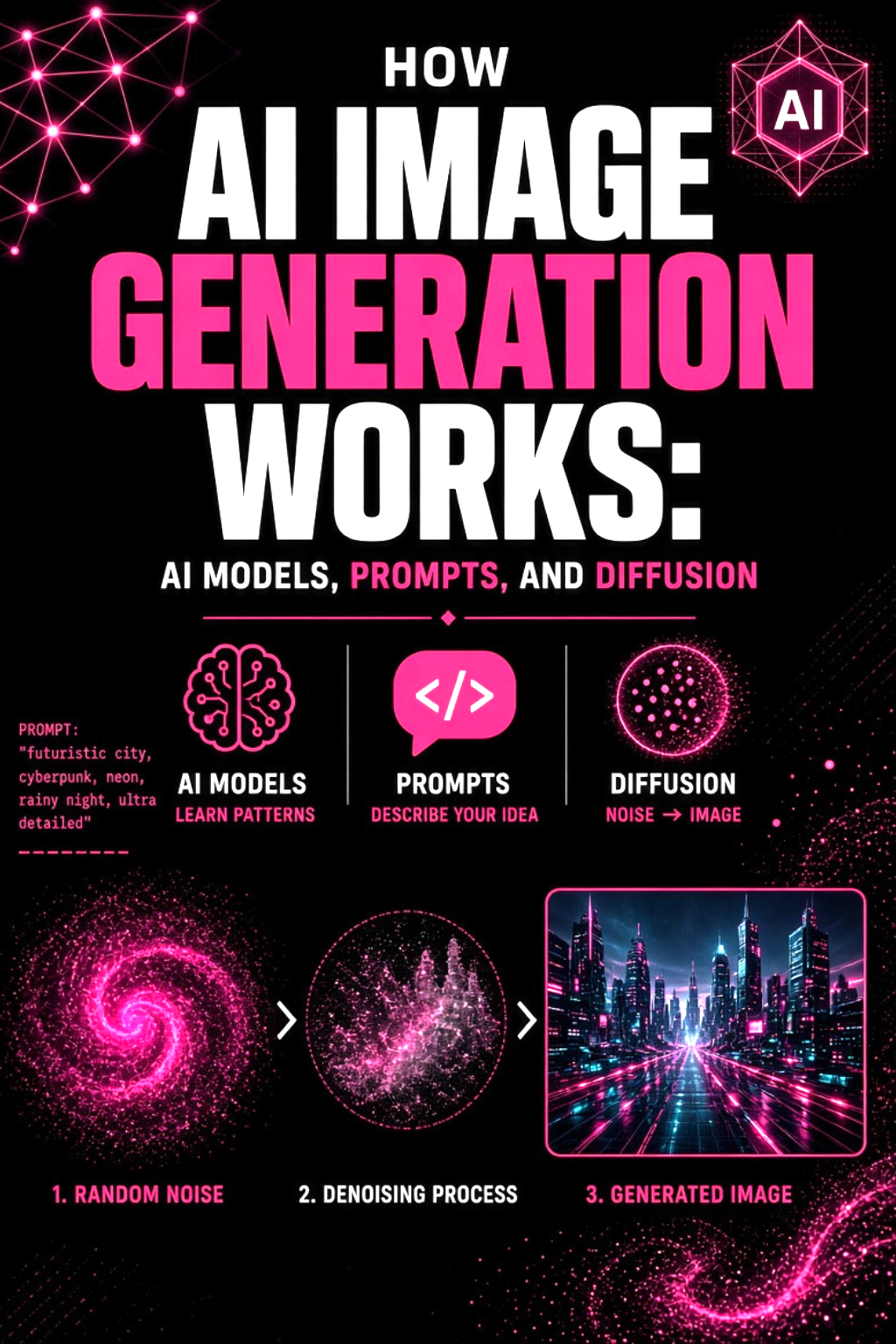
What Is Diffusion in AI Image Generation?
Many AI image generation systems use technology known as DIFFUSION.
A simple way to understand diffusion is to imagine an image gradually becoming covered in visual noise.
During training, an AI model learns how to reverse this process.
It learns how noisy visual information can gradually become a structured image.
When generating an image, the process can be simplified like this:
Random Visual Information
↓
Basic Shapes and Composition
↓
Subjects and Environment
↓
Additional Details
↓
Final Image
The prompt helps guide this process.
If the prompt describes a fantasy castle at sunset, the AI attempts to move the developing image toward visual patterns associated with:
- Castles
- Mountains
- Sunset
- Warm lighting
- Fantasy environments
As the process continues, more recognizable details can appear.
Step 3: Building the Image
The image develops over multiple stages.
Early in the generation process, the AI may establish large visual elements such as:
- Character position
- Background layout
- Main shapes
- Major colors
- Overall composition
Later stages may develop finer details such as:
- Hair
- Eyes
- Clothing
- Facial features
- Textures
- Lighting
- Environmental details
The exact process can vary depending on the AI model being used.
Different models may also have different strengths in areas such as prompt interpretation, visual detail, character creation, and particular styles.
Why Different AI Models Produce Different Results
Not every AI image model behaves the same way.
Different models can be trained or optimized for different visual results.
One model may perform well with:
- Anime characters
- Environments
- Detailed illustrations
- Character concepts
- Particular art styles
- Image editing
This means the same prompt can produce noticeably different images depending on the model.
Model selection is therefore an important part of AI image generation.
How Prompts Influence the Final Image
Prompts provide the creative direction for a generation.
Consider this prompt:
“Woman in a city”
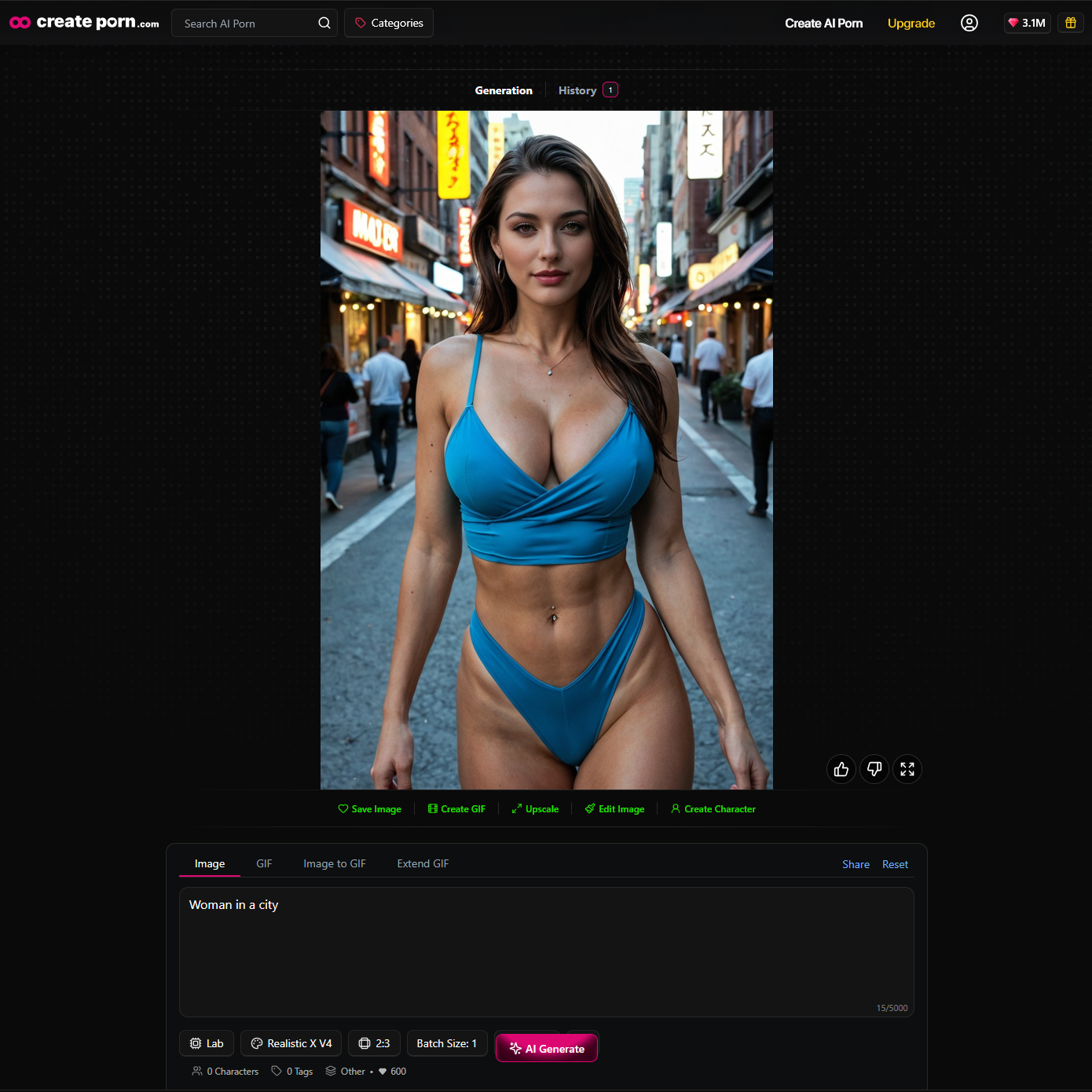
The AI still needs to decide:
- What the character looks like
- What she is wearing
- What type of city appears
- What time of day it is
- What the lighting looks like
- What camera angle to use
- What visual style to create
A more detailed prompt reduces some of that uncertainty.
For example:
Prompt: “Fictional adult woman with long black hair, wearing an elegant black dress, standing on a rooftop overlooking a modern city at night, confident expression, cinematic lighting, detailed, ”
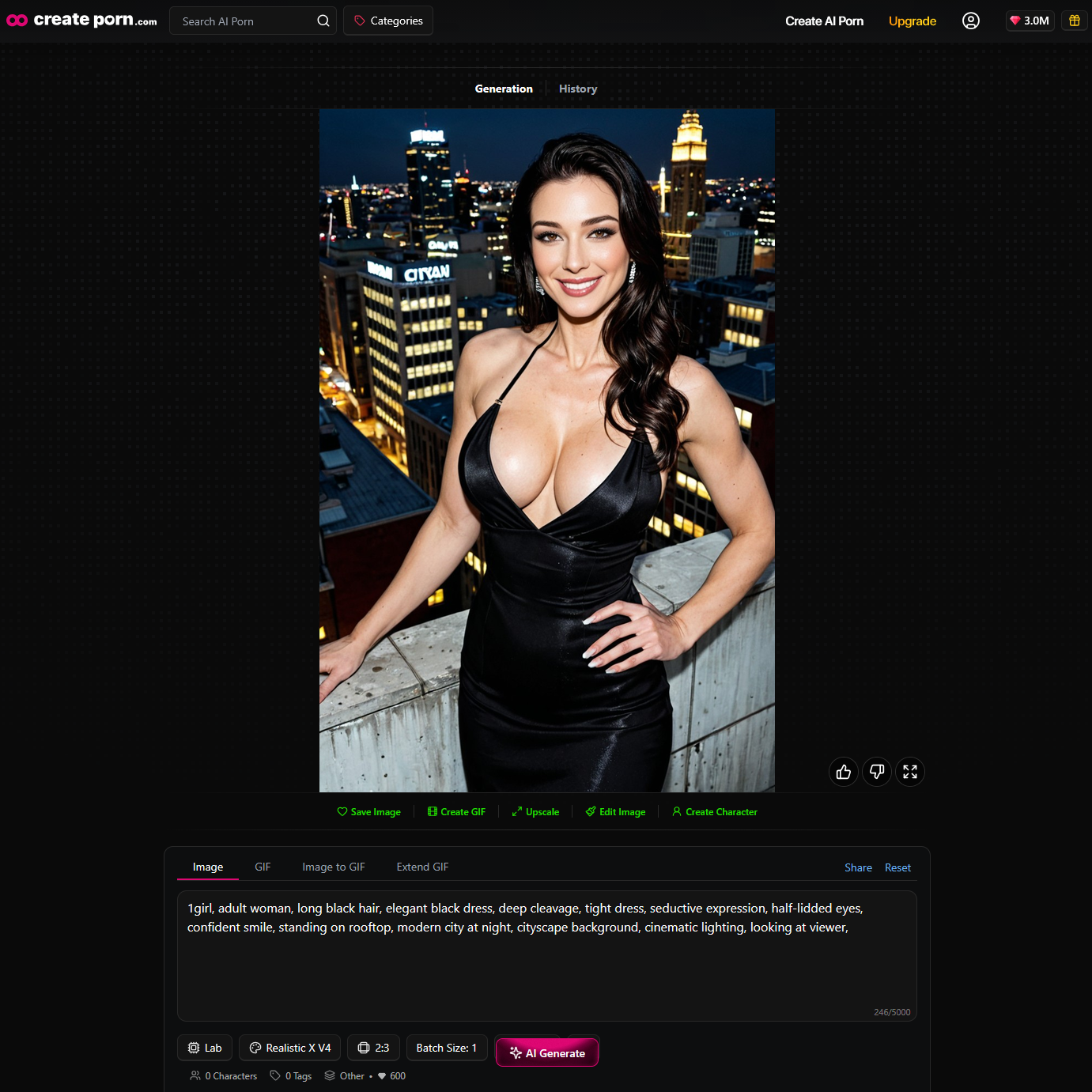
Now the AI has clearer creative instructions.
This does not guarantee an exact result, but it gives the model more information to work with.
Longer Prompts Are Not Always Better
A useful prompt does not need to be extremely long.
The goal is to provide relevant information.
A good structure may include:
Subject + Appearance + Action + Environment + Lighting + Style
Adding too many conflicting details can make the intended direction less clear.
For example, asking for several completely different visual styles in the same prompt can create unpredictable results.
Clear instructions are generally more useful than simply adding more words.
Using Tags With AI Image Generation
Some AI image platforms combine written prompts with structured tags.
Prompts allow creators to describe their overall idea.
Tags can help control specific visual elements.
Tags may include options related to:
- Character attributes
- Actions
- Camera angles
- Locations
- Lighting
- Time of day
- Viewing distance
- Weather
- Visual characteristics
For example, a creator could describe the main character using a prompt while using tags to control the lighting or camera angle.
This provides another way to guide the generation process.
→ AI Prompt Guide
How AI Character Generation Works
AI character creation uses many of the same technologies as general AI image generation.
The creator describes a fictional character.
For example:
“Fictional adult fantasy mage, long white hair, blue eyes, dark blue robes, holding a glowing spellbook, standing inside an ancient library,”
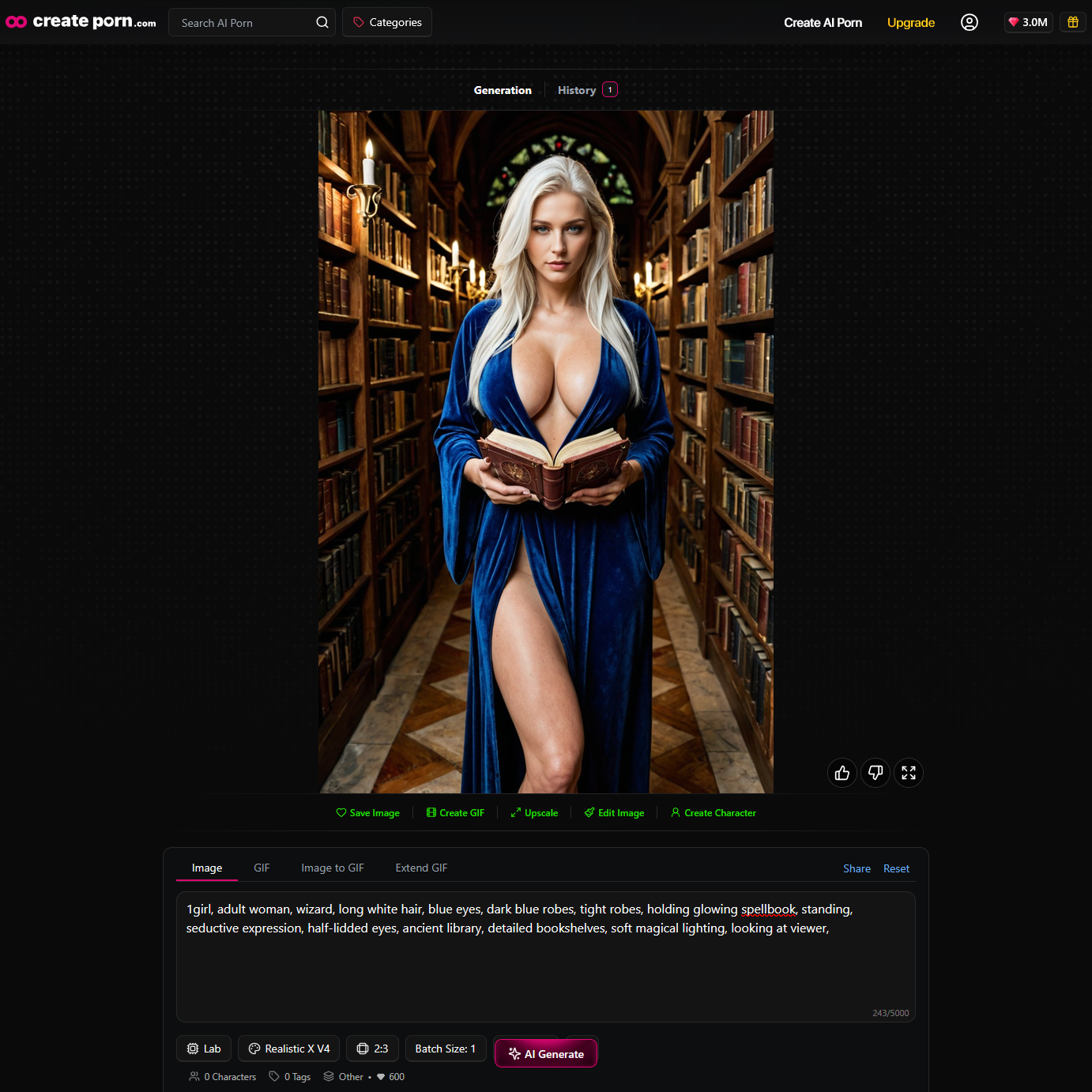
The AI interprets those instructions and generates a character based on them.
Character prompts can describe:
- Hair
- Eyes
- Face
- Clothing
- Accessories
- Pose
- Environment
- Visual style
Keeping important traits consistent can also help creators develop recognizable character concepts across different generations.
→ AI Character Generator LP
Why AI Images Change Between Generations
A common question is why the same prompt can create different images.
AI generation does not work like copying and pasting an existing picture.
Models generate outputs based on learned visual patterns and different possible interpretations of the prompt.
For example:
“Fantasy castle on a mountain at sunset”
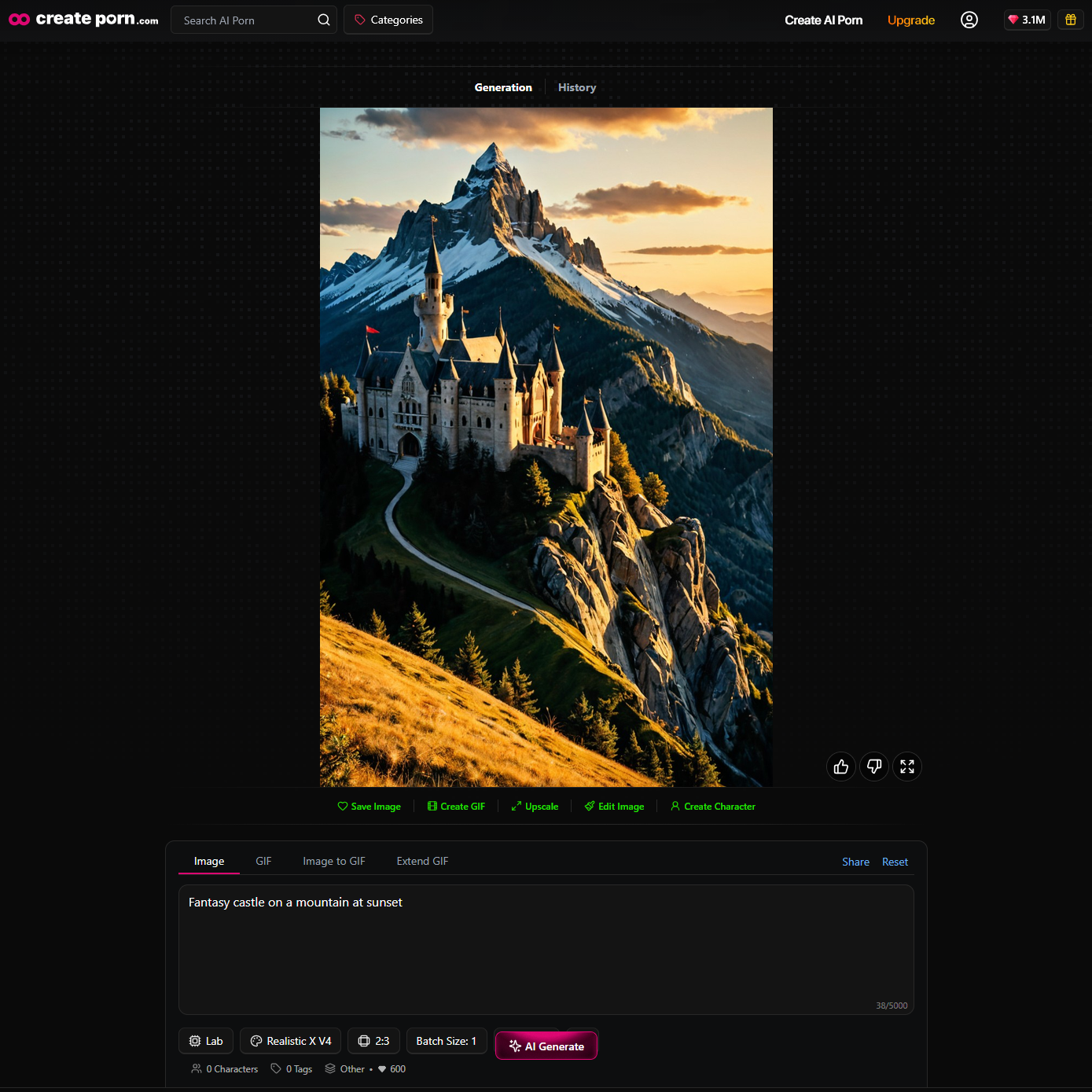
One generation might show the castle from below.
Another might show a distant landscape.
Another might place the castle directly in front of the sunset.
The core idea remains similar, but details can change.
Variation may affect:
- Character appearance
- Pose
- Composition
- Background
- Clothing
- Lighting
- Camera position
This variation is part of generative AI.
Other Factors That Affect AI Image Results
Prompts are important, but several other factors can influence an image.
AI Model
Different models may interpret the same concept differently.
Selected Style
The selected visual style can significantly change how the final image appears.
The same character could look completely different as:
- Anime
- Fantasy artwork
- Comic illustration
- Cinematic artwork
Image Dimensions
Image dimensions can influence composition.
Portrait formats may provide more space for a character, while wider formats allow more room for environments.
Generation Settings
Different platforms may provide additional generation settings that influence results.
Existing Images
Some AI workflows can also use existing images as guidance.
This can allow creators to edit, transform, or expand an existing creation instead of starting entirely from text.
Refining AI-Generated Images
AI generation is often an iterative process.
The first result does not always need to be the final creation.
Creators can improve results by:
- Changing part of the prompt
- Testing another variation
- Changing styles
- Adjusting character details
- Changing the environment
- Editing parts of the image
- Trying another composition
For example, if the character looks correct but the background does not, you may only need to change the environment description.
This allows creators to gradually move the generation closer to their intended result.
A Simple AI Image Generation Workflow
Creating an AI image usually follows a simple cycle: plan → prompt → generate → review → refine.
Step 1: Decide What You Want to Create
Start with the main idea or concept.
Think about:
- Who or what is in the image?
- What are they doing?
- Where does the scene take place?
- What mood or atmosphere do you want?
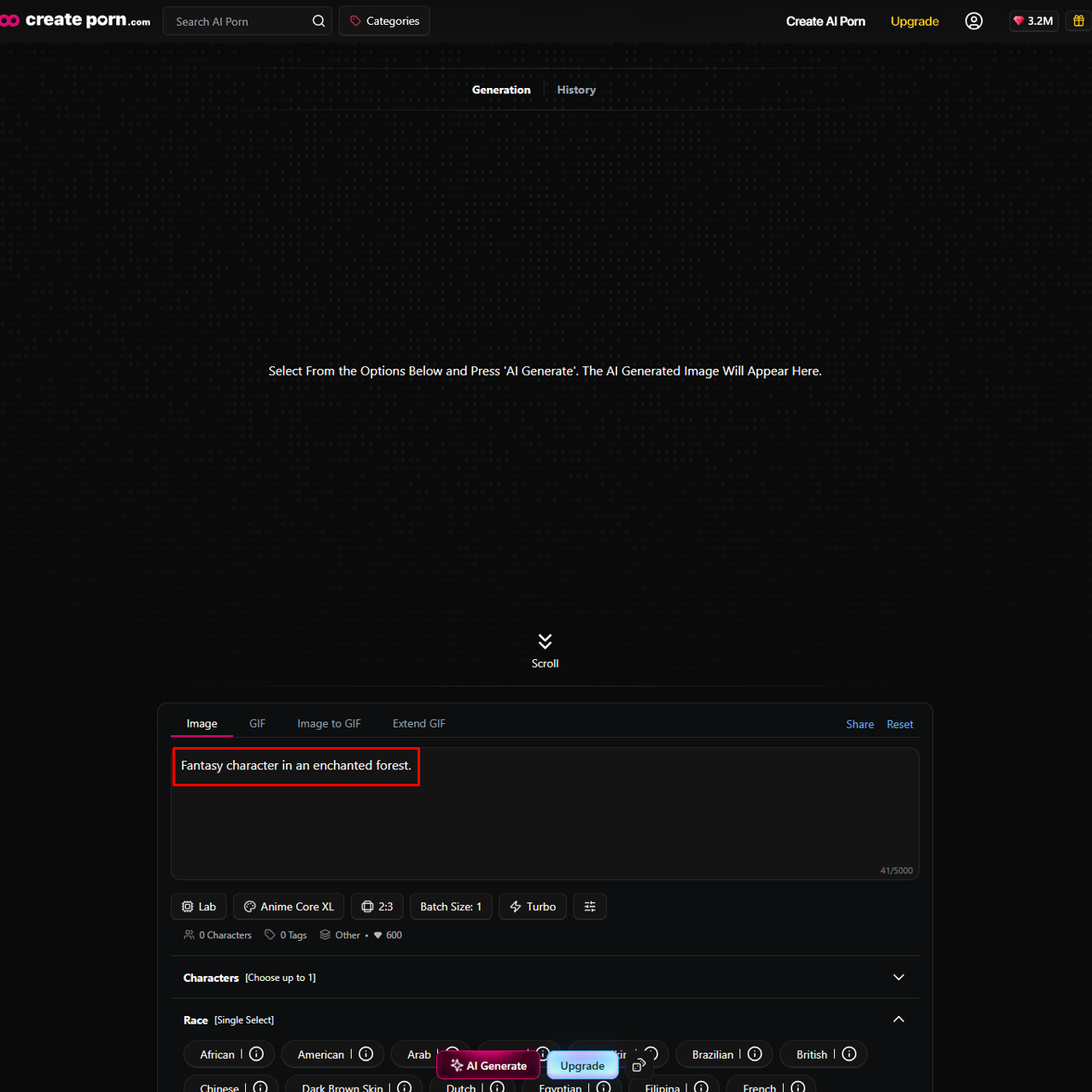
Example:
“Fantasy character in an enchanted forest.”
Step 2: Write your Prompt
Turn your idea into a clear prompt by adding the important visual details.
Include things such as:
- Character
- Appearance
- Clothing
- Pose or action
- Environment
- Lighting
- Mood
- Important objects
Example:
“Fictional adult fantasy woman, long silver hair, green eyes, dark green clothing, standing inside an enchanted forest, glowing plants, soft moonlight, detailed fantasy illustration.”
Step 3: Choose a Style
Select a style that matches the look you want.
For example:
- Anime XL
- Realistic X V3
- Thick Lines XL
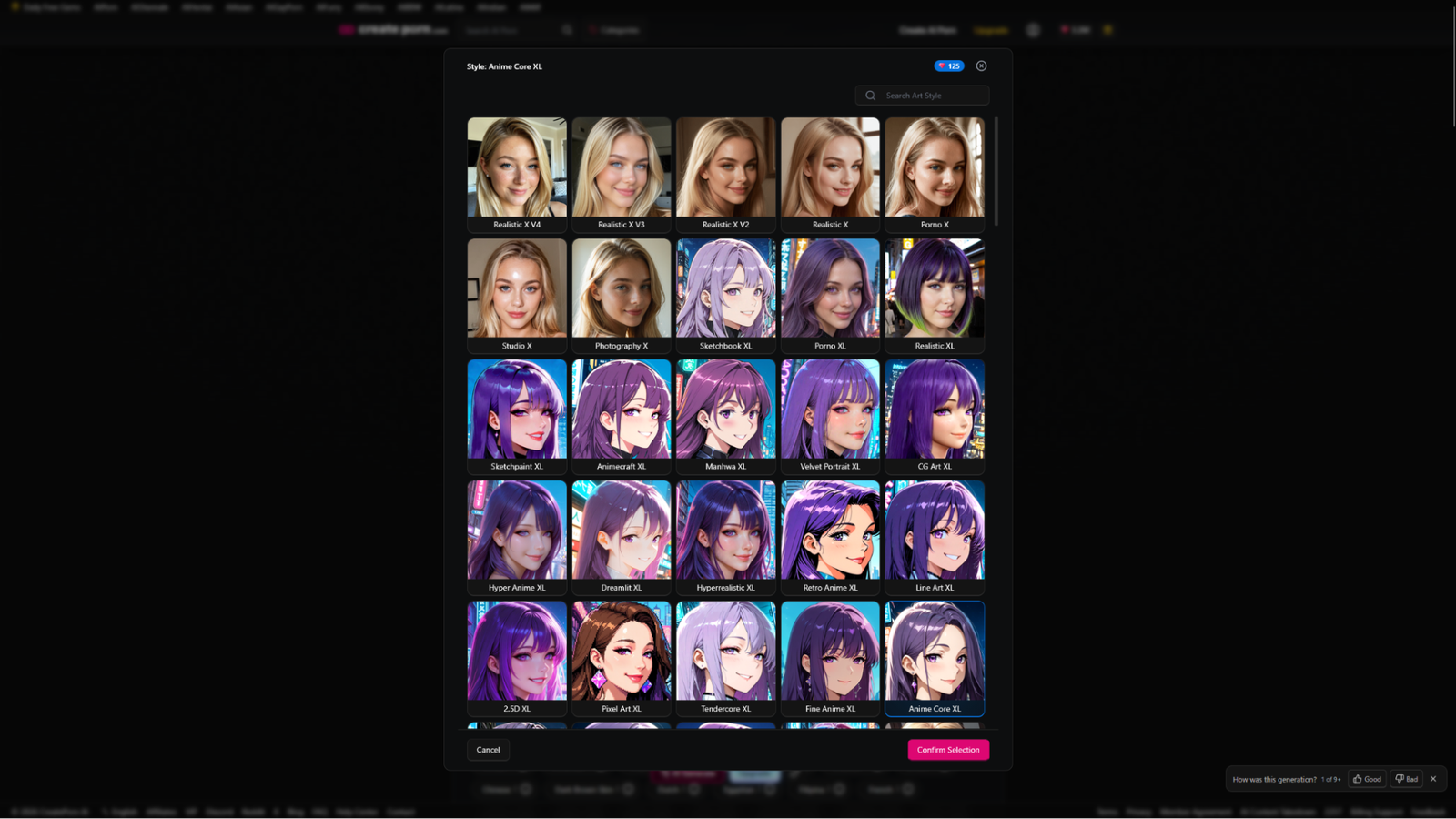
The same prompt can produce very different results depending on the style or model you choose.
Step 4: Generate the Image
Once you are done with writing your prompts and choosing the style you want.
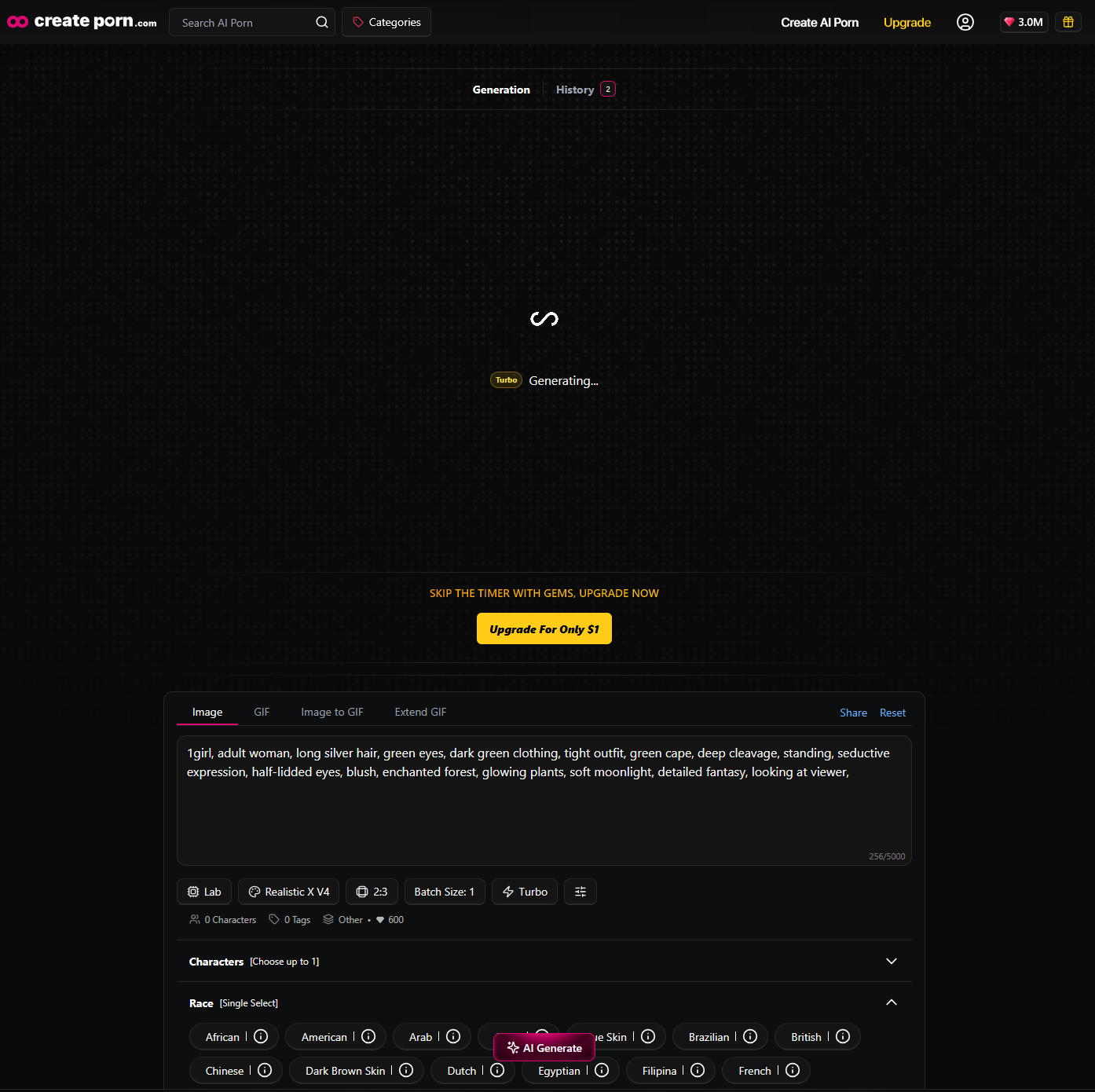
Press “AI generate” your prompt and generate an image from your prompt.
Step 5: Review the Result
Check the generated image carefully and identify what needs fixing.
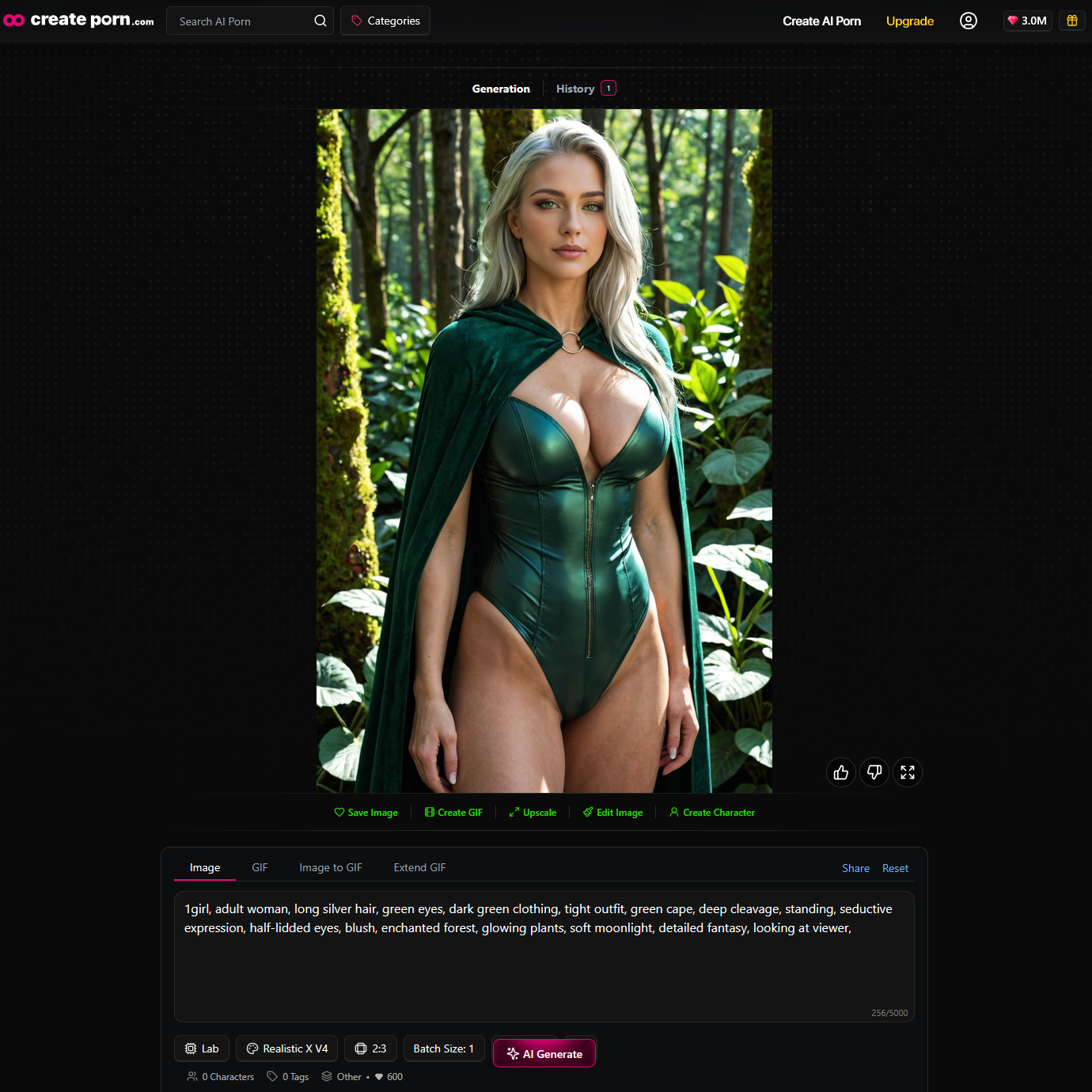
Look at:
- Character
- Composition
- Clothing
- Environment
- Lighting
- Visual style
For example:
The character looks good, but the pose is awkward, and the background is too dark.
This gives you a clear direction for the next generation.
At this stage, focus on getting a good overall result rather than trying to make everything perfect immediately.
Step 6: Refine the Prompt
Adjust your prompt based on what needs improvement
“Fictional adult fantasy woman, long silver hair, flowing hair, detailed green eyes, dark green clothing, elegant dress, inside an enchanted forest, glowing plants, dynamic pose, night, soft moonlight, moonbeams, volumetric lighting, detailed fantasy illustration ”
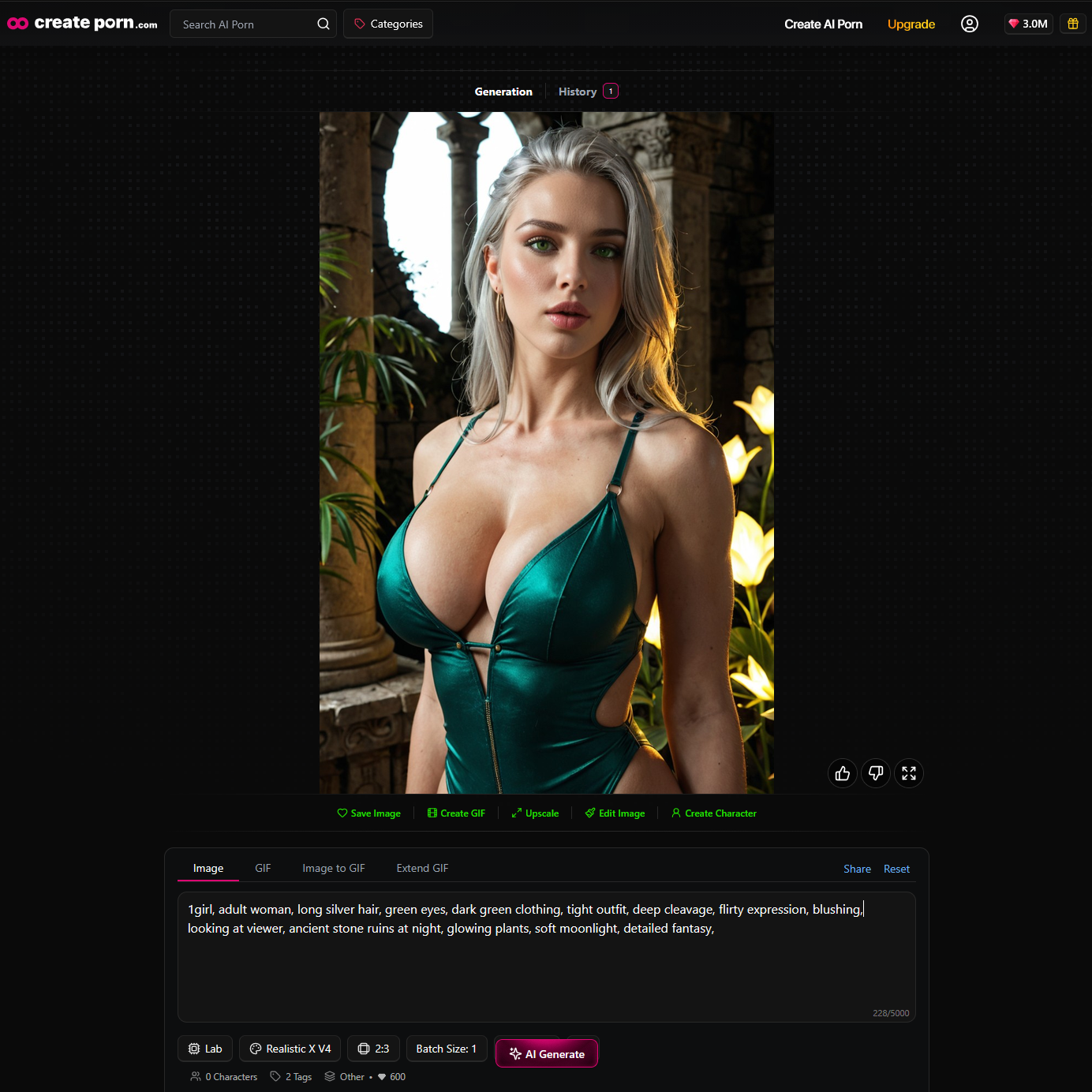
Add, remove, or change specific details rather than completely rewriting the prompt every time.
Step 7: Repeat Until Satisfied
AI image generation is usually an iterative process.
Generate → Review → Identify Problems → Refine → Generate Again
Repeat these steps until the image is close to what you imagined.
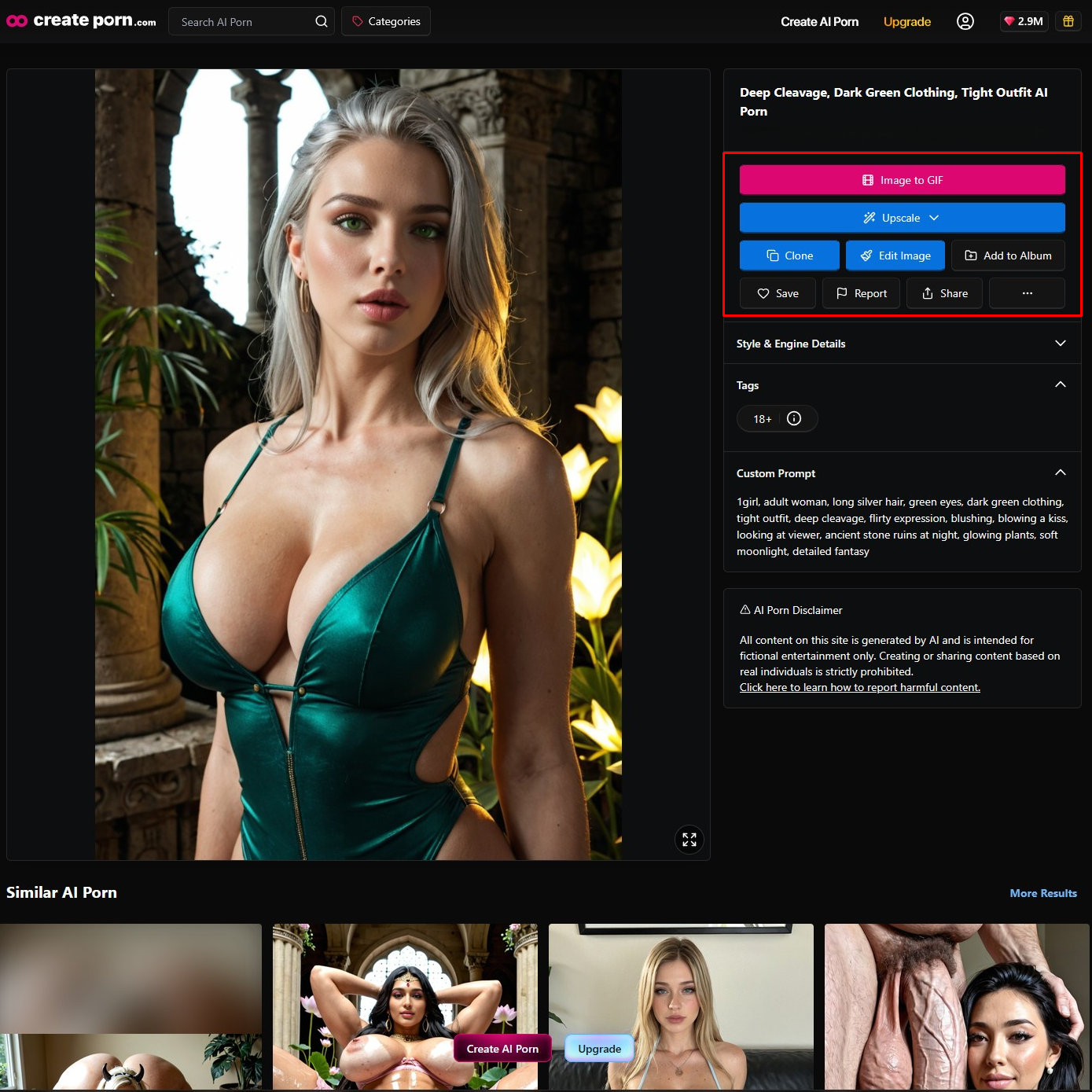
Step 8: Finalize the Image
Once you are happy with the result, save the image and make any final adjustments or enhancements.
Feel free to do any of the following:
- Inpainting
- Upscaling
AI Generation and Creative Control
AI handles much of the technical image generation process, but creators still control the creative direction.
The user decides:
- What to create
- Which details matter
- Which visual style to use
- Which generation to keep
- What should be changed
- When the creation is finished
Understanding how prompts and image generation work together can therefore improve creative control.
The AI provides the generation technology.
The creator provides the idea and direction.
Responsible AI Image Creation
AI image technology should be used responsibly.
Creators should focus on original fictional concepts rather than attempting to create unauthorized content involving real individuals.
AI models also have limitations.
Generations may contain unexpected details or visual errors, and results can require refinement.
Understanding these limitations is part of using AI image generation effectively.
Frequently Asked Questions
How does AI image generation work?
AI image generation uses generative AI models to interpret instructions and create new visual outputs. With text-to-image generation, users describe what they want using prompts and the model generates an image based on those instructions.
What is text-to-image AI?
Text-to-image AI allows users to generate images by describing visual concepts using written prompts.
What is an AI image model?
An AI image model is a generative system trained to recognize relationships between visual information and concepts. It uses those learned patterns to create new images.
What is diffusion?
Diffusion is a technology used by many AI image-generation systems. In simple terms, the model learns how to turn noisy visual information into structured images.
Why do AI images look different each time?
AI generation can produce different interpretations of the same prompt. Details such as composition, pose, lighting, and background may vary between generations.
Do prompts affect AI image quality?
Yes. Prompts provide creative direction and can influence the subject, appearance, environment, composition, lighting, and visual style.
Do longer AI prompts create better images?
Not necessarily. Useful and clear instructions are generally more important than simply making a prompt longer.
Can AI image generators create characters?
Yes. AI image generators can create original fictional characters based on written descriptions of their appearance, clothing, environment, and other visual characteristics.
→ AI Character Generator LP
Start Creating With AI
AI image generation combines prompts, generative AI models, text interpretation, image-generation technology, and creative refinement.
The process starts with an idea.
The prompt communicates that idea to the AI.
The model interprets the instructions and generates a visual result.
Creators can then review, refine, and continue developing the image.
Understanding how these parts work together can make it easier to create stronger prompts, experiment with different visual concepts, and get more control over AI-generated images.
→ Start Creating With the AI Character Generator