AI Pose Prompts Guide: Examples and Composition
AI pose prompt examples, AI body pose prompts, AI art poses, character pose prompts, AI composition prompts, AI camera angle prompts
On this page
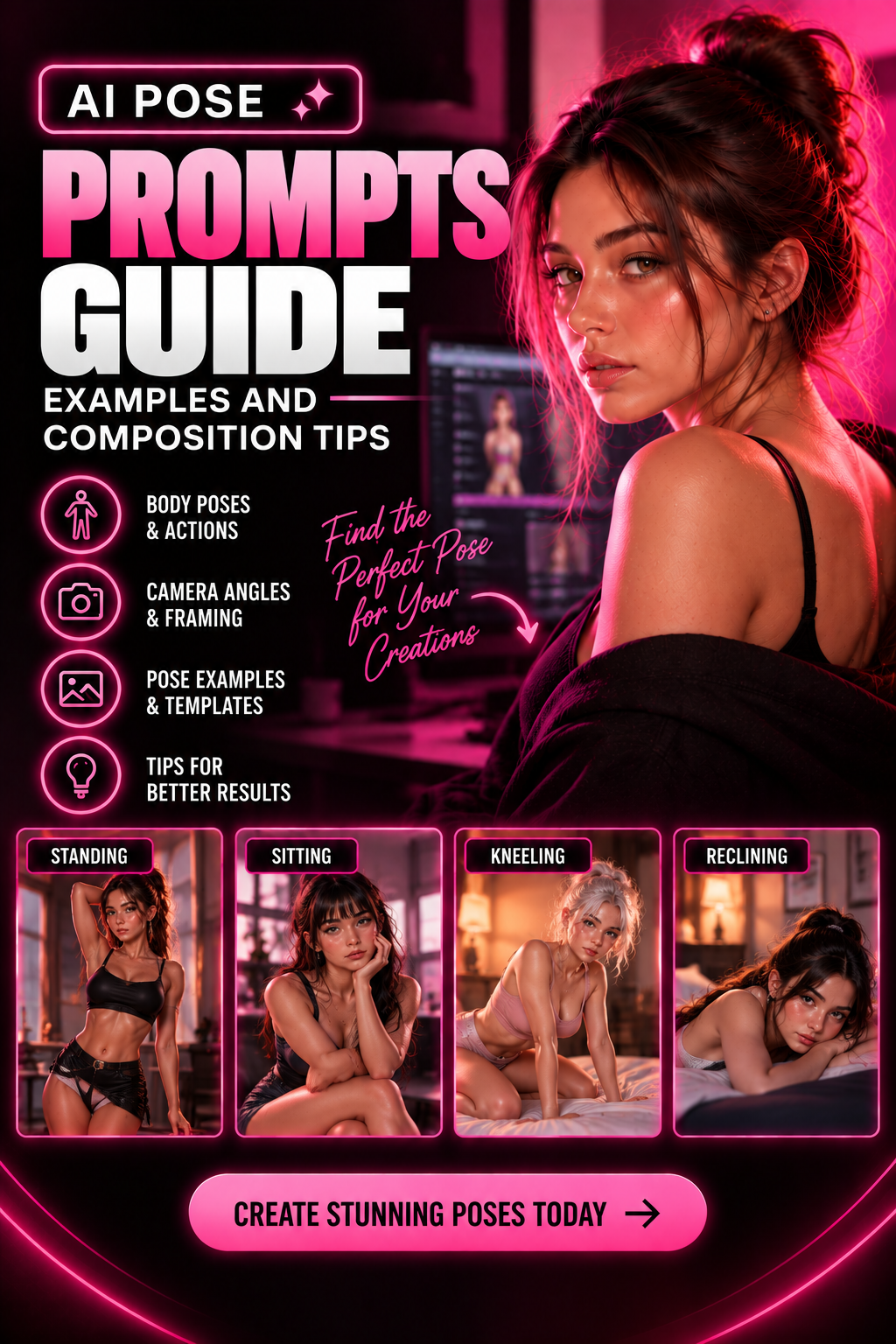
AI Pose Prompts: Examples, Templates, and Composition Tips’
AI pose prompts describe how a character's body should be positioned in a generated image. A pose can communicate confidence, movement, relaxation, tension, or interaction before details such as clothing and setting are considered.
Useful pose prompting requires more than naming an action. The body position must work with the camera angle, viewing distance, environment, and any objects the character touches. A full-body standing pose needs different framing from a close-up expression, while a seated pose needs a visible surface that supports it.
This guide explains how to write clear AI pose prompts, combine them with Createporn's Pose and Image Modifier Tags, choose compatible composition instructions, test whether a pose is supported, and troubleshoot unstable results.
What Is an AI Pose Prompt?
An AI pose prompt is a description of how a character's body, arms, legs, head, or weight should be arranged in an image.
Pose details can include:
- Standing, sitting, kneeling, reclining, or walking
- Facing forward, sideways, or away from the camera
- Arm and hand placement
- Leg position and balance
- Head direction
- Interaction with furniture or objects
- Viewing distance
- Camera angle
Createporn'sPrompts and Tags guide organizes relevant Subject Action Tags into Arm Pose, Body Pose, and Sex Position. Composition controls appear under Image Modifiers, including Viewing Distance, Camera Angle, and Number of People.
The available Tags and supported poses can vary between Styles and generations. A related Tag can indicate that a concept is supported, but it does not guarantee that every Style will produce the same result. The pose and composition terms in this guide are descriptive starting points, not a guaranteed list of recognized prompts or currently available Tags. Confirm them through Search and one test generation with the selected Style.
Pose, Action, and Composition: What Is the Difference?
These instructions affect one another, but each has a different purpose.
- Element: Pose
What it describes: The body’s position
Examples: Sitting upright or standing with weight on one leg. - Element: Arm pose
What it describes: The placement of the arms and hands
Examples: Hands on hips, arms crossed, or one hand raised. - Element: Action
What it describes: What the character is doing
Examples: Walking, stretching, or looking over a shoulder. - Element: Expression
What it describes: Visible emotion in the face
Examples: A warm smile or focused expression. - Element: Viewing distance
What it describes: How much of the character is visible
Examples: Close-up, waist shot, or full-body shot. - Element: Camera angle
What it describes: The viewer’s perspective
Examples: Eye-level, low angle, or side view. - Element: Composition
What it describes: How the subject is arranged within the image
Examples: A centered subject, visible background, or balanced negative space.
A pose describes the body. Composition determines whether the viewer can see and understand that pose.
For example, standing with one hand on her hip describes a physical position. Adding full-body shot, eye-level camera tells the generator how to present it.
AI Pose Prompt Formula
Use this structure for a focused character pose:
Subject + main body position + arm or hand placement + leg or weight direction + head or gaze direction + viewing distance + camera angle
Example:
Fictional adult woman, standing with weight on one leg, left hand resting on her hip, right arm relaxed by her side, head turned slightly toward the camera, full-body shot, eye-level view,
You do not need every element in every prompt. For a simple pose, shorten the structure:
Subject + body pose + one defining limb detail + framing
Example:
Fictional adult man, sitting upright, hands resting on his knees, medium shot,
When the location matters, add it after the pose:
Fictional adult woman, seated beside a window, one hand resting on the chair arm, legs angled slightly to the side, looking toward the camera, medium shot, warm modern room,
How to Write an AI Pose Prompt
1. Begin With One Main Body Position
Start with the broad position that defines the pose.
Examples include:
- Standing upright
- Sitting on a chair
- Kneeling on the floor
- Reclining on a sofa
- Walking forward
- Leaning against a wall
- Lying on the bed
- Stretching with arms overhead
Use one main position. Instructions such as standing, sitting, and walking in the same single-character image conflict unless the prompt clearly describes multiple subjects.
2. Add Only the Limb Placement That Matters
Arm and hand details often define the character's silhouette or attitude.
Useful instructions include:
- Hands on hips
- Arms crossed
- One hand raised
- Hands resting on knees
- One arm resting on the chair
- Both arms relaxed by the sides
- One hand touching the hair
Start with one important limb instruction. Add a second only when it is necessary to distinguish the pose.
Long descriptions of every finger, wrist, elbow, knee, and foot may become difficult for the selected Style to interpret. If a hand position is essential, make it visible through the framing and avoid adding several competing gestures.
3. Describe Direction and Balance
Direction tells the generator how the body relates to the camera.
Examples include:
- Facing the camera
- Three-quarter view
- Side profile
- Back facing the camera
- Looking over one shoulder
- Torso turned slightly left
Balance and weight can make a standing pose more specific:
- Weight shifted onto one leg
- Feet shoulder-width apart
- One knee slightly bent
- Leaning gently against the wall
- Upper body tilted slightly forward
Use small, compatible adjustments. A natural weight shift is easier to interpret than several extreme twists in the torso, hips, and neck.
4. Add an Action Only When It Fits the Pose
An action can add energy, but it should develop naturally from the body position.
Compatible examples include:
- Standing and adjusting a jacket
- Sitting and looking toward the window
- Walking forward with arms moving naturally
- Kneeling and resting hands on the thighs
- Reclining and turning the head toward the camera
Avoid stacking unrelated actions. Asking one subject to walk, sit, wave, turn around, and reach for an object creates competing instructions.
5. Match the Viewing Distance to the Pose
Viewing distance controls how much of the body appears. The descriptions below are practical composition guidance; confirm the exact prompt wording or available Viewing Distance Tags for the selected Style.
- Framing: Close-up
Useful for: Face, gaze, and subtle expression
What may be hidden: Most arm, leg, and body positioning. - Framing: Waist shot
Useful for: Upper-body pose and hand placement near the torso
What may be hidden: Feet and lower-leg positioning. - Framing: Medium shot
Useful for: Seated poses and upper-body interaction
What may be hidden: Some lower-body details. - Framing: Full-body shot
Useful for: Standing, walking, kneeling, and complete silhouettes
What may be hidden: Fine facial details may appear smaller. - Framing: Wide shot
Useful for: Showing a pose within a large environment or multi-person composition
What may be hidden: The subject may occupy less of the frame.
If the prompt depends on foot placement or a complete standing pose, request a full-body shot. If the important detail is a smile or head turn, a close-up or waist shot may be more appropriate.
6. Choose a Camera Angle That Supports the Pose
Camera angle changes how the body position is perceived.
- Eye-level: Neutral and direct
- Low angle: Emphasizes height or confidence
- High angle: Looks down toward the subject
- Side view: Clarifies profile and forward movement
- Three-quarter view: Shows depth in the face and torso
- Over-the-shoulder view: Emphasizes a backward glance
Use one primary camera angle. Combining low angle, overhead view, side profile, and front-facing composition in one image creates incompatible perspectives.
7. Include a Surface or Object When the Pose Requires It
Some poses need environmental support.
- A seated pose needs a chair, sofa, bed, bench, or visible floor position.
- Leaning requires a wall, railing, table, or another stable surface.
- Reaching works better when the intended object is visible.
- Walking benefits from a clear path or floor direction.
Place the object close to the pose instruction:
Sitting on a wooden chair, hands resting on her knees,
This is clearer than mentioning the chair much later among unrelated background details.
8. Keep the Complete Prompt Focused
Createporn recommends clear, direct prompts and warns that too many instructions, Tags, weighted keywords, or conflicting actions can reduce image quality.
Before generating, check:
- Is there one main pose?
- Are the arm and leg instructions compatible?
- Does the camera show the important body details?
- Does the requested object support the pose?
- Are multiple actions competing?
- Are Prompt and Tag instructions repeating or contradicting one another?
Remove details that do not help define the pose or composition.
How to Use Pose Prompts With Tags
Createporn documents Prompts and Tags as complementary generation inputs. Tags provide preset instructions, while a Custom Prompt can add supported details that are not covered by the selected Tags.
Pose-related options are organized primarily under:
- Arm Pose
- Body Pose
- Sex Position
Composition-related Tag groups include:
- Viewing Distance
- Camera Angle
- Number of People
For example, a creator could select Hands on Hips, Waist Shot, and a Location Tag, then add a focused prompt for body direction:
Standing with weight shifted onto one leg, torso turned slightly toward the camera,
Avoid repeating the same pose through several Tags and prompt phrases. Repetition does not guarantee better adherence and may overload the generation.
A Tag's presence does not guarantee that every Style will interpret it successfully. Community Tags may be less consistent. Use Createporn's Search function to review creations using the same or a similar Tag, check which Styles produced relevant results, and generate one test before using Batch Generation or other paid settings.
AI Pose Prompt Templates
Standing Pose Template
Fictional adult [subject], standing [body direction], [weight or leg position], [arm or hand placement], [head or gaze direction], [viewing distance], [camera angle],
Seated Pose Template
Fictional adult [subject], sitting on [visible surface], [back or torso position], [hand placement], [leg direction], [gaze], [viewing distance],
Walking Pose Template
Fictional adult [subject], walking [direction], [pace or body attitude], arms moving naturally, [head direction], full-body shot, [camera angle],
Reclining Pose Template
Fictional adult [subject], reclining on [surface], [upper-body position], [arm placement], [leg position], looking [direction], [framing],
Character Portrait Template
Fictional adult [subject], [upper-body pose], [arm placement], head turned [direction], [expression], waist shot, [camera angle],
Two-Character Composition Template
Two fictional adults, [relative position], [one clear interaction], [individual arm or body placement only when necessary], [viewing distance], [camera angle],
AI Pose Prompt Examples
Createporn instructs users to separate prompt details with commas rather than full stops. These examples demonstrate clear prompt structure, but they do not guarantee that every term or combination will work with every Style. Confirm the main pose through Search and one test generation before adding the complete example.
Confident Standing Pose
Fictional adult woman, standing with weight shifted onto her right leg, left hand resting on her hip, right arm relaxed by her side, shoulders back, looking toward the camera, full-body shot, eye-level view,
Relaxed Seated Pose
Fictional adult man, sitting upright on a modern chair, forearms resting naturally on his thighs, feet placed on the floor, calm expression, medium shot, eye-level camera,
Window Portrait
Fictional adult woman, seated beside a window, torso angled slightly away, one hand resting on the chair arm, head turned toward the camera, warm smile, waist shot, three-quarter view,
Walking Pose
Fictional adult woman, walking forward with a natural stride, one foot slightly ahead, arms moving naturally, looking toward the camera, full-body shot, centered composition,
Over-the-Shoulder Pose
Fictional adult woman, standing with her back angled toward the camera, head turned over her left shoulder, one hand resting at her side, three-quarter back view, waist shot,
Leaning Pose
Fictional adult man, leaning lightly against a wall, one shoulder touching the surface, arms crossed, one knee slightly bent, relaxed expression, full-body shot, slight low camera angle,
Reclining Pose
Fictional adult woman, reclining along a sofa, upper body supported by one arm, legs angled naturally to the side, looking toward the camera, medium-wide shot, eye-level view,
Athletic Stretch
Fictional adult woman, standing with feet shoulder-width apart, both arms raised overhead, torso extended naturally, focused expression, full-body shot, eye-level camera, modern gym background,
Kneeling Pose
Fictional adult woman, kneeling upright on a soft rug, hands resting on her thighs, shoulders relaxed, facing the camera, full-body shot, eye-level view,
Two-Character Pose
Two fictional adults standing side by side, shoulders angled slightly toward each other, one person resting a hand on the other's shoulder, both looking toward the camera, full-body shot, balanced composition,
Composition Guidance for AI Poses
Keep Important Limbs Inside the Frame
If hands, feet, or a complete silhouette matter, choose framing that can include them. A close-up cannot reliably communicate a full-body pose.
Give the Subject Enough Space
Walking, stretching, reclining, and wide arm positions require room around the character. A framing instruction that is too tight may crop the pose or compress it unnaturally.
Match the Environment to the Body Position
A character cannot convincingly sit, lean, or recline without a supporting surface. Mention the relevant chair, wall, bed, sofa, railing, or floor close to the pose.
Use Clear Relative Positions for Multiple People
When more than one fictional adult appears, identify each person by position or visible feature:
- The woman on the left
- The man on the right
- The seated subject
- The person facing the camera
Begin with one simple interaction. Several overlapping limb instructions can make it difficult to determine which arm or hand belongs to each person.
Avoid Impossible or Conflicting Directions
Review whether the body can physically satisfy the instructions. Examples of conflicts include:
- Facing forward and showing a complete back view
- Sitting and walking simultaneously
- Both hands on hips while one hand is also raised
- Tight close-up with visible full-body foot placement
- Side profile and direct front-facing composition at the same time
Simplify the prompt to one readable silhouette and perspective.
How to Test an AI Pose Without Wasting Gems
Createporn'sPrompt Testing Guide recommends confirming that the selected Style recognizes a concept before adding complexity.
Start with the subject and main pose:
Fictional adult woman, standing with hands on hips, full-body shot,
Generate one test. If the pose works, add details gradually:
- Add body direction or weight placement.
- Add one important arm or hand detail.
- Refine the viewing distance or camera angle.
- Add the environment and lighting.
- Add smaller visual details only after the composition works.
Use Search to review creations with the same pose keyword or Tag and see which Styles appear to support it. Search results do not guarantee that your image will look the same, but they can show whether the Generator recognizes a similar concept.
If the core pose is repeatedly missing, do not keep generating the unchanged prompt. Simplify the wording, remove conflicting Tags, try another supported term, or test a different Style.
Prompt Strength and Prompt Adherence can help with instructions the Generator already recognizes, but they cannot add an unsupported pose or composition. Increase Prompt Strength gradually because strong weights may cause distorted or overprocessed results.
Common AI Pose Prompt Problems
Problem
Likely cause
What to try
The pose is ignored
It competes with other actions or appears too late
Remove secondary actions and move the main pose earlier
Arms or hands are wrong
Too many limb instructions or an unsupported hand position
Keep one essential arm instruction and simplify the gesture
The body looks twisted
Torso, hips, legs, or camera directions conflict
Use one body direction and a compatible camera angle
Feet or hands are cropped
The viewing distance is too tight
Use a full-body or wider shot
The subject cannot connect to an object
The supporting surface is missing or unclear
Name the chair, wall, bed, railing, or object near the pose
Several people overlap incorrectly
Relative positions and subject count are unclear
State the number of people and identify each by position
The camera hides the pose
The angle does not reveal the important body placement
Switch to eye-level, side, or three-quarter framing
Extra limbs appear
The pose is too complex or several actions overlap
Simplify the body position and test one action
A Pose Tag gives inconsistent results
The selected Style may interpret the Tag differently
Review Search results and test another Style or clearer prompt wording
Strong weighting causes distortion
Prompt Strength is too high
Reduce the weight and remove unnecessary emphasis
If most of the image works and only one localized hand or body detail is wrong, consider using Createporn's BETAInpainting editor rather than rebuilding the entire image. Inpainting is intended to regenerate a masked area while preserving the remaining image, but results are not guaranteed.
Frequently Asked Questions
What is an AI pose prompt?
An AI pose prompt describes how a character's body, arms, legs, head, or weight should be positioned. It can also include viewing distance and camera angle so the pose is visible in the composition.
How should I structure an AI body pose prompt?
Start with the subject and main body position. Add one important limb instruction, body direction, viewing distance, and camera angle. Include the environment only when it supports the pose.
What is the difference between a pose and an action?
A pose describes the body's position at a moment in time. An action describes what the character is doing. Sitting upright is a pose; turning toward the window is an action that can be added to it.
Should I describe every arm and leg?
Usually not. Prioritize the limb placement that defines the pose. Excessive or conflicting instructions may be ignored or produce distortion.
Which framing is best for a full-body pose?
Use full-body or wider framing when feet, leg position, balance, or the entire silhouette matters. A close-up or waist-level composition may crop those details. Confirm the exact recognized wording or available Viewing Distance Tag for the selected Style.
Can AI pose prompts and Pose Tags be used together?
Yes. Select an Arm Pose or Body Pose Tag, then use the prompt for a compatible body direction or composition detail. Avoid repeating or contradicting the same pose across both inputs.
Why does the AI ignore my pose?
The prompt may contain too many actions, the pose keyword may be unsupported, the selected Style may interpret it differently, or the camera instruction may conflict with the body position.
Can Prompt Strength force a difficult pose?
No. Prompt Strength can emphasize a recognized instruction, but it cannot add a pose the selected Style or Generator does not support. Strong weights can also cause distortion.
How do I prompt poses with two characters?
State the number of fictional adults, identify each by position, and begin with one clear interaction. Add only the limb placement needed to explain that interaction.
Why do different Styles create different poses from the same prompt?
Results can vary with the selected Style, Tags, prompt order, Prompt Adherence, Prompt Strength, settings, and normal variation between generations. Test one image before generating multiple results.
Create Clearer Character Poses
A useful AI pose prompt combines one readable body position with only the limb details that matter. Viewing distance determines whether the full pose is visible, camera angle controls how the body is perceived, and the environment gives seated, leaning, or reclining poses a believable physical context.
Start with one supported pose, generate a test, and add details gradually. If the pose fails repeatedly, simplify the prompt or choose a different Style instead of stacking more instructions or increasing Prompt Strength.
For broader guidance on character appearance, Tags, Prompt Strength, Prompt Adherence, and Negative Prompts, see the Complete AI Prompts Guide. For locations and backgrounds, see the AI Scene Prompts Guide.