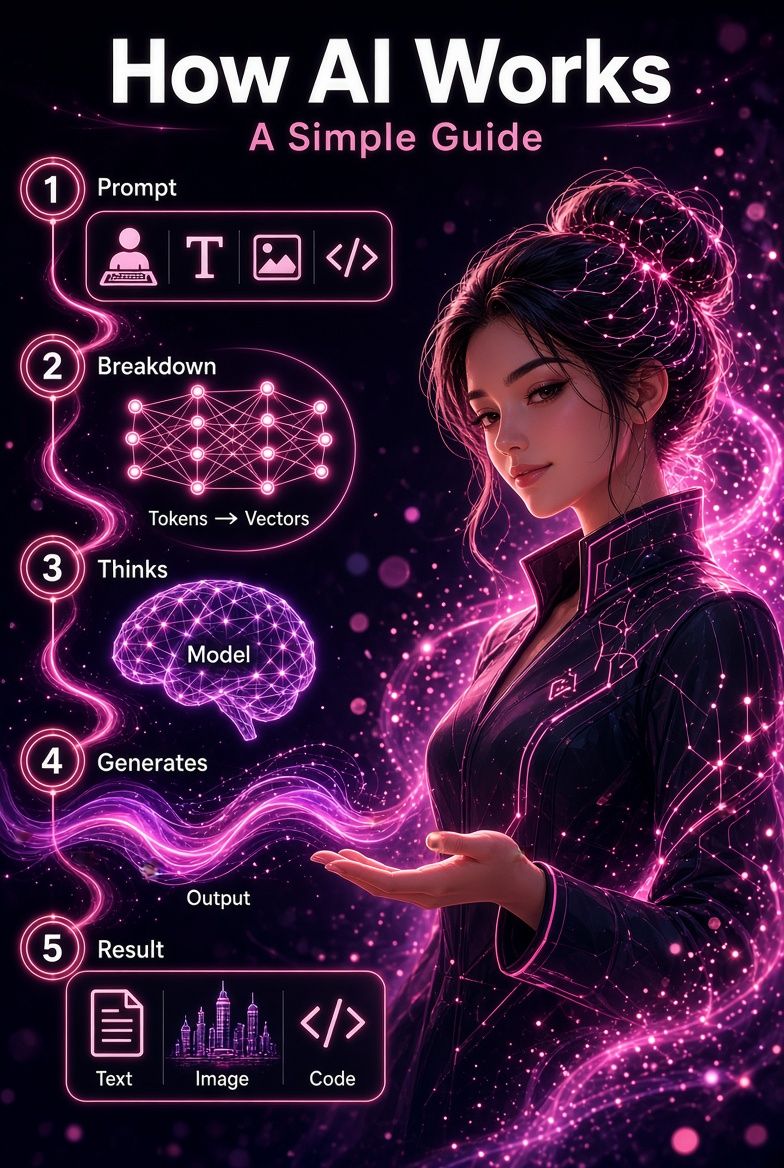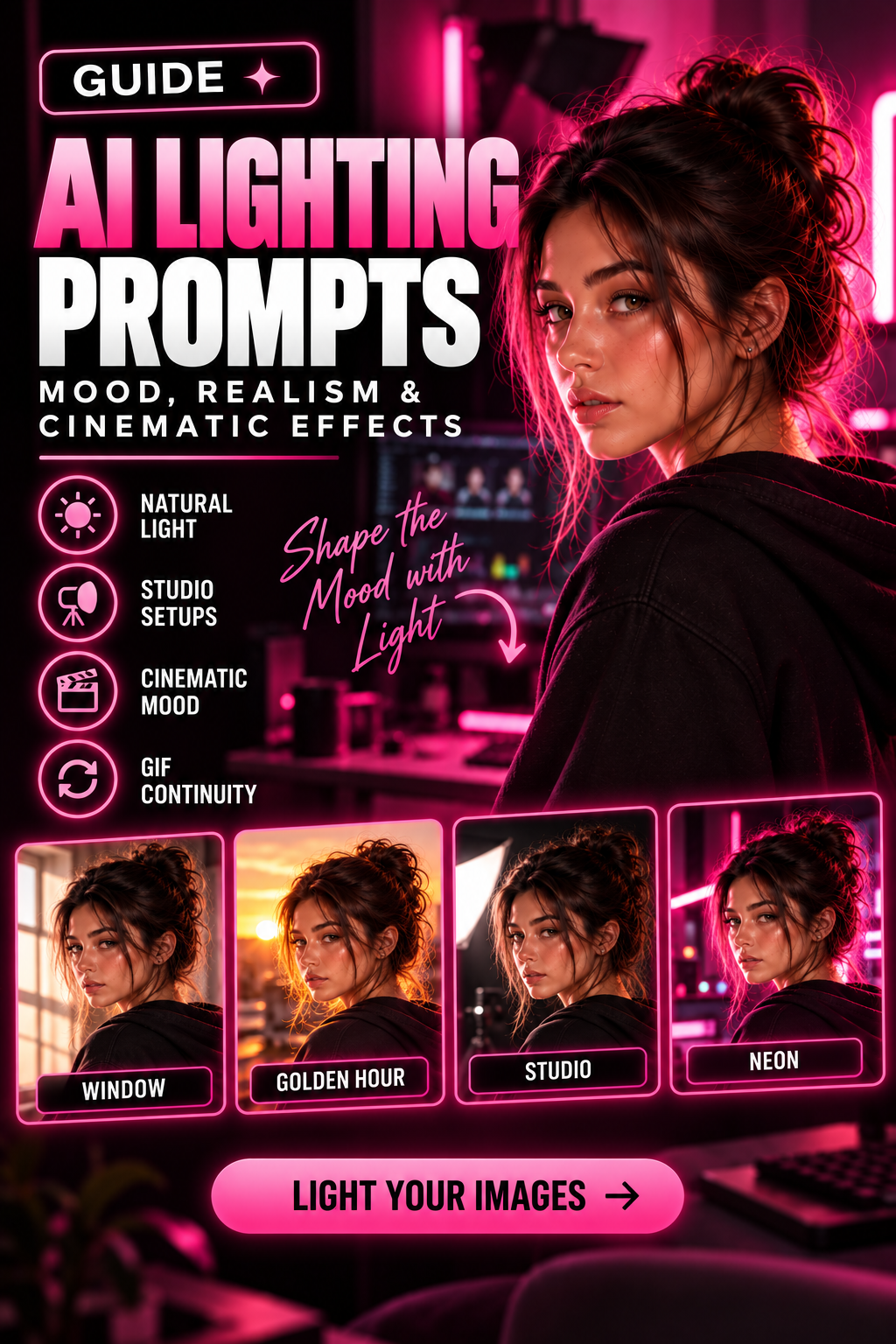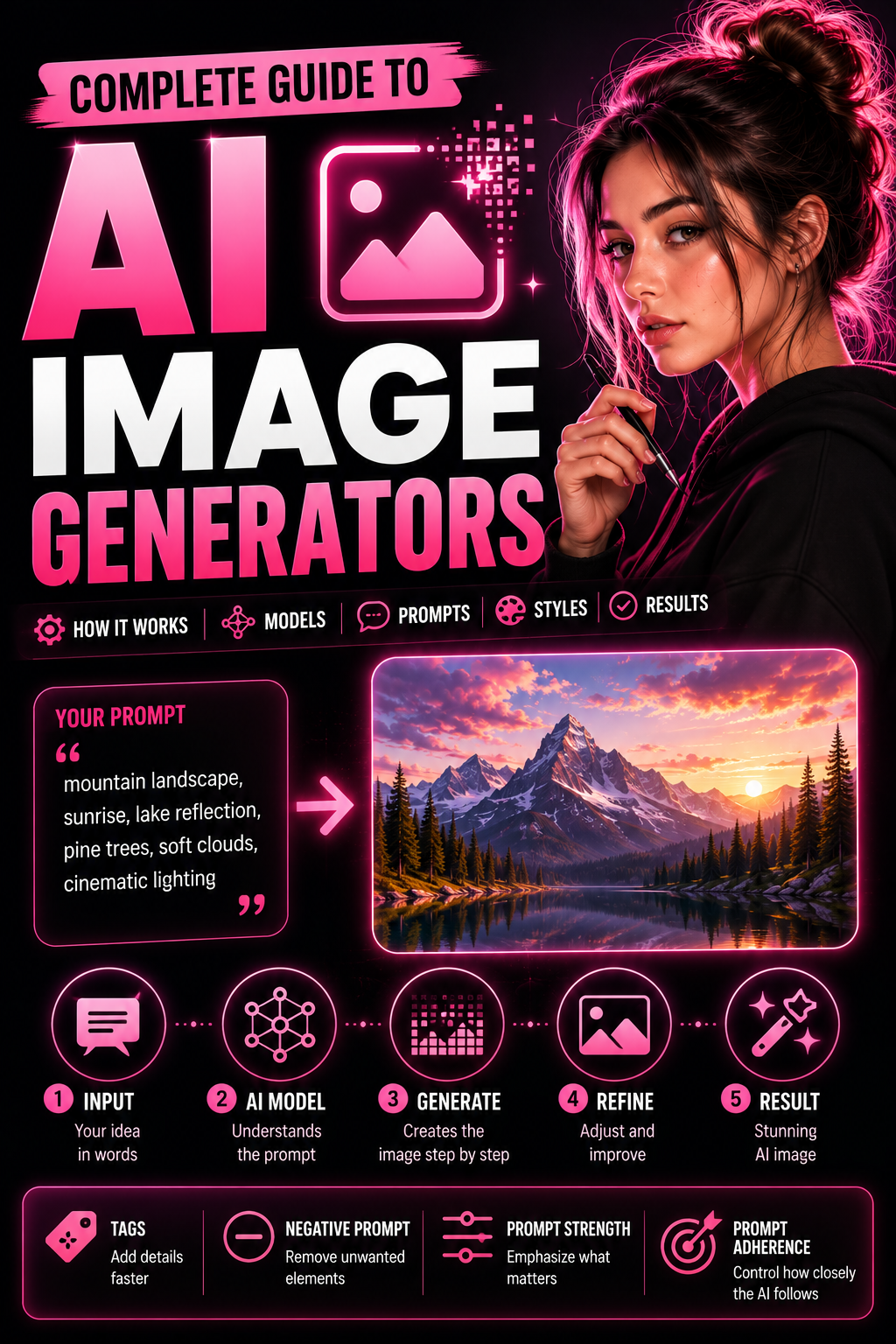
AI image generators turn written instructions into original visual outputs. A short description can establish a subject, appearance, pose, setting, lighting, camera direction, and artistic style. The generator interprets those instructions, combines them with what its selected AI model has learned, and produces a new image.
That simple interface hides a complex process. The system must interpret language, translate words into mathematical representations, construct a visual composition, refine noise or another preliminary representation, and convert the result into a finished image. The exact process varies by generator and model.
This guide explains the technology in practical terms. It also shows how to move from an idea to a clear prompt, select suitable generation options, evaluate a result, and improve it through controlled testing.
Create AI images on Createporn
What Is an AI Image Generator?
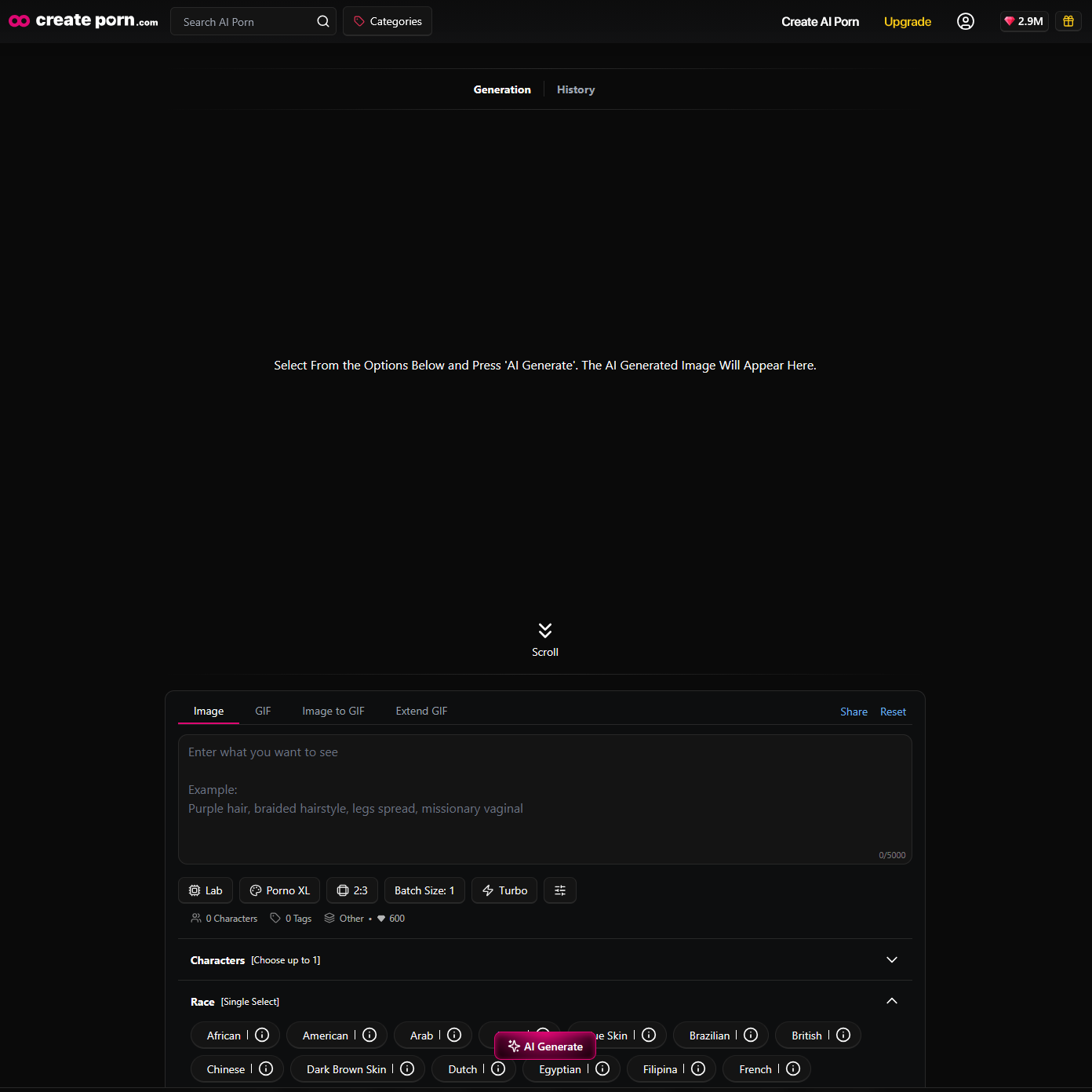
An AI image generator is a system that creates or transforms images in response to an input. The input may be:
Text-to-image generation begins with words and creates a new image. Image-to-image generation starts with an existing visual and changes its appearance or content. Inpainting changes a selected part of an image, while upscaling increases resolution and may improve visible detail.
Not every generator supports every workflow. Available inputs, editing tools, output sizes, and model controls depend on the platform and selected model.
How Do AI Image Generators Work?
AI image generators are trained to identify statistical relationships between visual content and descriptive information. During generation, the model uses those learned relationships to construct an image that corresponds to the user's input.
The model does not search for a finished picture that perfectly matches the prompt. It creates a new output from learned visual patterns. Because generation includes probabilistic decisions, the same input can produce different compositions, faces, colors, and details across multiple attempts.
A typical text-to-image system performs four broad tasks:
The architecture used for those tasks can differ substantially from one model to another.
Understanding AI Image Models
An AI model is the trained system that performs generation. Different models learn different visual relationships and may vary in prompt understanding, composition, realism, anatomy, typography, artistic range, speed, and computing requirements.
The term model is sometimes used interchangeably with a generator, but they are not identical. The generator is the product or interface a person uses. A model is one of the systems working behind that interface. One generator may offer several model or Style choices.
Diffusion Models
Diffusion models are widely used for image generation. During training, a diffusion model learns how visual information changes as noise is added to images. It also learns the reverse task: estimating how to remove noise step by step.
During generation, a diffusion-style system can begin with random noise and repeatedly refine it. The prompt guides this denoising process toward visual features related to the requested subject, setting, composition, and style.
This is easier to understand as a gradual process:
Many diffusion systems work in latent space rather than directly changing every full-resolution pixel. Latent space is a compressed mathematical representation of visual information. Working there can reduce the computing required for generation. A decoder then converts the final latent representation into pixels.
This description explains a common diffusion pipeline. It should not be treated as a claim that every image generator or every available Style uses the same architecture.
Transformer-Based Image Models
Transformers are designed to understand relationships within sequences and other structured data. In image generation, transformer components can help interpret a prompt, connect words with visual concepts, or generate and refine visual representations.
Some modern image systems combine transformer-based language understanding with diffusion or related generative techniques. Others use image transformers as a central part of the generation architecture. The important practical point is that model families can interpret the same prompt differently.
GANs and Other Generative Models
Generative adversarial networks, or GANs, use two competing neural networks during training. A generator creates images, while a discriminator evaluates how closely they resemble the training distribution. GANs played an important role in earlier AI image systems and remain useful for some image-synthesis tasks.
Other approaches include autoregressive models, variational autoencoders, rectified-flow models, and hybrid systems. Users do not need to master every architecture to create images, but understanding that several model families exist helps explain why controls and results differ between generators.
How Text Becomes an AI-Generated Image
The following stages describe a common text-to-image workflow. Individual models may use different components or arrange them differently.
1. The Prompt Is Broken Into Tokens
The system divides the prompt into smaller units called tokens. A token may be a word, part of a word, punctuation, or another text fragment. Tokenization allows the model to process the instruction mathematically.
This is one reason clear, recognizable wording matters. An obscure phrase may not connect strongly to the intended visual concept, while a simpler description may provide a clearer signal.
2. A Text Encoder Represents the Meaning
A text encoder converts the tokens into embeddings. Embeddings are numerical representations that capture relationships between words and concepts. These representations guide the image-generation component.
The text encoder does not understand a prompt exactly as a person does. It represents patterns learned during training. Ambiguous terms, conflicting descriptions, and complex relationships may therefore be interpreted unpredictably.
3. The Image Representation Is Initialized
In a common diffusion workflow, generation begins with random noise in pixel space or latent space. A seed may determine the initial random state. Other model families may begin with a different form of visual representation.
4. The Model Refines the Image
The model repeatedly predicts how the current representation should change. Prompt information conditions this process, encouraging the output to move toward the requested concepts.
Across repeated steps, the representation becomes more consistent with both the prompt and the visual patterns learned by the model. The exact behavior depends on the architecture and sampling method.
5. The Result Is Decoded
If the model works in latent space, a decoder converts the final latent representation into pixels. The system may then apply platform-specific processing before displaying the finished output.
6. The User Evaluates and Iterates
Generation is not complete just because an image appears. The user compares the result with the original goal, identifies the most important mismatch, changes one input, and generates again.
This iterative stage is where prompt design becomes most valuable.
The Complete Text-to-Image Workflow
An effective workflow separates creative planning from testing. Trying to describe every possible detail in the first prompt can make it difficult to identify which instruction caused a problem.
Step 1: Define the Main Idea
Write one sentence describing the essential result. Focus on the subject, action, and setting before adding secondary details.
Example concept:
A confident athlete standing inside a modern gym
This sentence is a planning tool. The final prompt can use the syntax recommended by the selected generator.
Step 2: Choose a Suitable Model or Style
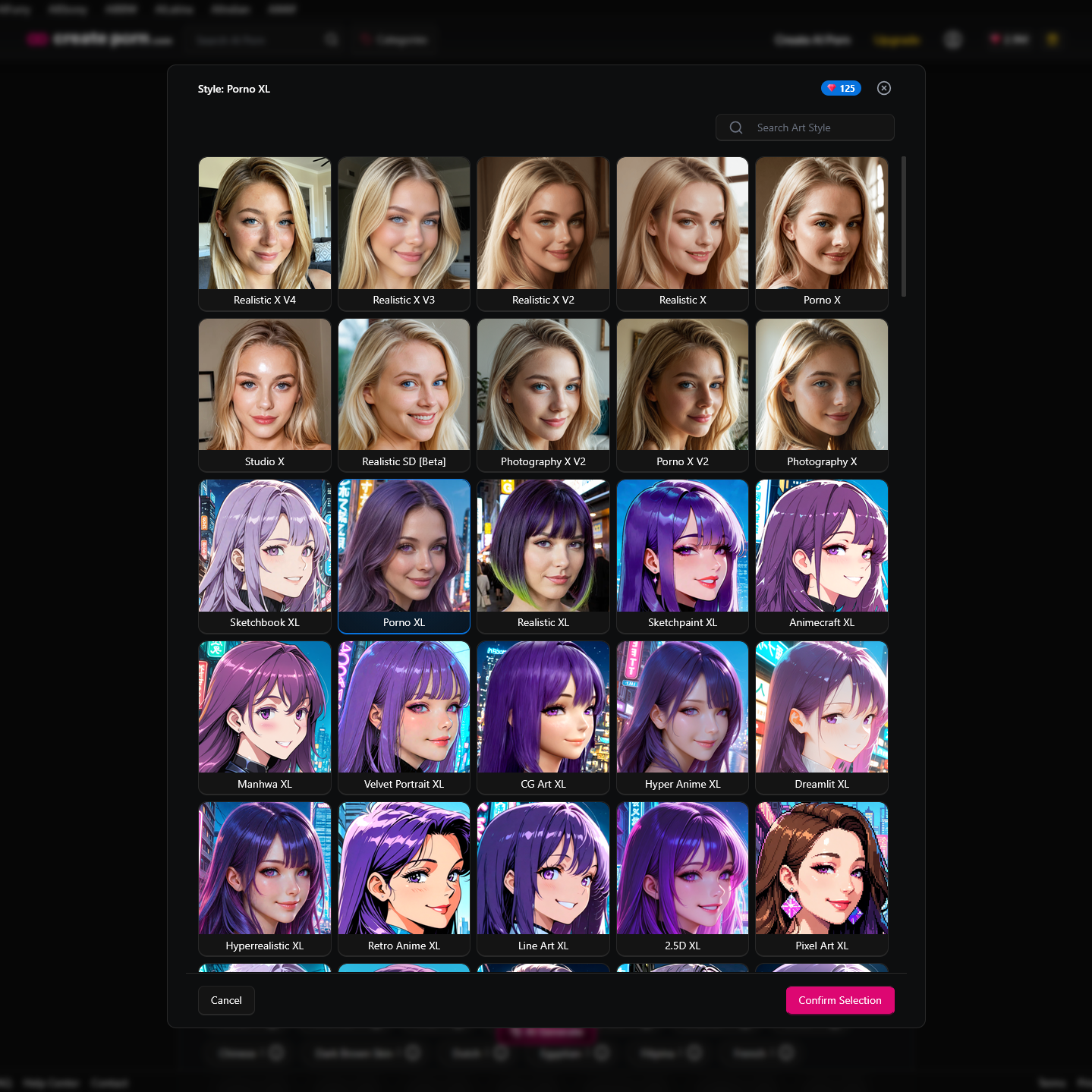
Select a model or Style suited to the intended result. A model optimized for photography may interpret painterly language differently from one designed for illustration. A model that handles a simple portrait well may struggle with a complex group scene.
On Createporn, users select a Style before generating. The help center also notes that a selected Style may not recognize every concept or highly specific combination. A prompt cannot teach the Style a new concept during generation.
Step 3: Build the Prompt in Visual Order
Createporn's documented prompt structure begins with the Character, followed by physical details, actions, and scene information. Users do not need to include every possible category.
A practical structure is:
Character + visible appearance + clothing + physical attributes + pose or action + viewing distance + camera angle + location + lighting
Example:
Swedish woman, blonde hair, ponytail, warm smile, white sports bra, blue yoga pants, athletic body, hands on hips, waist shot, modern gym, soft window lighting,
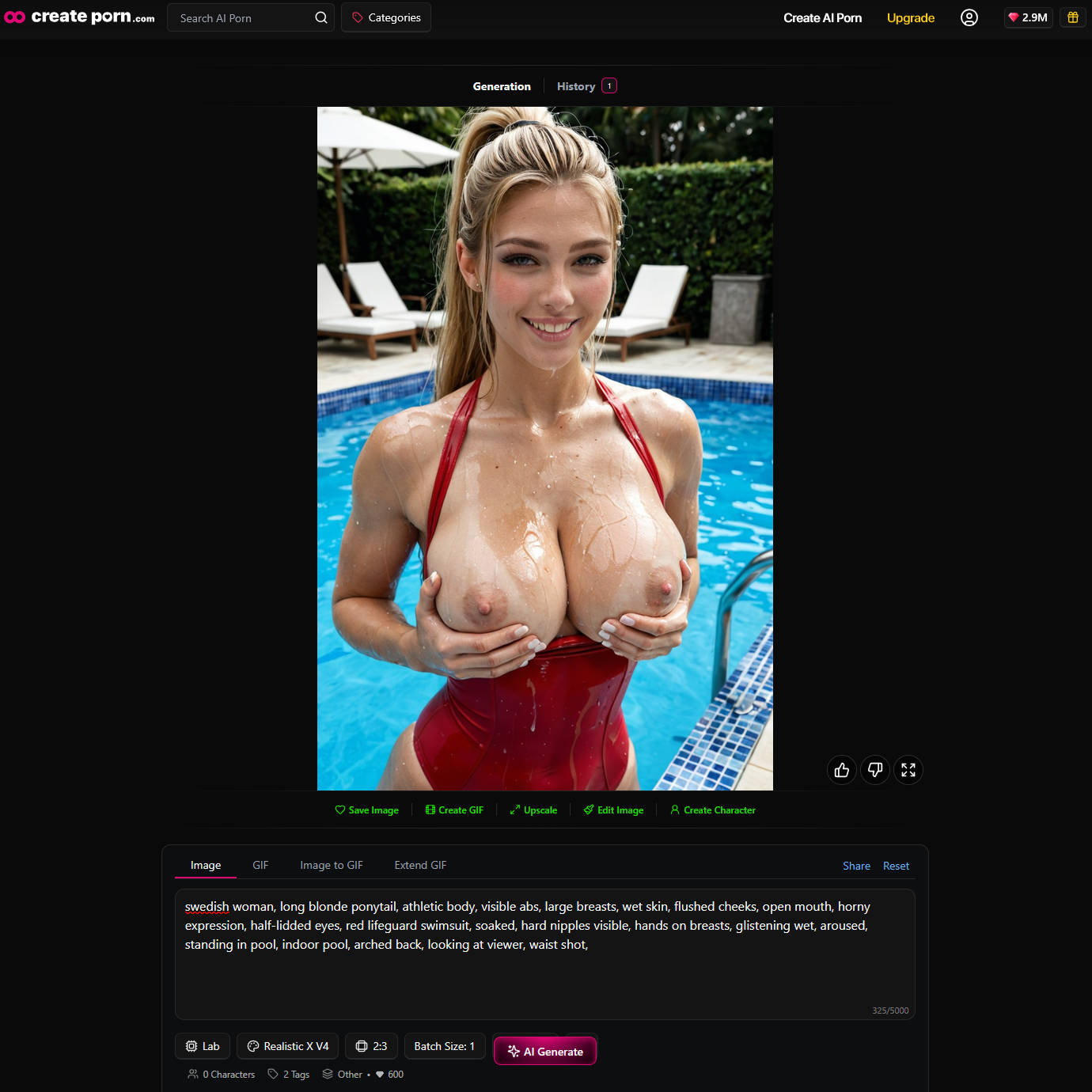
Createporn instructs users to separate prompt details with commas rather than full stops.
Step 4: Add Tags Where They Help
Tags are prewritten generation instructions. They offer a structured alternative to entering every detail manually.
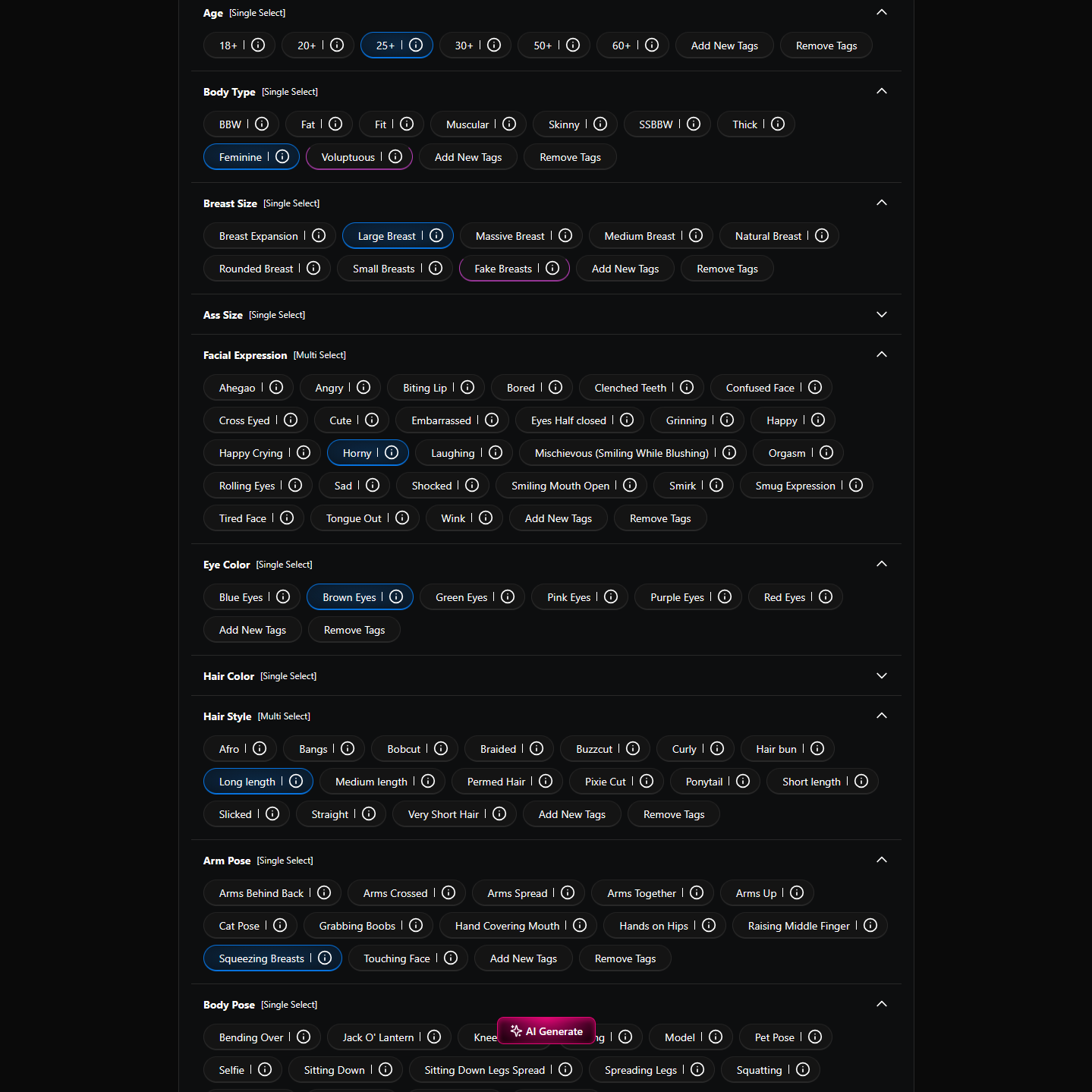
Createporn organizes Tags into four broad areas:
Subject Appearance
These Tags may control age, facial expression, eye color, hair, and clothes.
Physical Attributes
These Tags may control body type, body features, and subject modifiers.
Subject Action
These Tags may control arm pose, body pose, and position.
Image Modifiers
These Tags may control viewing distance, camera angle, location, time of day, number of people, weather, and lighting.
Use only Tags that support the intended result. Too many Tags can repeat or conflict with the Custom Prompt.
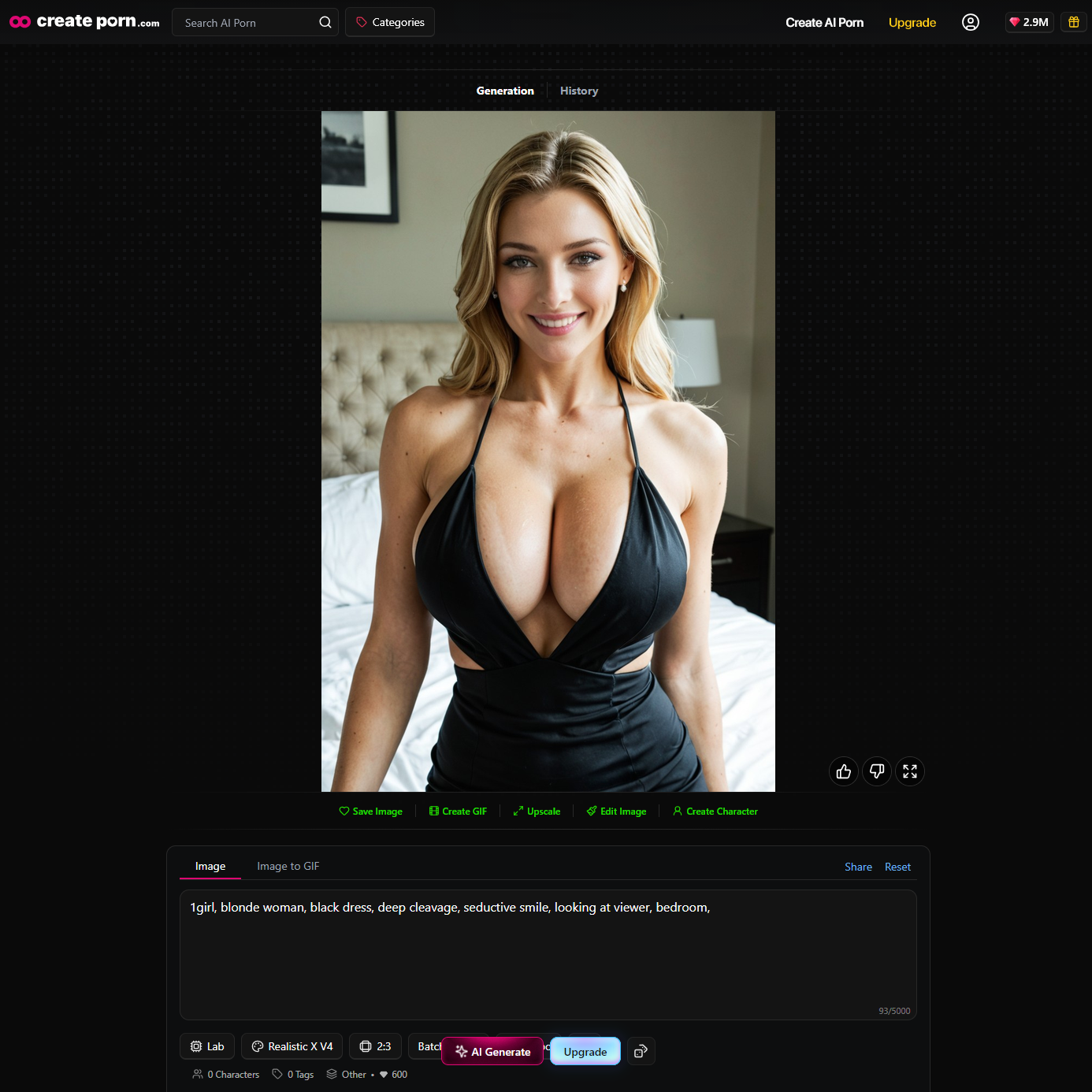
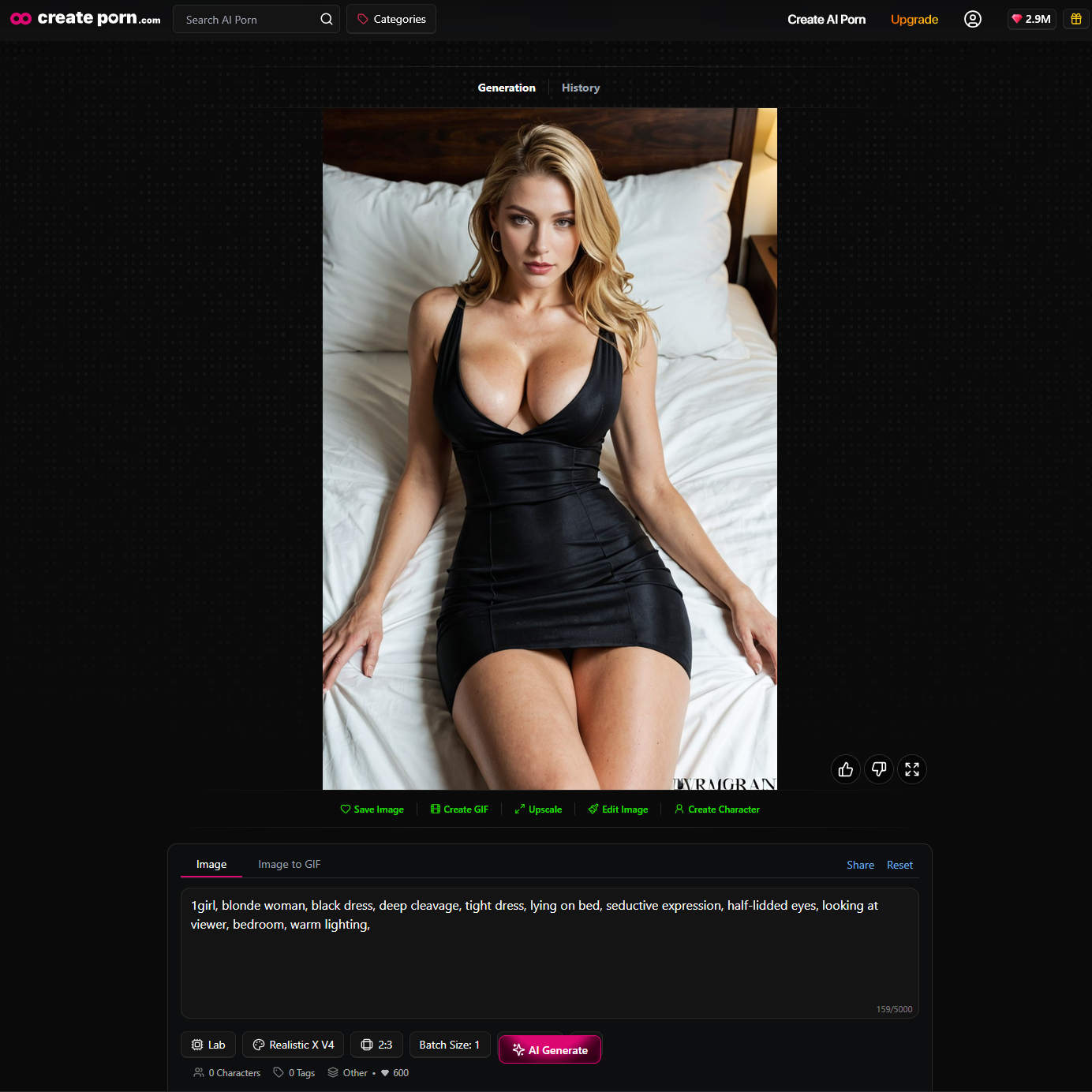
Step 5: Generate a Simple Test
Test the main concept before adding every modifier. Confirm that the generator recognizes the subject, action, and setting.
First test:
“1girl, blonde woman, black dress, deep cleavage, seductive smile, looking at viewer, bedroom, “
Second test:
“1girl, blonde woman, black dress, deep cleavage, tight dress, lying on bed, seductive expression, half-lidded eyes, looking at viewer, bedroom, warm lighting, “
Third test:
“1girl, 1boy, blonde woman, black dress pulled down, doggystyle, rear view, pov, ass focus, deep penetration, seductive expression, half-lidded eyes, looking at viewer, looking back, ahegao, on bed, bedroom, warm lighting, “
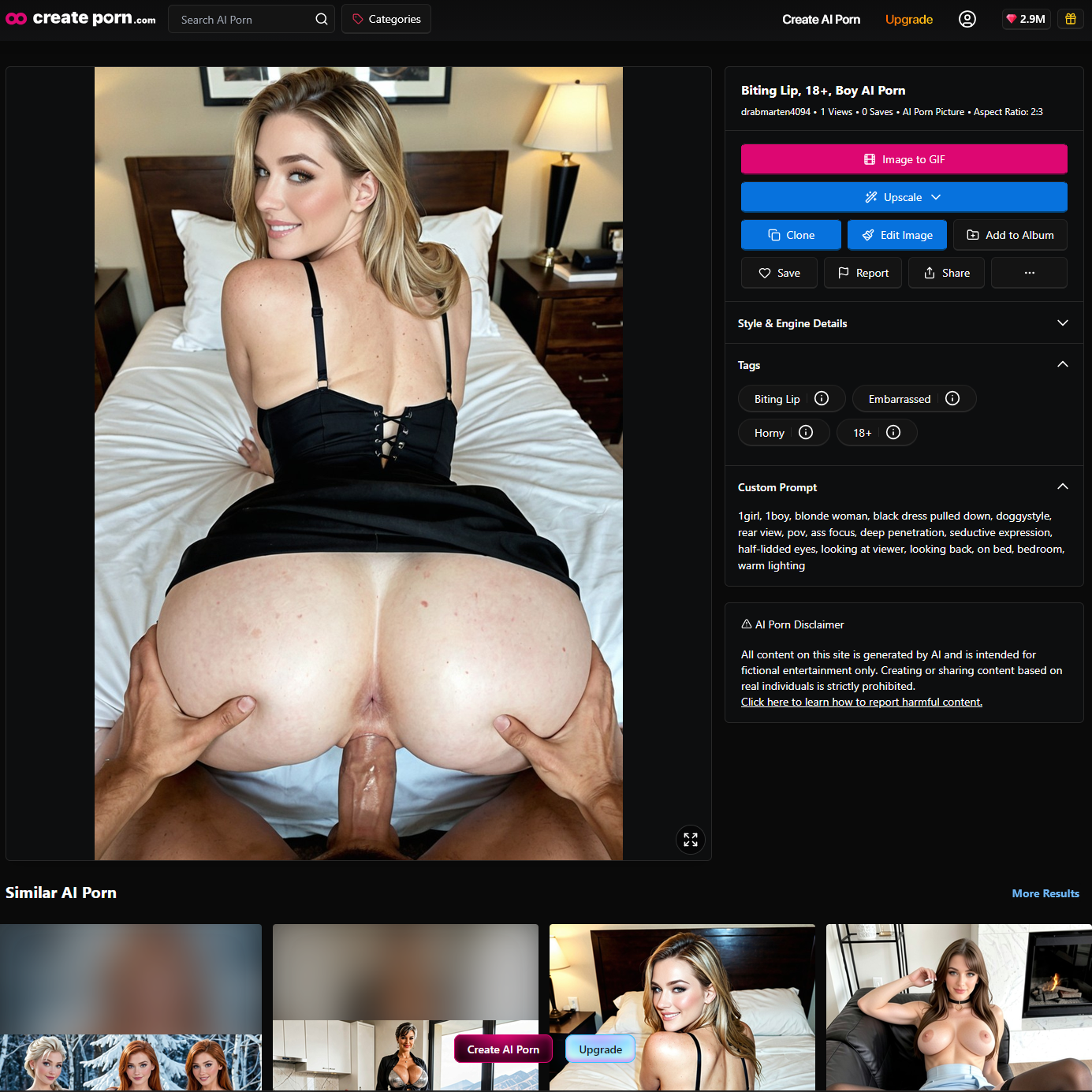
This progressive method makes failures easier to diagnose. If the second test works and the third does not, review the newly added composition and lighting details first.
Step 6: Refine One Variable at a Time
Change one important element between tests. Useful variables include:
Changing several variables at once makes it difficult to learn which adjustment improved or harmed the result.
Step 7: Save, Edit, or Upscale the Result
Once the main composition works, use the editing tools available on the platform. Inpainting can be useful when most of an image is correct and one selected area needs attention. Upscaling can increase resolution and sharpness, but it should not be expected to repair major composition or anatomy problems automatically.
Prompts, Tags, and Model Controls
The prompt is only one part of generation. The selected Style, Tags, adherence setting, prompt emphasis, and random variation all influence the result.
Custom Prompts
Custom Prompts describe visible content. Direct descriptions usually work better than explanations, backstories, or abstract intentions that cannot be shown visually.
Less direct:
She is successful and has a complicated past
More visual:
Confident expression, tailored black suit, upright posture, modern executive office,
The second version translates the idea into features the image can display.
Negative Prompts
A Negative Prompt identifies unwanted elements. On Createporn, the Negative Prompt field is located in Advanced Inputs.
Example:
extra limbs, distorted hands, stretched body, duplicate Character,
Begin with a small number of relevant terms. Negative Prompts are guidance, not a guarantee that every listed problem will disappear.
Prompt Strength
Prompt Strength increases the influence of an important keyword.
Createporn documents parentheses with an optional numerical value:
(pink hair)
(pink hair:1.2)
Use small increases. Excessive emphasis can contribute to distortion or an overprocessed appearance. Strengthening a keyword also cannot make a Style generate a concept outside its capabilities.
Prompt Adherence
Prompt Adherence changes how strongly the generator follows Prompts and Tags. Higher adherence can place more emphasis on the instructions, but it does not guarantee exact compliance or unlock unsupported concepts.
Start with a balanced setting, review the output, and compare alternatives. If an image becomes rigid, distorted, or visually overloaded, simplifying the inputs may be more effective than raising adherence.
Why the Same Prompt Produces Different Images
AI image generation includes variation. The model makes probabilistic choices while constructing the output, so repeated generations may change:
Variation is useful during exploration, but it can make exact consistency difficult. A strong prompt narrows the range of likely results; it does not define every pixel.
The selected model also matters. Two models can assign different visual meanings to the same words because they were built, trained, or tuned differently.
How to Write Clear AI Image Prompts
Describe What Can Be Seen
Use visible traits instead of invisible biography. Appearance, expression, clothing, pose, setting, lighting, and camera direction can all appear in an image. Private thoughts and long narrative history usually require visible cues.
Put Important Details Early
Createporn recommends moving important details toward the front of the Custom Prompt. Start with the identity of the subject and the features that must appear.
Keep Related Details Together
Place a color beside the object it modifies:
Black hair, white shirt, blue skirt,
This is clearer than grouping several colors separately from their objects.
Remove Repetition and Conflicts
Repeating a keyword does not necessarily make it more reliable. Conflicting pose, camera, lighting, or location instructions can weaken the composition.
Instead of:
Close-up, full body, front view, rear view, indoor studio, outdoor beach,
choose one coherent setup:
Full-body portrait, front view, outdoor beach, golden-hour lighting,
Use Recognizable Language
If a rare or highly specific term is ignored, replace it with a simpler visual description. On Createporn, Search can help users check whether a keyword appears in relevant public Creations. Search results are useful evidence for testing, not a guarantee that a term will work in every Style or combination.
Common AI Image Generation Problems
An Important Detail Is Missing
Review the prompt order, wording, and selected Tags. Move the missing detail earlier and test a simpler prompt.
The Anatomy Is Distorted
Review the number of subjects, complexity of the action, and use of Prompt Strength. Simplify the pose and reduce competing instructions.
Colors Appear on the Wrong Objects
Place each color directly beside the object it should modify. Avoid listing several colors separately from their subjects.
The Background Is Incorrect
State the intended location clearly and remove clothing, objects, or scene cues that suggest a competing setting.
The Image Looks Overloaded
Shorten the prompt, remove repeated details, and deselect unnecessary Tags. Keep only the essential visible instructions.
The Negative Prompt Seems Ineffective
Use a short list of relevant unwanted details and improve the positive Custom Prompt. Negative Prompts provide guidance rather than guaranteed removal.
Higher Adherence Does Not Fix the Image
Simplify the idea, verify the keywords through Search, or test another suitable Style. Higher adherence cannot add capabilities that the selected Style does not have.
One Small Area Is Incorrect
If most of the composition works, consider focused inpainting instead of regenerating the entire image.
These suggestions are diagnostic starting points, not guaranteed causes. Review the exact prompt, Tags, Style, and settings used before deciding what to change.
How to Evaluate an AI-Generated Image
Evaluate the result in a consistent order:
Fix the highest-priority failure first. There is little value in perfecting background texture if the main pose or subject is wrong.
AI Image Generator Limitations
AI image generators can produce strong results, but they do not guarantee perfect prompt accuracy. Common limitations include:
Capabilities vary by model. A limitation in one Style does not prove that every Style will behave the same way, and a successful keyword in one scene may fail when combined with a more complex composition.
Frequently Asked Questions
What is the difference between an AI image generator and an AI model?
The generator is the application or interface used to create images. The model is the trained system that interprets inputs and constructs visual output. A generator can offer more than one model or Style.
Are all AI image generators diffusion models?
No. Diffusion is a widely used approach, but image systems can also use transformer-based, autoregressive, adversarial, flow-based, or hybrid architectures.
Does an AI image generator copy an existing image?
An image generator normally creates a new output from learned statistical relationships rather than retrieving a single finished image that matches the prompt. Questions about model training data and output similarity depend on the specific provider and model.
What is latent space?
Latent space is a compressed numerical representation of information. In latent diffusion, the system performs much of the denoising process in this compressed space and then decodes the result into pixels.
Why does the same prompt create different results?
Generation involves randomness and probabilistic choices. The starting noise or seed, model, settings, and sampling process can all influence the final composition and details.
Do longer prompts create better images?
Not automatically. Long prompts can introduce repetition, ambiguity, and conflicting instructions. A concise prompt with clear visual priorities is often easier to test and refine.
What is the difference between a Prompt and a Tag?
A Custom Prompt is written by the user. A Tag contains a prewritten generation instruction that can be selected in the interface. Both guide the generator and can be used together when they do not conflict.
Can Prompt Strength force a missing concept to appear?
No. Prompt Strength can increase the influence of a recognized keyword, but it cannot teach a selected Style a new concept or guarantee that the detail will appear.
What should I change first when an image is wrong?
Identify the most important missing or incorrect element. Simplify the prompt, move that detail earlier, remove conflicts, and test one change. Avoid changing the prompt, Tags, Style, and adherence setting simultaneously.
How can I improve AI image quality?
Begin with a clear subject and simple composition. Use compatible prompts and Tags, add details gradually, avoid excessive emphasis, and select a Style suited to the concept. Edit or upscale only after the main image works.
Start Creating AI Images
AI image generation works most effectively as an iterative creative process. Define the main idea, select a suitable Style, describe visible details clearly, generate a simple test, and refine one variable at a time.
Understanding the technology helps set realistic expectations. The prompt guides the model, the model contributes its learned capabilities and limitations, and each generation provides information for the next decision. Start with a focused prompt, review the result carefully, and build complexity only after the central concept works.
For platform-specific syntax and current controls, read
How To Use Prompts & Tags for Image Generation.