Our new Video Generation Model represents a step forward in image-to-video creation.
Compared to earlier generations, it now delivers:
This means your animations feel more intentional, cinematic, and story-driven, and not just moving images. We are continuously improving it to make motion, detail, and audio even more reliable over time.
This guide focuses strictly on Video prompting and how to maximize motion control using the correct formula.
Current Limitations
While our new Video Generation Model delivers stronger motion realism and cinematic control, certain technical constraints still apply:
Generating A High-Quality GIF
The steps below explain how to access the feature and generate your first animation.
Go to Your Creations or Select an Image
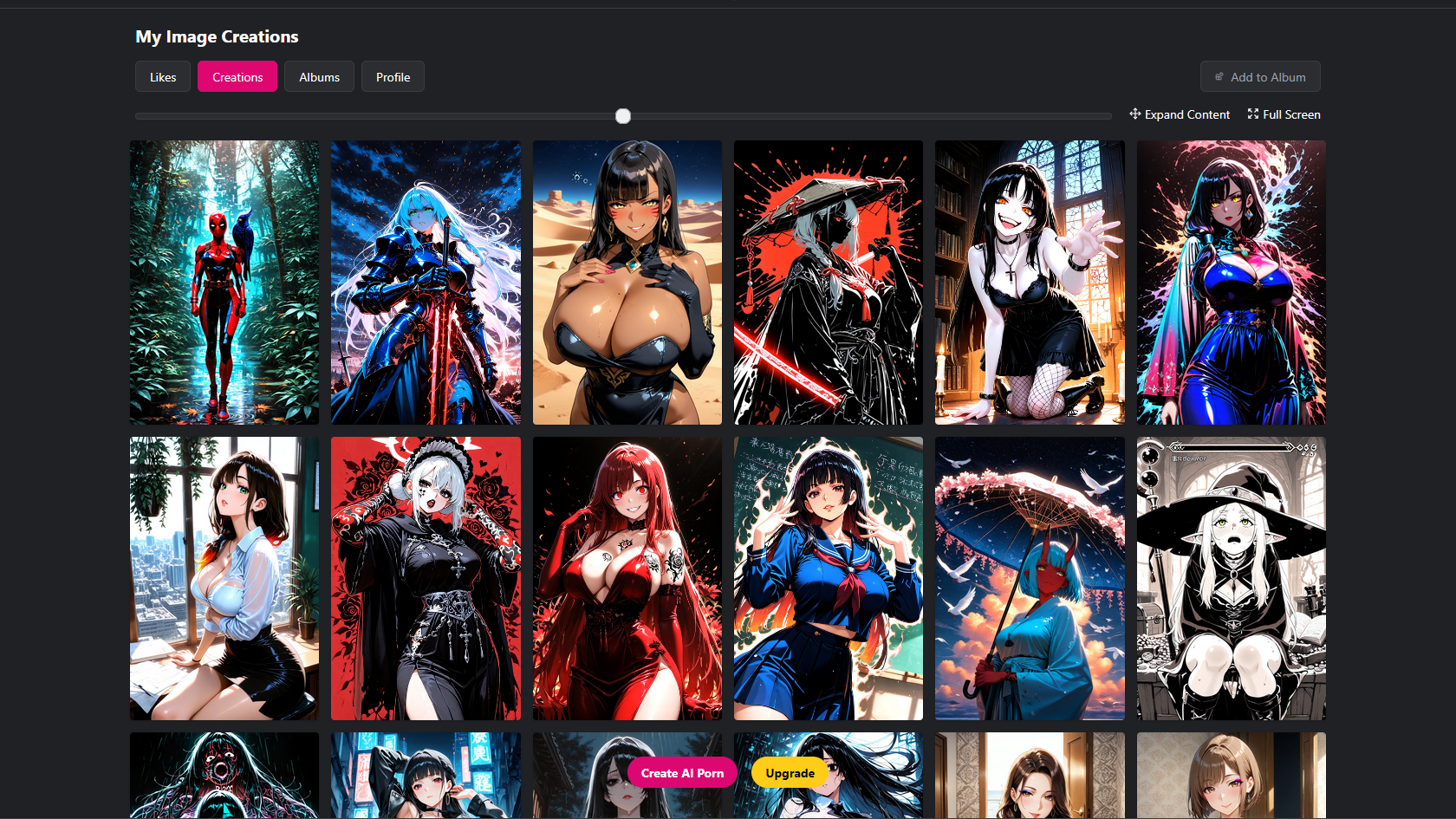
Open your Creations page to view the images you have already generated. You can choose any image from your existing creations to animate. If you prefer, you can also select a new image that you want to turn into a GIF.
Open the GIF Creation Tool
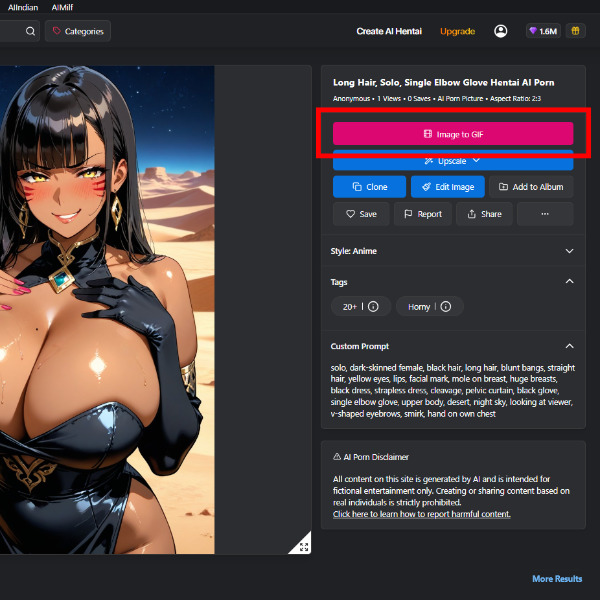
Once you have chosen the image, open it to access the Image to Gif options.
Enable High Quality GIF Option and Write Your Prompt
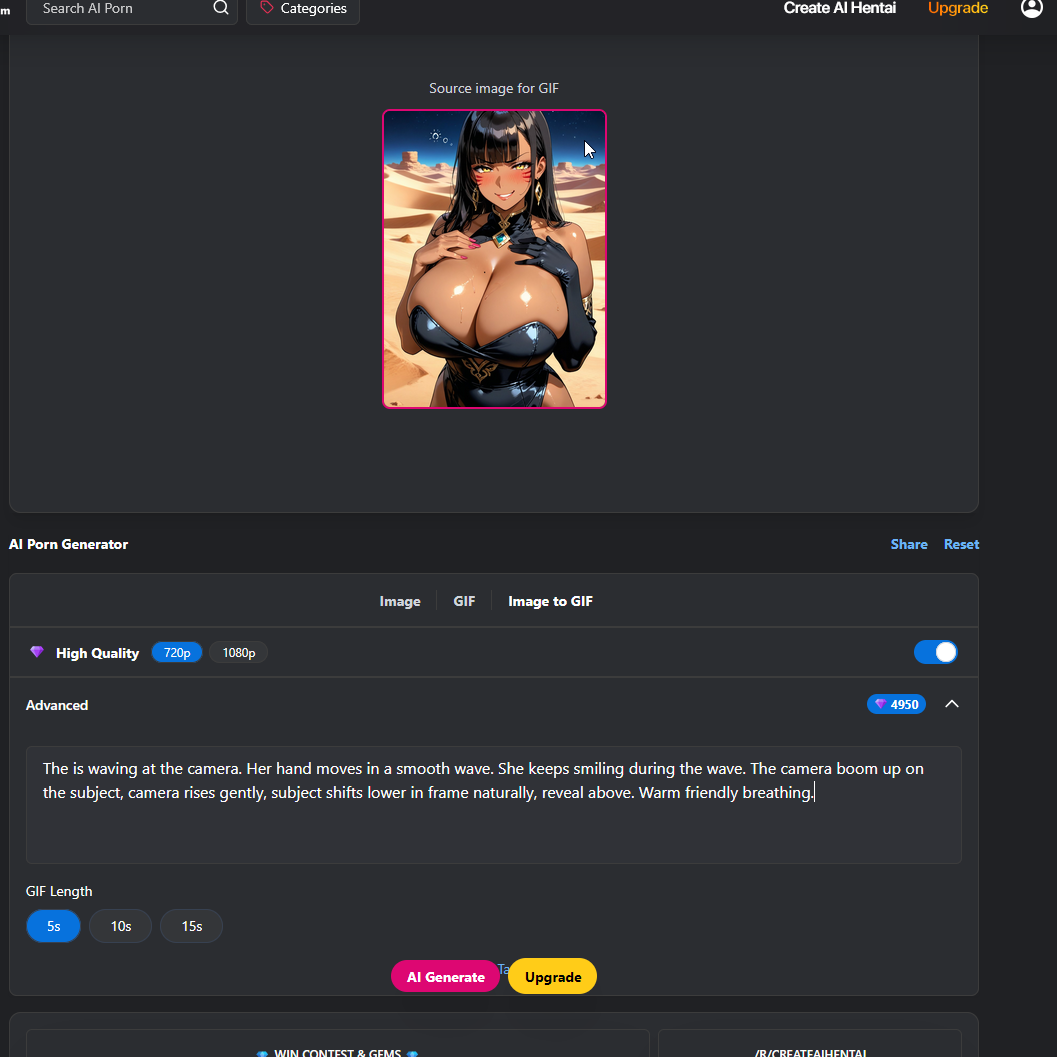
Enter your prompt using the recommended structure: Prompt = [Motion Description] + [Camera Movement] + [Sound Description]
Adjust Generation Settings
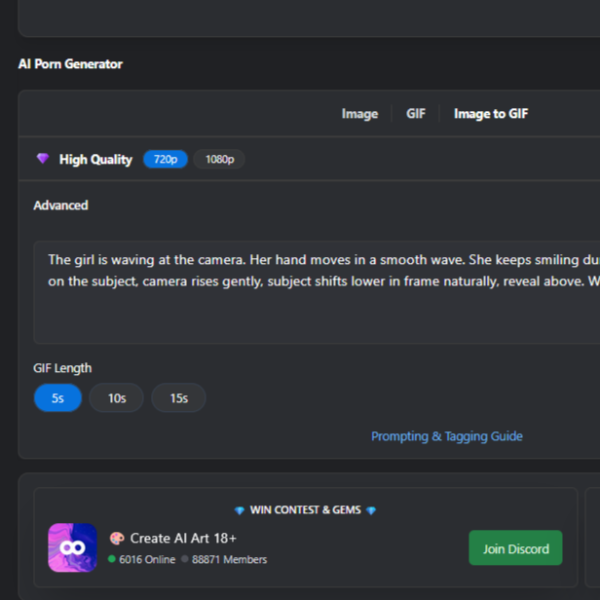
Select the desired settings such as duration, or anything that is available.
Generate the GIF

Click Generate and wait for the system to process your animation.
Review and Download
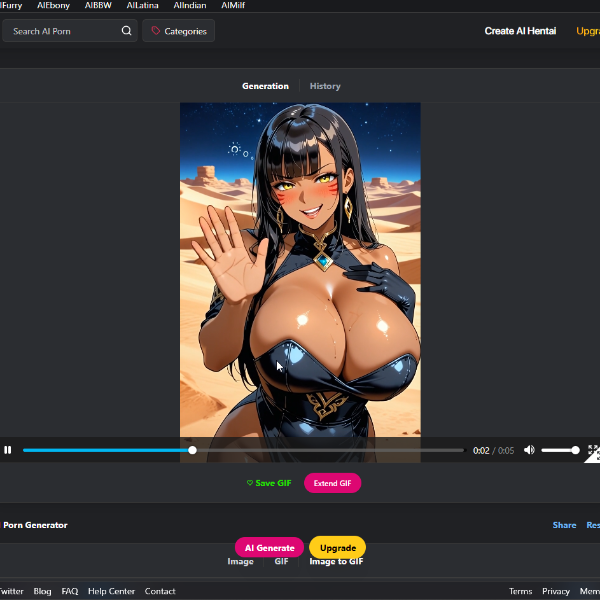
https://www.createhentai.com/gif/69a9a63e296a3d17145d3bf4 Once generation is complete, preview the result. If satisfied, Save or download the GIF.
Start With a Strong First Image
Your GIF will never be better than your starting image. It animates exactly what you give it, flaws included. If the base image is blurry, warped, poorly lit, or full of visual noise, the outcome won’t be desirable.
A clean, high-quality input is the single biggest factor in whether your GIF turns out smooth and natural or warped and unusable.
Choose an image with:
When the base image is sharp, stable, and visually coherent, the animation will follow the same quality.
Motion Must Fit the Image
GIF generation can handle small, medium, and even moderately large movements as long as the animation logically fits the original image, pose, lighting, and anatomy. While there are some cases where the context of the image can be changed, we highly recommend animating an image in based on the context of the source image.
If the motion prompt matches the source, you’re safe.
If the motion contradicts the source, you may get distortion.
Great motions that can match an image:
Motions that may break the image:
GIF Prompt Structure
Because the source image already defines:
Your prompt should focus primarily on:
Prompt = [Motion Description] + [Camera Movement] + [Sound Description]
To get the best results, be as descriptive as possible when writing your prompt. Clearly explain what is moving, how it moves, how the camera behaves, and what sounds are present. The more specific you are, the better the video will match your vision.
Where:
Motion Description: Describe the motion of elements in your image (e.g., people, animals, objects, environment). Use clear action verbs and adverbs to control pace and intensity. Examples: "running quickly", "waving hello slowly", "hair flowing gently in the wind", "leaves rustling", "chest rising and falling with breathing", "violently swaying", "shattering glass slowly".
Camera Movement: Specify how the camera behaves. Use standard cinematic terms for precise control. If no movement is desired, explicitly state it. Examples: "dolly in", "pan left", "pan right", "tilt up", "zoom in slowly", "static shot", "fixed shot", "orbit clockwise", "tracking shot forward", "crane up".
Sound Description: Describe the audio in the scene and how it changes over time. Sound should match what is happening visually.
Voice = “the character’s spoken lines” + emotion + intonation + speech rate + timbre + accent
Example: A man is talking about his insomnia. He says, “love is not getting but giving.” The tone is relaxed, the pace is moderate, the voice is bright and clear, in American English.
Sound effects = sound source object + action + ambient sound
Example: A piece of glass falls from the table onto a wooden floor, making a “shatter” sound, in a quiet indoor environment.
Background music = Background music/BGM + style
Example: On a rainy night, in a gloomy, narrow corridor with a window at the end, suspense-style background music plays.
Combining Everything
Write your prompt naturally as one clear sentence or phrase. Keep it clear. Keep it specific. Describe what moves, how the camera behaves, and what we hear.
You can use this structure for ALL GIF creation:
Some Examples
Titfuck
Prompt: The woman is getting tit fucked. She keeps the penis squeezed tight between her breasts. She moves her breasts up and down fast and rhythmic on the penis. Expressive facial expression. Her breasts slide up high then down low again and again in quick steady motion. The penis stays squeezed between her breasts the whole time and moves in and out from between them with each up and down stroke. Completely static shot with no camera movement. Fixed locked-off camera. Natural ambient sound effects can be heard, bird chirping. Soft instrumental music playing in the background.

Result: https://www.createporn.com/gif/69a8b12c3f95e29f0bfb7dfd
[Motion Description] =The woman is getting tit fucked. She keeps the penis squeezed tight between her breasts. She moves her breasts up and down fast and rhythmic on the penis. Expressive facial expression. Her breasts slide up high then down low again and again in quick steady motion. The penis stays squeezed between her breasts the whole time and moves in and out from between them with each up and down stroke. [Camera Movement] =Completely static shot with no camera movement. Fixed locked-off camera. [Sound Description] = Natural ambient sound effects can be heard, bird chirping. Soft instrumental music playing in the background.
More Examples: https://www.createporn.com/gif/69a8b22f3f95e29f0bfce188 https://www.createhentai.com/gif/69a8b2de3f95e29f0bfdfa99 https://www.createhentai.com/gif/69a8b60b296a3d1714fa1bf0
Doggystyle
Prompt: The woman is getting fucked in doggy style. The man is thrusting his penis back and forth into the woman in a rhythmic rapid motion. He is thrusting his penis fully in and out of the woman's hole. The camera gently dollies in slowly toward the penetration from the side/rear for intimate focus on the thrusting, smooth cinematic push-in, then holds perfectly still in a locked-off static shot with no further movement. Wet slapping skin-on-skin impacts, and her moaning sound. soft instrumental plays.
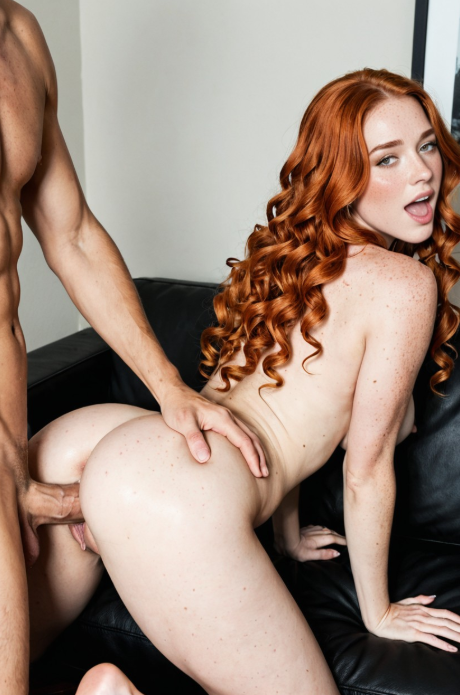
Results: https://www.createporn.com/gif/69a8f85c296a3d171458f866
[Motion Description] = The woman is getting fucked in doggy style. The man is thrusting his penis back and forth into the woman in a rhythmic rapid motion. He is thrusting his penis fully in and out of the woman's hole. [Camera Movement] = The camera gently dollies in slowly toward the penetration from the side/rear for intimate focus on the thrusting, smooth cinematic push-in, then holds perfectly still in a locked-off static shot with no further movement. [Sound Description] = Wet slapping skin-on-skin impacts, and her moaning sound. soft instrumental plays.
More Examples: https://www.createporn.com/gif/69a8fb03296a3d17145c97f0 https://www.createhentai.com/gif/69a8fc6e296a3d17145ea518 https://www.createporn.com/gif/69a8fa0a296a3d17145b2d40
Waving
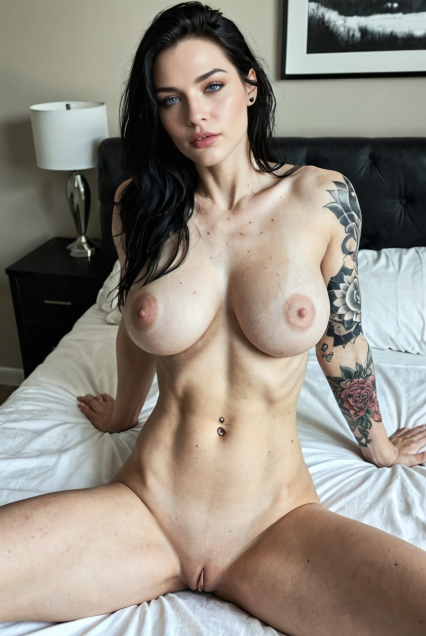
More Examples: https://www.createhentai.com/gif/69a90683296a3d17146d7a19 https://www.createhentai.com/gif/69a9662c296a3d1714f5d4b2 https://www.createhentai.com/gif/69a9719e296a3d1714077277
Quick Tips for Better Results
Common Mistakes
Conclusion
Our new video tool works best when motion is intentional, controlled, and aligned with the original image.
When you focus on clear motion description + precise camera control, master the fundamentals, stay within the image’s limits, and you’ll consistently produce high-quality, stable GIFs that animates beautifully.
Treat it like a precise tool and it will outperform your expectations every time.