How to purchase keys with Kinguin
Top up Gems using Kinguin and enjoy quick, flexible checkout options.

On this page
How to purchase keys with Kinguin
We’ve added a new payment option to give you even more flexibility when buying Gems. You can now purchase your Gem packs through Kinguin and redeem them instantly on CreatePorn.com.
Follow this quick guide to complete your purchase:
Step 1 — Choose Your Gem Pack
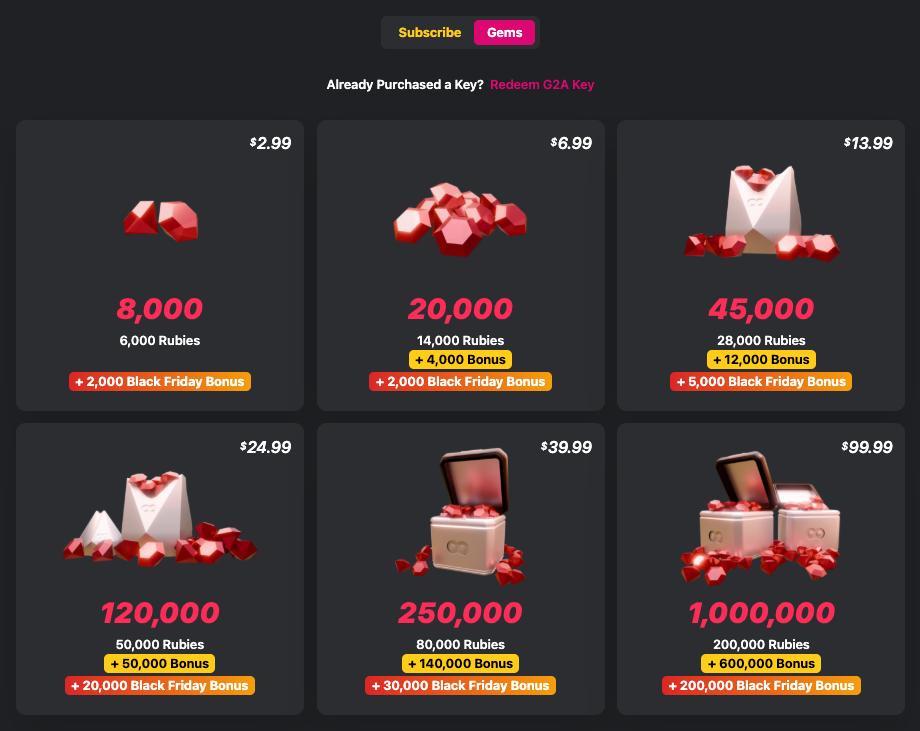
Go to our Credits page on CreatePorn.com and pick the Gem package you want to buy.
Step 2 — Select Kinguin
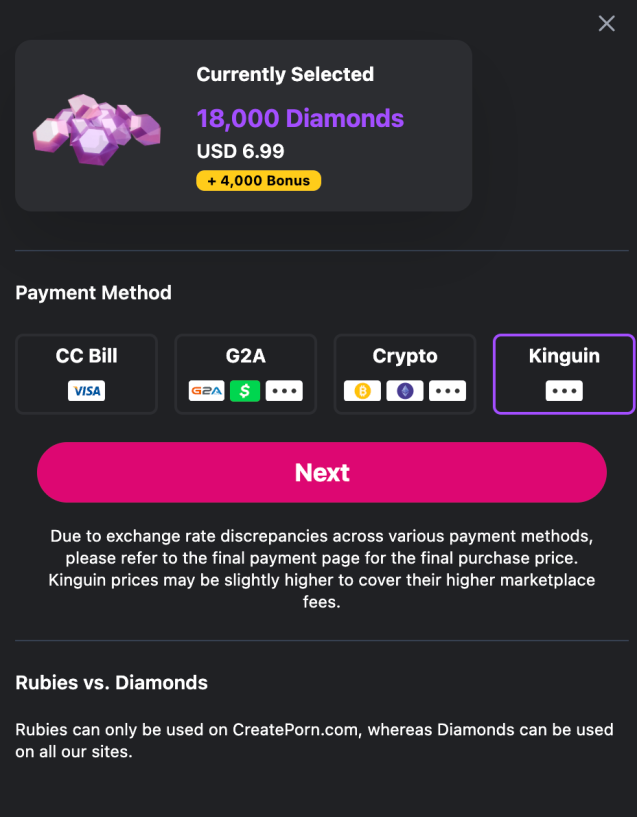
When choosing your payment option, select Kinguin.
Step 3 — Complete Your Payment
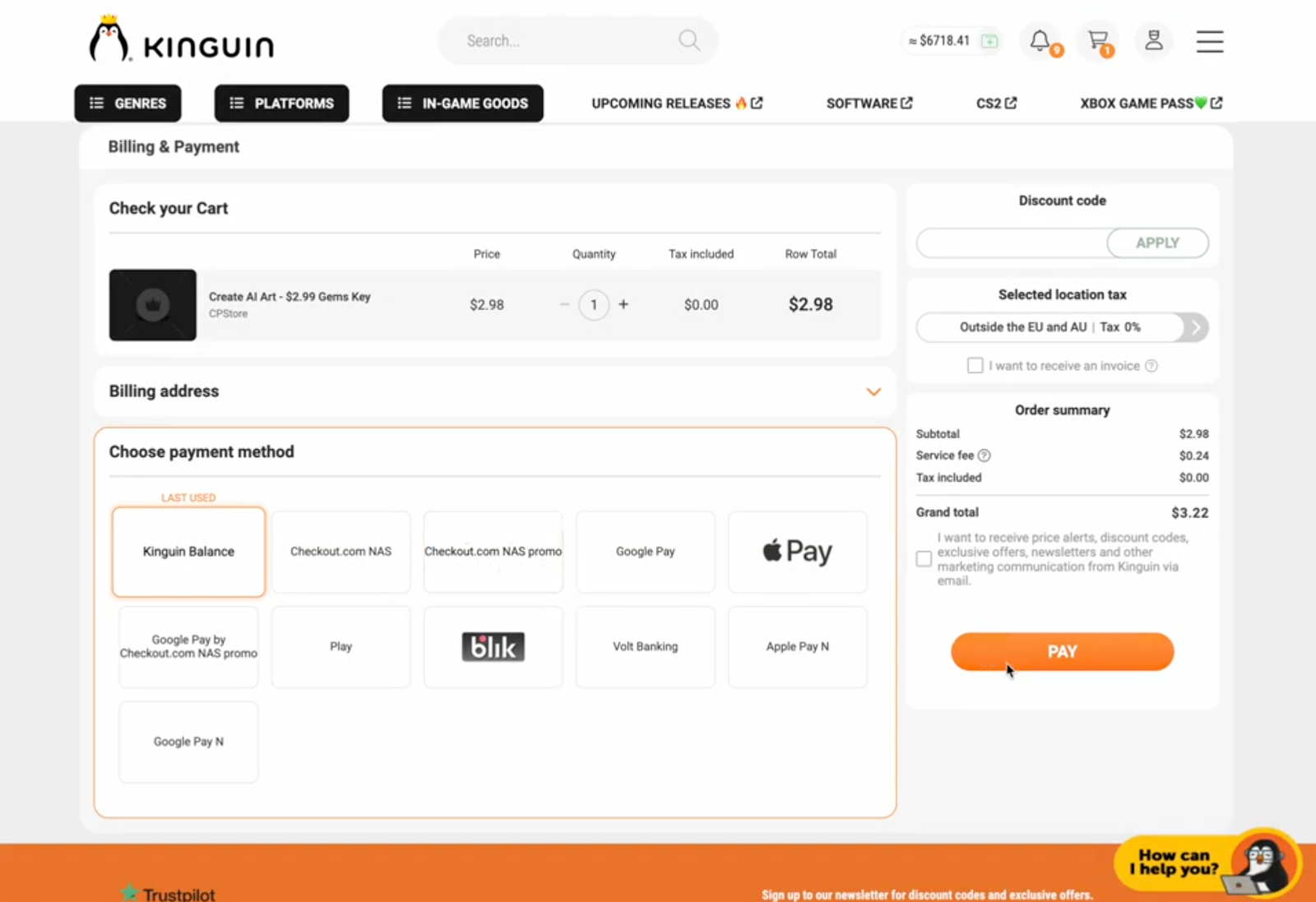
Finish the checkout on Kinguin using your preferred payment method.
Step 4 — Press “View Key”
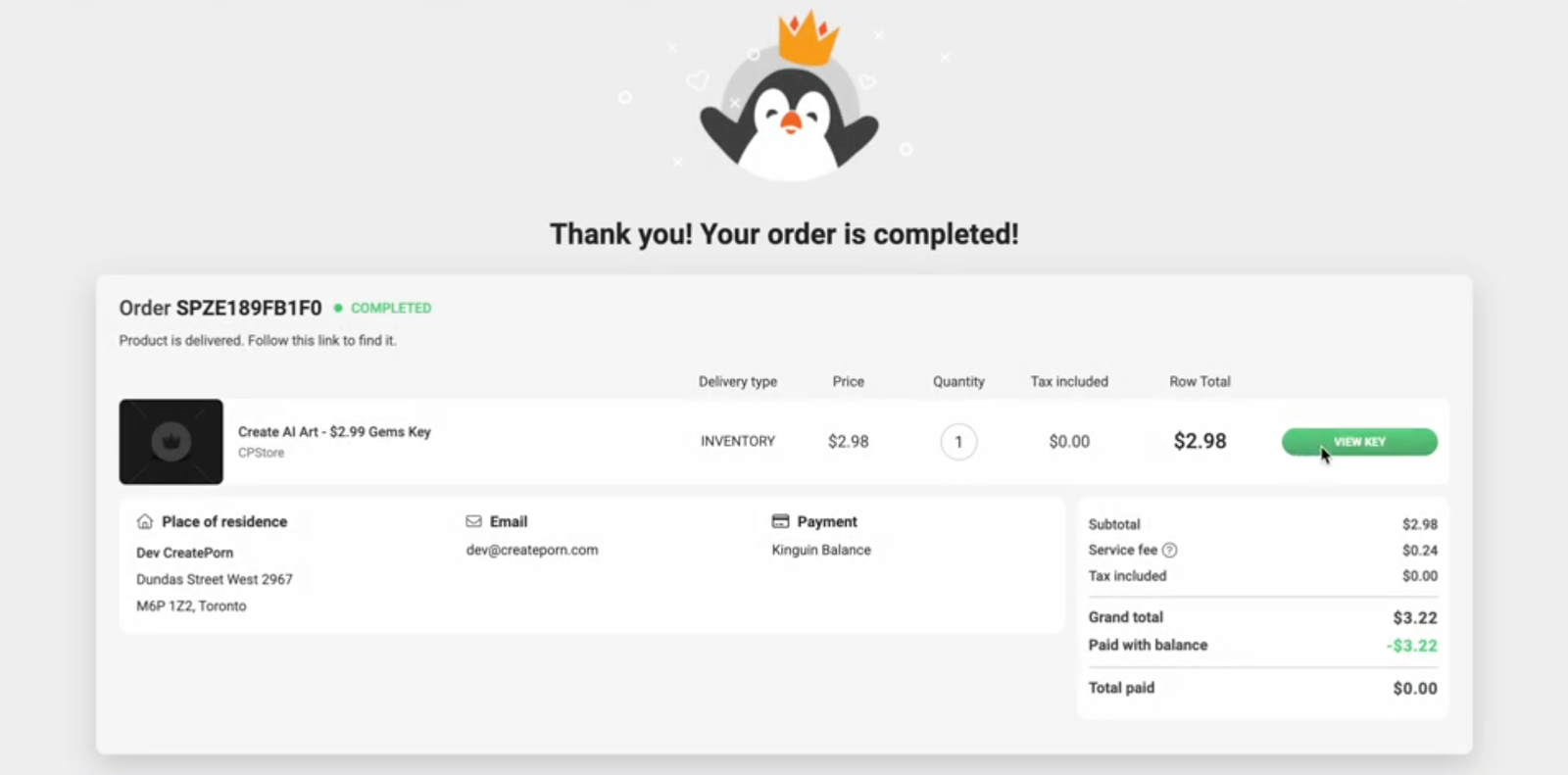
Once your payment is completed, you’ll reach the Kinguin confirmation page. Click “View Key”.
Step 5 — Copy Your Kinguin Key
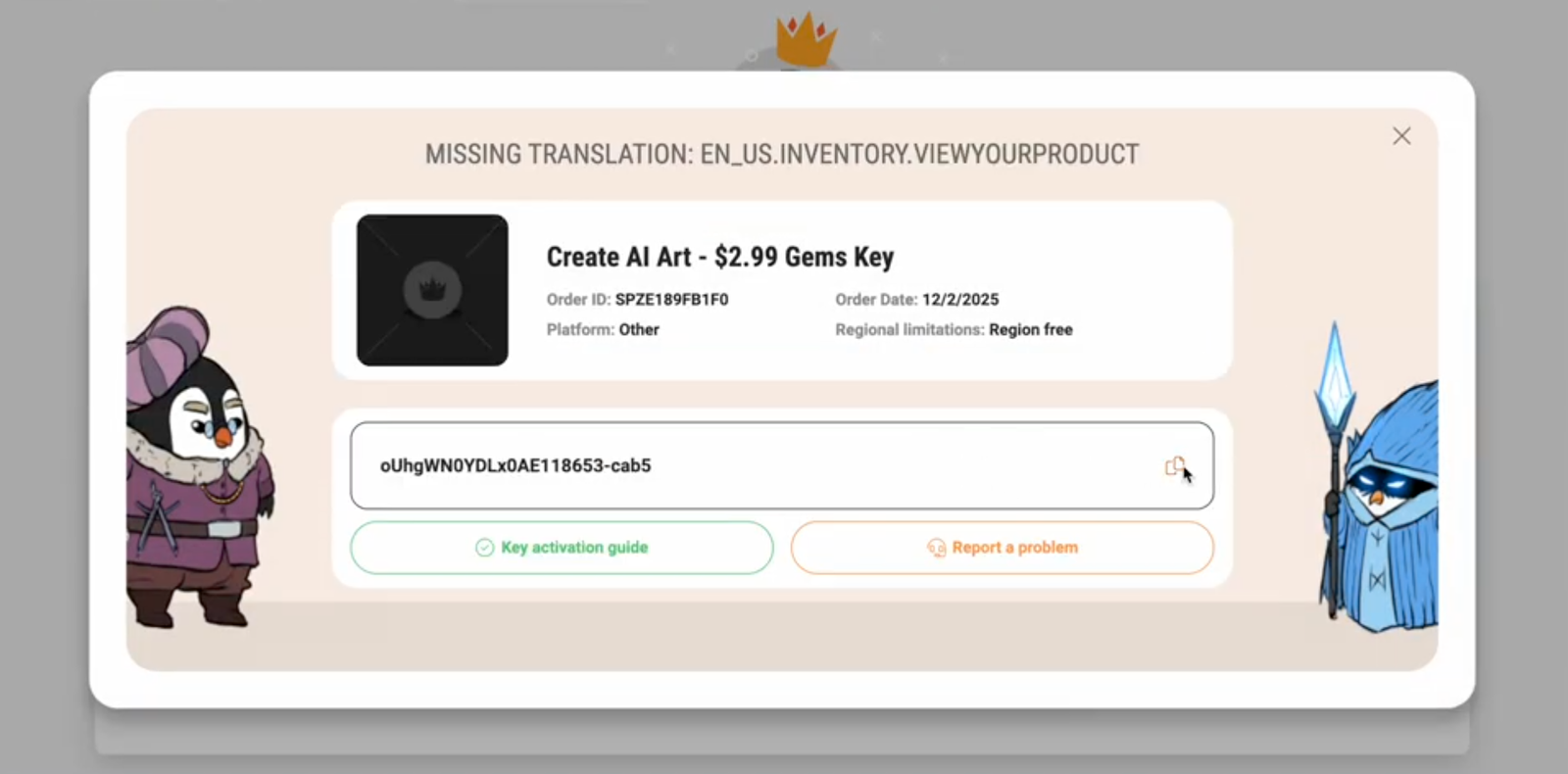
A pop-up will appear showing your unique Kinguin Key. Copy this code.
Step 6 — Redeem Your Key on Createporn.com
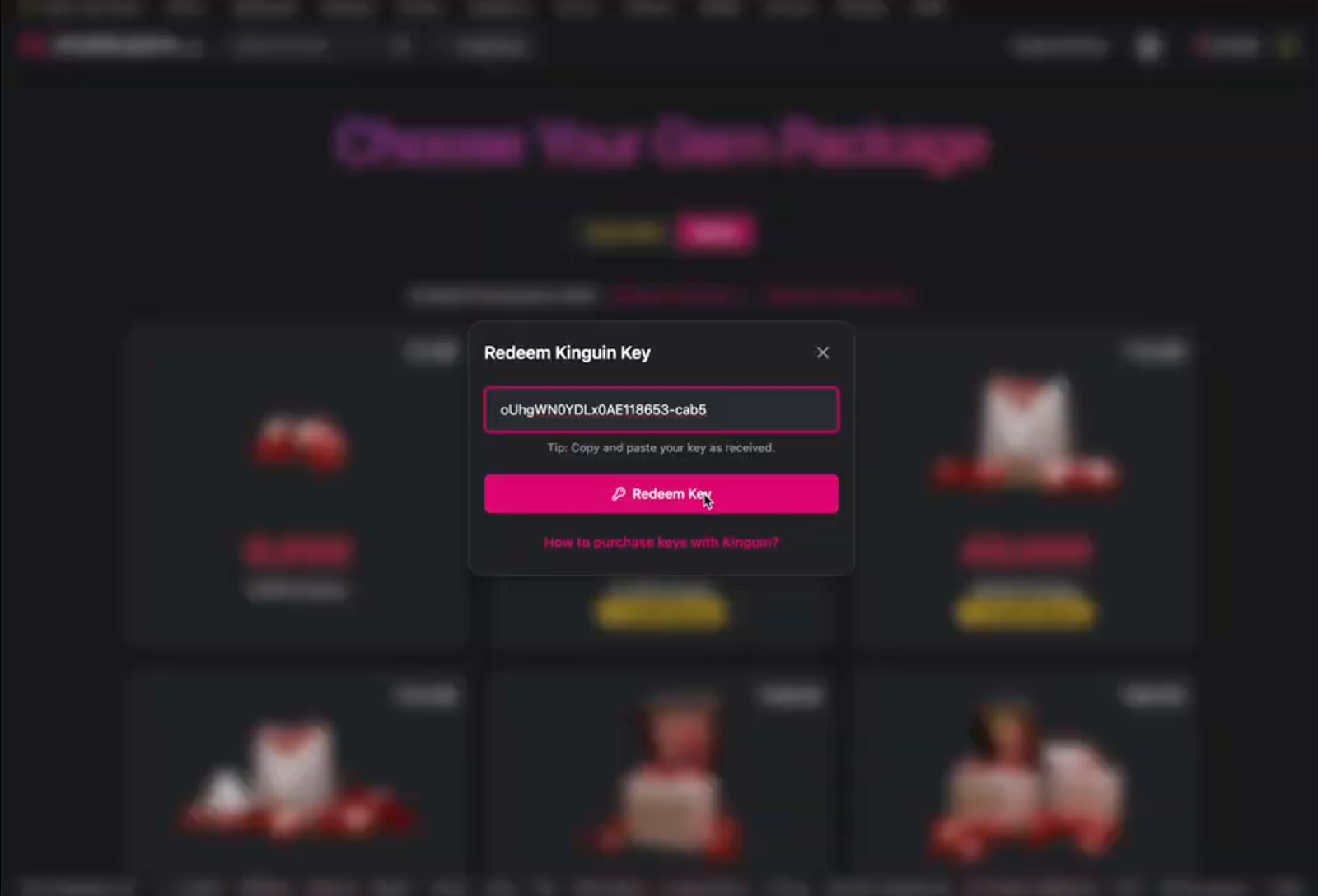
Return to the CreatePorn.com Credits page. Click “Redeem Kinguin Key” and paste your key into the field provided.
Your Gems will be added to your account immediately.