The Complete Guide to AI Porn Prompts
Learn how to write effective AI porn prompts, use tags and negative prompts, avoid common mistakes, and improve AI-generated images.
On this page
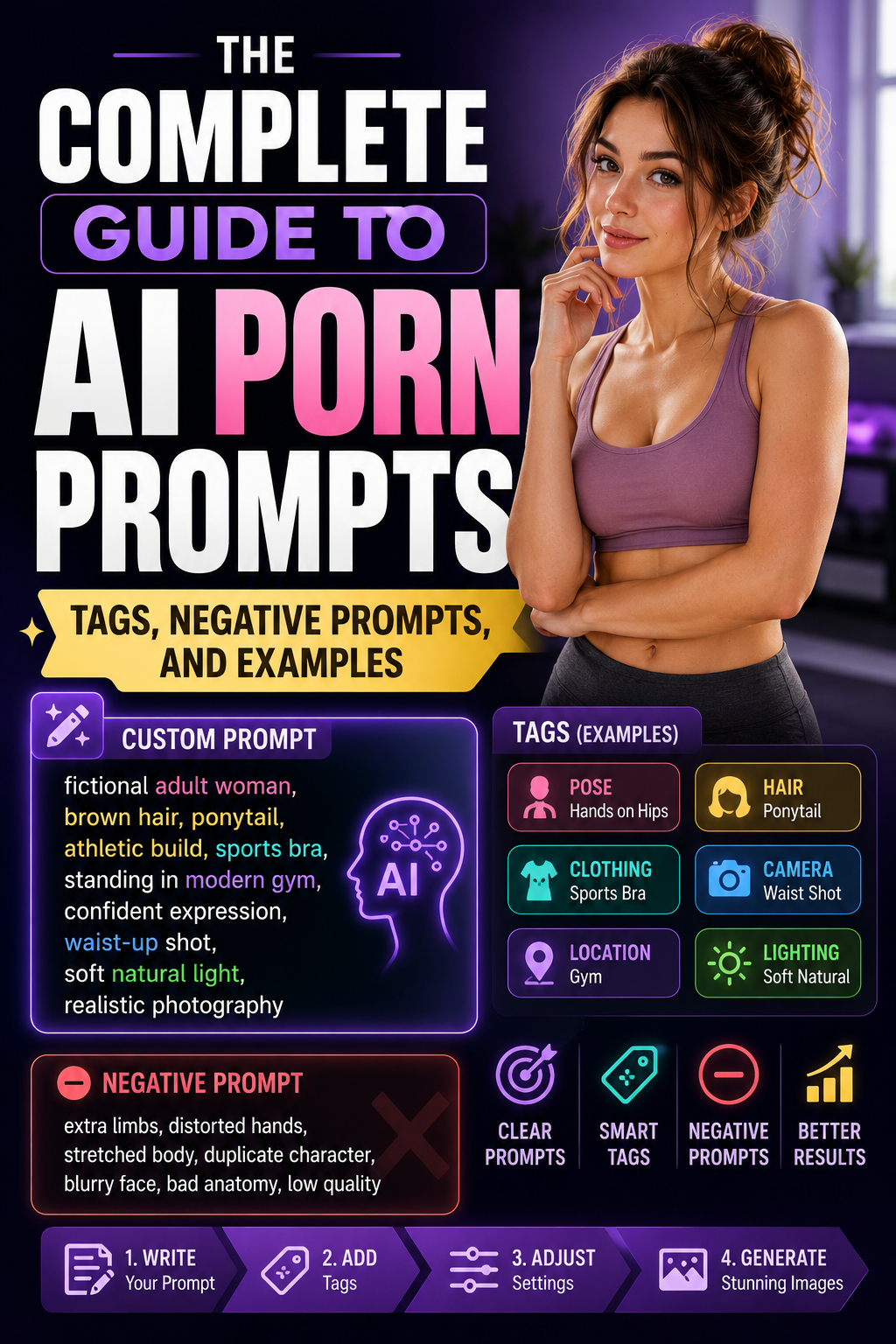
Prompts and tags are the main inputs used to create AI-generated images on Createporn. Prompts let you describe an idea in your own words, while tags provide ready-made options for details such as character appearance, clothing, pose, camera angle, and location.
Learning how to combine these inputs can help the generator interpret your idea more clearly. This guide explains how to write AI porn prompts, select compatible tags, use negative prompts, and avoid common prompting mistakes.
What Are AI Porn Prompts?
An AI porn prompt is a written description of the fictional adult image you want an AI generator to create. It is made up of keywords or short phrases that describe visible parts of the desired result.
Prompts can describe:
- Adult character appearance
- Physical attributes
- Clothing
- Pose or action
- Location and background
- Viewing distance or camera angle
- Lighting
- Other visible details
For example:
adult Swedish woman, blonde hair, ponytail, warm smile, white sports bra, blue yoga pants, athletic build, hands on hips, waist-up shot, modern gym, soft natural light
Prompt:
“swedish woman, long blonde hair, ponytail, tired seductive expression, half-lidded eyes, heavy breathing, blush, sweaty, wet skin, white sports bra, blue yoga pants, athletic body, large breasts, deep cleavage, hands on hips, looking at viewer, waist-up shot, gym locker room, soft lighting, “
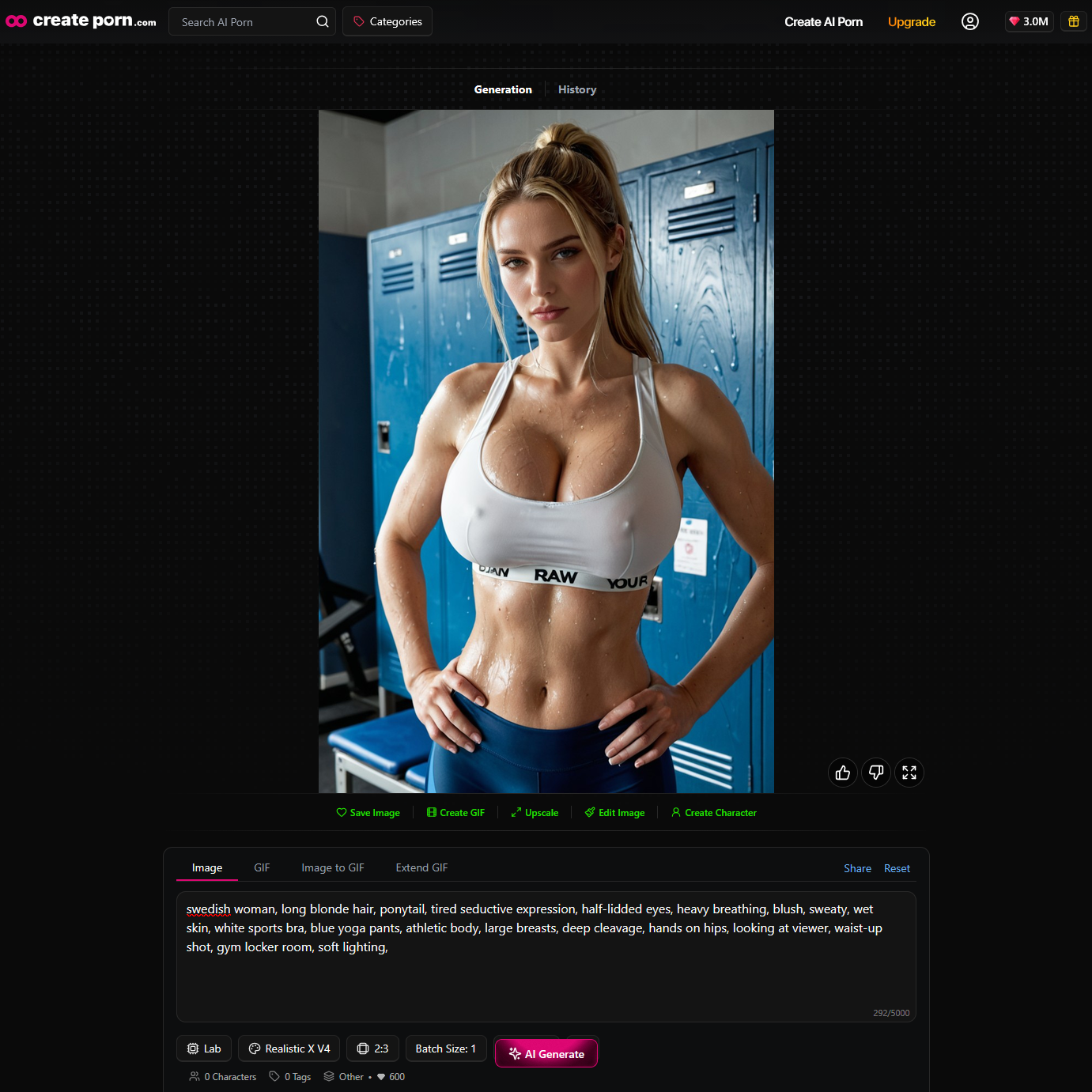
How to Create an Image With a Prompt
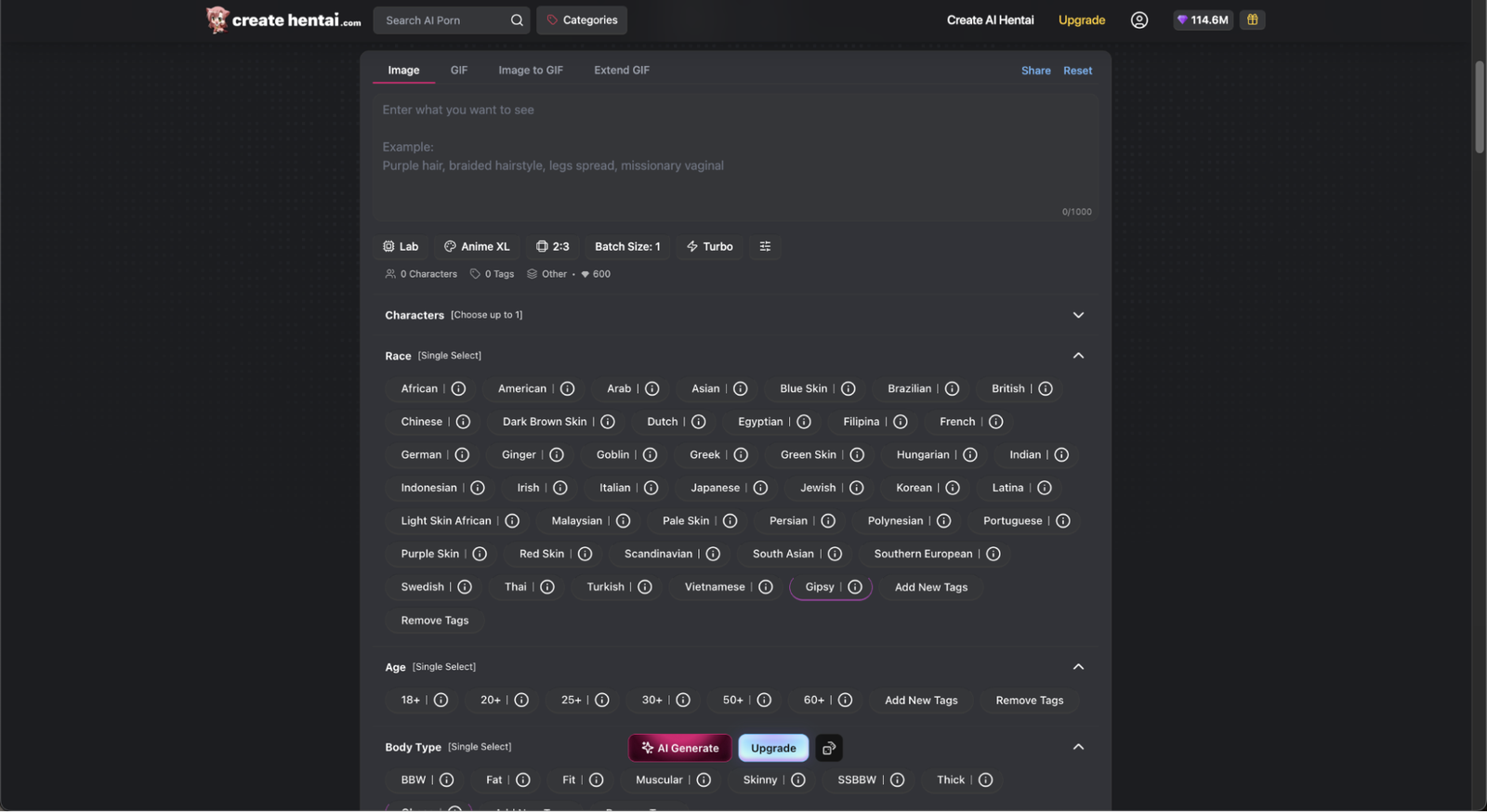
To use a custom prompt on Createporn:
- Select Create AI Porn in the upper-right corner of the website.
- Choose Image from the available creation options.
- Select a Style.
- Open the Advanced section.
- Enter your description in the Custom Prompt field.
- Select or review any tags and generation settings you want to use.
- Select AI Generate to create the image.
Separate prompt details with commas so that each visual instruction is clear. Avoid unnecessary trailing commas, repeated keywords, and contradictory descriptions.
What Are Image-Generation Tags?
Tags are prewritten generation instructions that can be selected instead of manually entering every detail. They offer a faster, more structured way to build an image using options supported by Createporn.
Users can choose from Default Tags and approved Community Tags. Available tags are organized into groups based on the details they control.
Subject Appearance
These tags may include background or ethnicity, adult age category, facial expression, eye color, hair color, hairstyle, and clothing.
Physical Attributes
These tags may describe body type, breast size, butt size, and other subject modifiers.
Subject Action
These tags may control arm pose, body pose, and supported adult actions or positions.
Image Modifiers
These tags may describe viewing distance, camera angle, location, time of day, number of people, weather, and lighting.
Tags and custom prompts can be used together. Before generating, make sure they support the same idea. For example, a custom prompt requesting black hair should not be paired with a Blonde Hair tag.
Learn more:
AI Porn Prompt Formula
A clear prompt usually begins with the main character and then adds physical details, action, and scene information.
Use this formula as a starting point:
Fictional adult subject + appearance + physical attributes + clothing + pose or action + composition + location + lighting or style
You do not need to fill every category. Include only the details that contribute to the intended result.
1. Describe the Character
Begin with the character’s visible appearance. This may include background, hair color, hairstyle, eye color, facial expression, and clothing.
Example:
Swedish woman, blonde hair, ponytail, warm smile, wearing a sports bra and yoga pants,
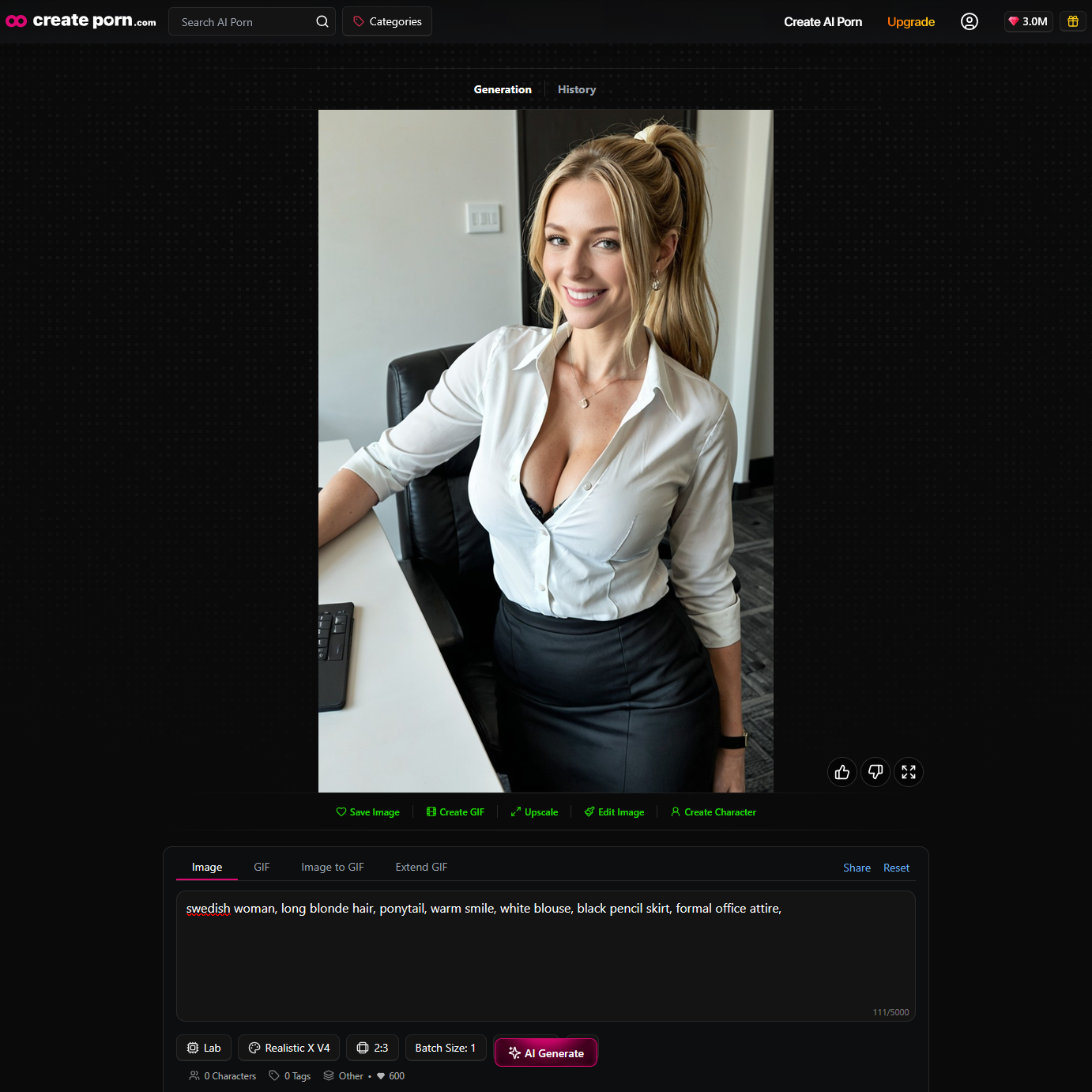
Equivalent tags could include:
- Swedish
- Blonde Hair
- Ponytail
- Smiling
- Sports Bra
- Yoga Pants
2. Add Physical Attributes
Describe the character’s body type or other important visible features.
Prompt:
“large breasts, hourglass figure, curvy body, ”
Equivalent tag:
- Large Breast
- Hourglass
- Curvy
3. Add the Pose or Action
State what the character is doing or how they are positioned.
Example:
standing with hands on hips
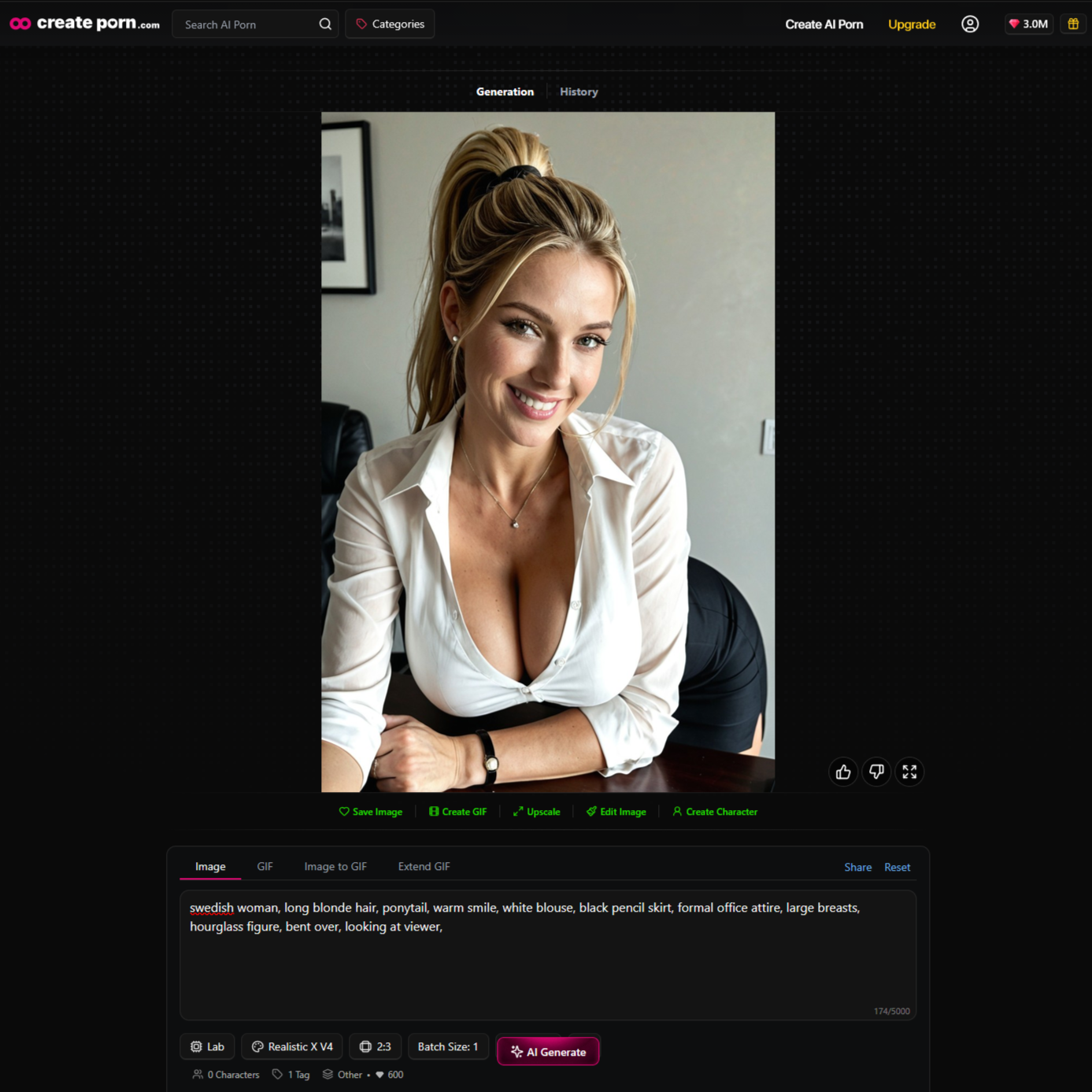
Equivalent tag:
- Bending Over
- Looking at viewer
4. Add Composition and Scene Details
Finish with the viewing distance, camera angle, location, lighting, or visual style.
Example:
waist-up shot, modern gym, soft natural light, realistic photography
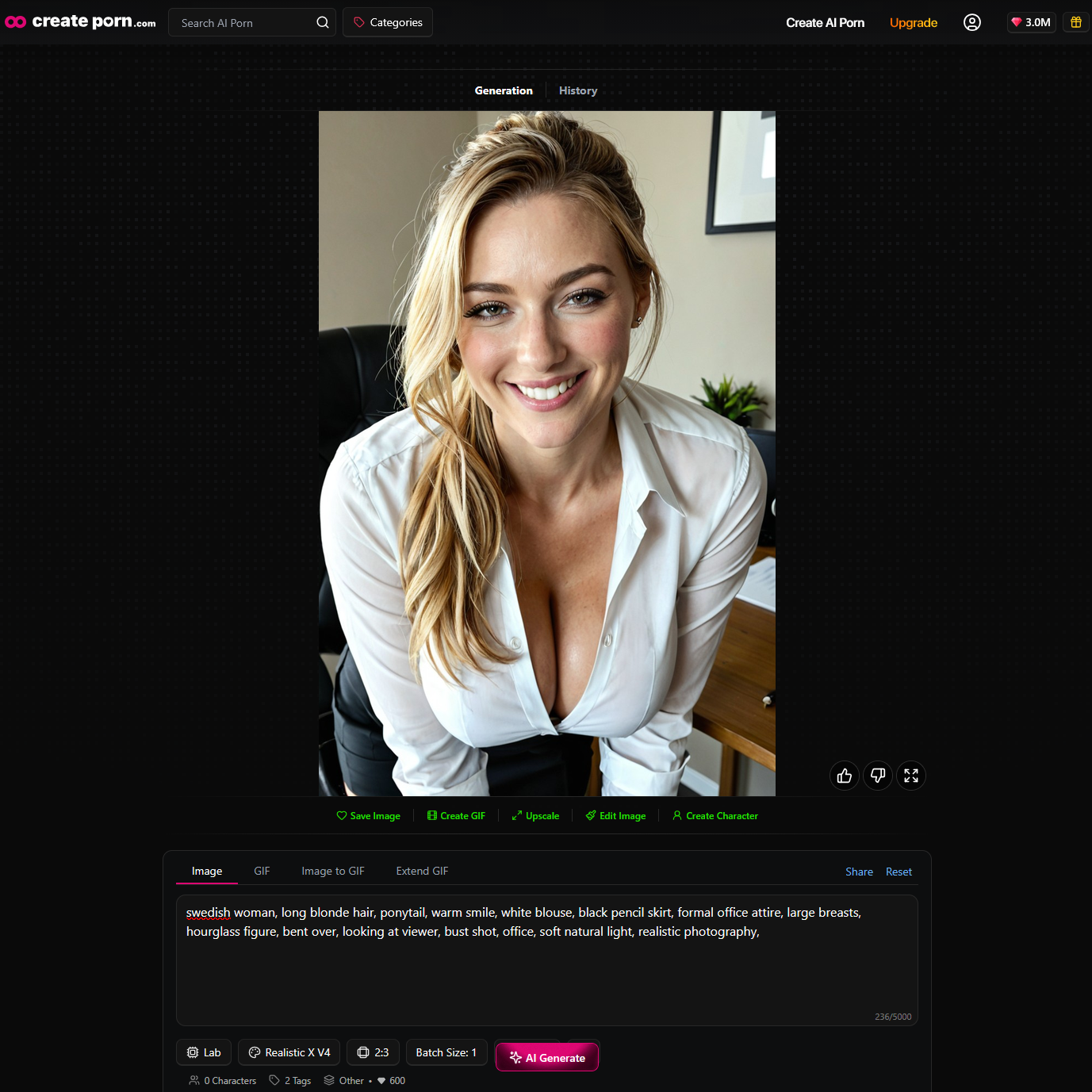
Equivalent tags could include:
- Waist Shot
- Gym
Complete AI Porn Prompt Examples
The following examples show how the formula can be adapted for different images.
Fitness Portrait
adult Swedish woman, blonde hair, ponytail, warm smile, white sports bra, blue yoga pants, athletic build, defined abs, standing with hands on hips, waist-up shot, modern gym, soft natural light, realistic photography
Full-Body Outdoor Image
fictional adult woman, long auburn hair, athletic build, black crop top, denim shorts, standing beside a rooftop pool, full-body shot, sunset, warm golden lighting, photorealistic
Illustrated Character
fictional adult woman, silver hair, violet eyes, fantasy-inspired outfit, seated on an ornate throne, centered composition, candlelit castle hall, detailed digital illustration
Prompt With Tags
Custom prompt:
fictional adult woman, confident expression, standing in a modern apartment, full-body composition, soft evening light
Supporting tags:
- Black Hair
- Red Dress
- Full Body
- Apartment
The prompt defines the overall concept, while the tags add supported appearance and scene details.
Internal link → AI Character Generator landing page (secondary link)
What Are Negative Prompts?
A negative prompt lists elements or qualities that you do not want to appear in the image. The main prompt describes the intended result, while the negative prompt makes specified problems or details less likely to appear.
Negative Prompts are available only on supported Styles and models. Some newer generative models do not provide this feature because they use different language-processing capabilities.
Example negative prompt:
extra limbs, distorted hands, stretched body, duplicate character, blurry face
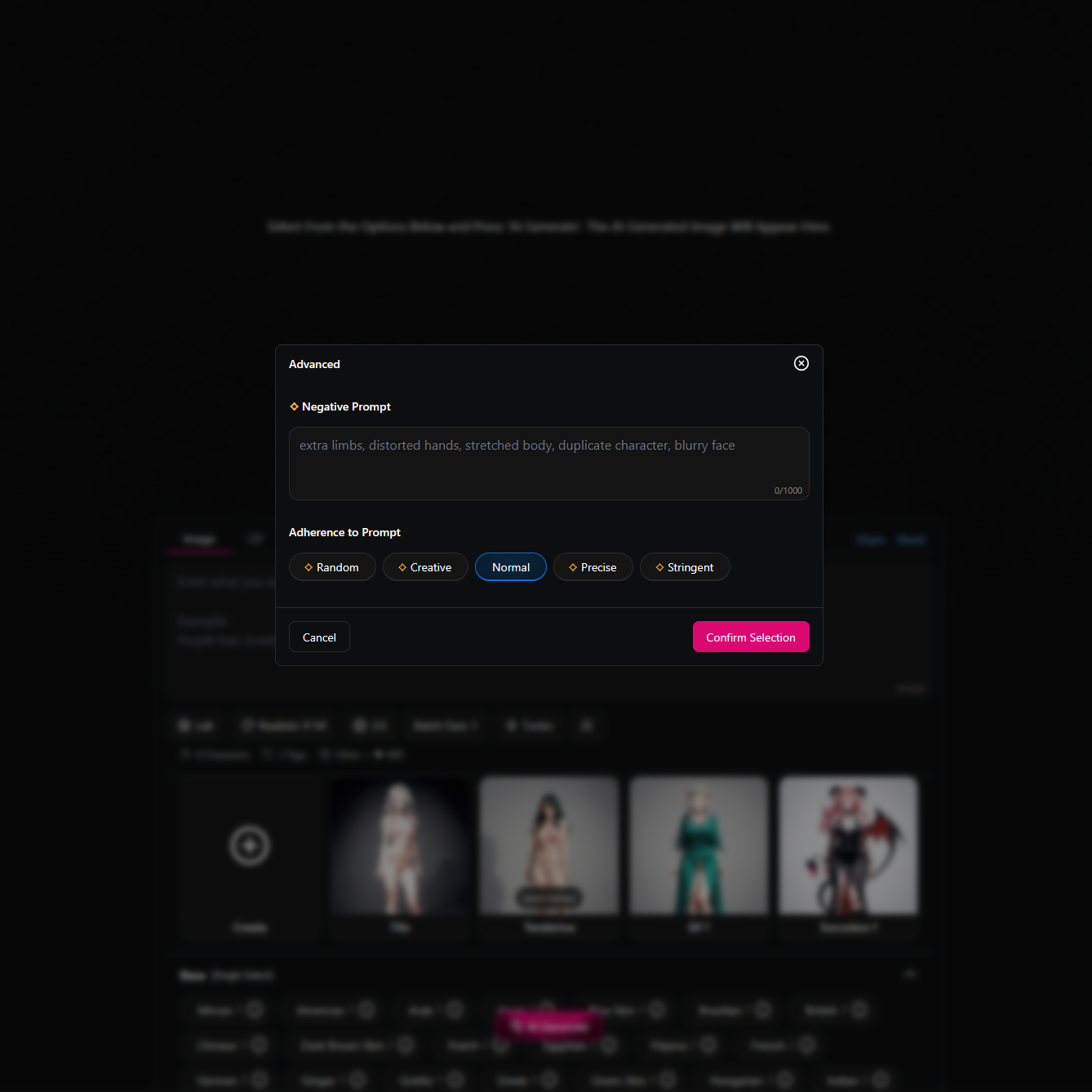
If the selected Style supports Negative Prompts, open its additional generation settings and enter the unwanted details in the Negative Prompt field. Start with a small number of relevant terms, generate the image, review the result, and adjust the list as needed.
Negative prompts can reduce unwanted elements, but they do not guarantee their removal. A clear custom prompt, compatible tags, and the capabilities of the selected Style also affect the result.
Learn more:
How to Adjust Prompt Strength
Prompt strength can increase the influence of an important keyword or phrase on supported Styles. Place the detail in parentheses and add a strength value.
Examples:
(pink hair)
(pink hair:1.2)
(pink hair:1.3)
Use small increases and emphasize only the most important details. High values or emphasis on too many terms may exaggerate features, cause distortion, or reduce image quality.
Correct:
(pink hair:1.2)
Incorrect:
pink hair 1.2
How to Use Prompt Adherence
Prompt Adherence controls how closely the generator follows the custom prompt and selected tags. Stronger adherence can make the generator prioritize the instructions more closely, but it cannot make a Style recognize unsupported keywords or create content beyond its capabilities.
Start with the default setting, generate an image, and adjust the control if the result does not follow the most important details. Change one setting at a time so you can compare the results.
Learn more:
Common AI Prompting Mistakes
Repeating the Same Keyword
Repeating a detail several times can add clutter without improving the result. State the feature once and use prompt strength carefully if it needs more influence.
Using Conflicting Instructions
Review the custom prompt and tags together. Remove competing hair colors, poses, camera distances, locations, or styles.
For example, do not combine a close-up portrait with a Full Body tag.
Adding Too Many Details
Long prompts with many highly specific instructions can become difficult for the generator to interpret. Begin with the main idea and add secondary details gradually.
Selecting Too Many Tags
Use only tags that contribute to the intended image. Too many tags may compete with the custom prompt or with one another.
Overusing Prompt Strength
Applying strong emphasis to several phrases can cause exaggerated or distorted results. Increase values gradually and test one emphasized feature at a time.
Assuming Every Keyword Is Supported
AI models do not recognize every character, object, action, or scene. If a term repeatedly fails, search Createporn for similar keywords or try a simpler description.
Tips for Better AI Image Results
If the generated image does not match the prompts or tags:
- Move the subject and most important details toward the beginning.
- Remove repeated, vague, or conflicting instructions.
- Check that selected tags agree with the custom prompt.
- Separate prompt details with commas.
- Format prompt strength correctly.
- Adjust Prompt Adherence and compare the result.
- Test a different Style if the current one does not support the idea.
- Change one detail at a time so you can identify what improves the image.
- Use a short, targeted negative prompt for problems that repeatedly appear.
AI image generation is an iterative process. Refining a prompt after reviewing the result is a normal part of creating an image.
Common Generation Issues:
Why Am I Getting Distorted Images on X Styles?
Frequently Asked Questions
What is an AI porn prompt?
An AI porn prompt is a written description that tells an AI adult generator which fictional adult character, scene, pose, composition, and visual style to create.
How do you write a good AI image prompt?
Start with the fictional adult subject, then add appearance, physical attributes, clothing, pose, composition, location, and lighting or style. Use clear, comma-separated details and remove conflicting instructions.
What is the difference between prompts and tags?
A custom prompt lets you describe an image freely. Tags are predefined options for supported characteristics such as hair, clothing, body type, pose, location, and lighting.
Can prompts and tags be used together?
Yes. They can be combined as long as they do not request conflicting attributes. Review both inputs before generating the image.
What is a negative prompt?
A negative prompt lists elements or qualities that the generator should try to avoid, such as extra limbs, distorted hands, duplicate characters, or blurry details.
Do negative prompts guarantee that an element will disappear?
No. Negative prompts can make an unwanted element less likely, but the result also depends on the custom prompt, tags, selected Style, and model capabilities.
Why is the AI ignoring part of a prompt?
The prompt may contain too many details, unsupported keywords, conflicting tags, or a composition that the selected Style cannot reliably generate. Simplify the input and test one change at a time.
How many tags should you use?
There is no fixed number. Select only the tags needed to describe the image and remove any that repeat or conflict with other instructions.
Start Creating With AI Prompts and Tags
The best AI porn prompts turn an idea into clear visual instructions. Begin with a fictional adult subject, add the appearance, pose, composition, and scene details that matter, and use compatible tags to select supported characteristics more quickly.
Negative prompts, prompt strength, and Prompt Adherence provide additional control on supported Styles. Start with a focused prompt, review the generated image, and refine one detail at a time.
Createporn brings these controls together in one creative workflow, allowing users to generate images and develop original AI characters from their own ideas.