Image to GIF Feature Now Live!
Check out our new Image to GIF feature! Turn your still images into fun, shareable 5-second GIFs.
On this page
Image to GIF Feature Now Live!
We’re excited to introduce our new Image to GIF feature, making it easier than ever to bring your creations to life as short, shareable animations.
How It Works:
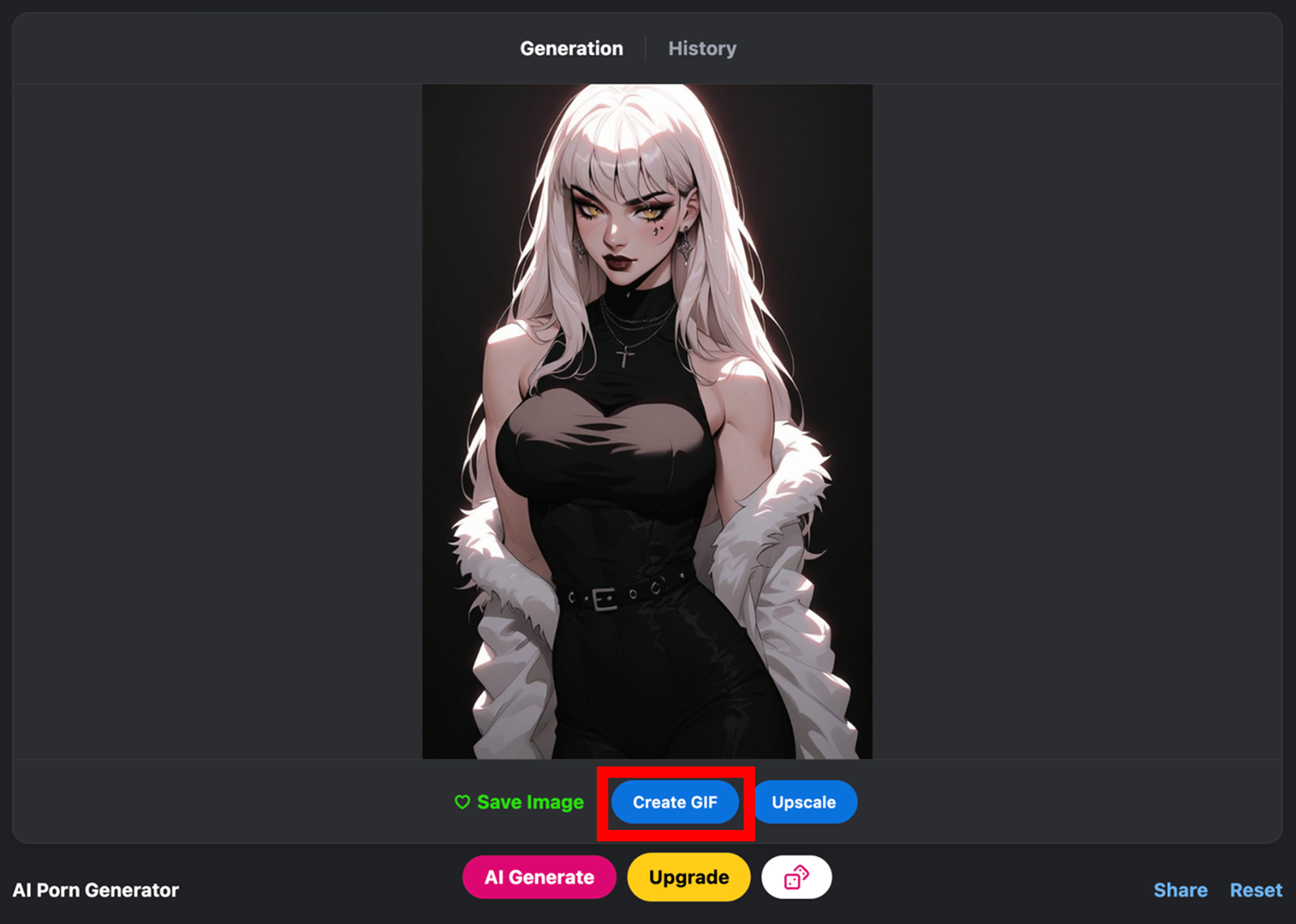
Create an Image – Start by generating an image on our platform.
Click the Image to GIF Button – Once your image is ready, click on the Image to GIF button to begin.
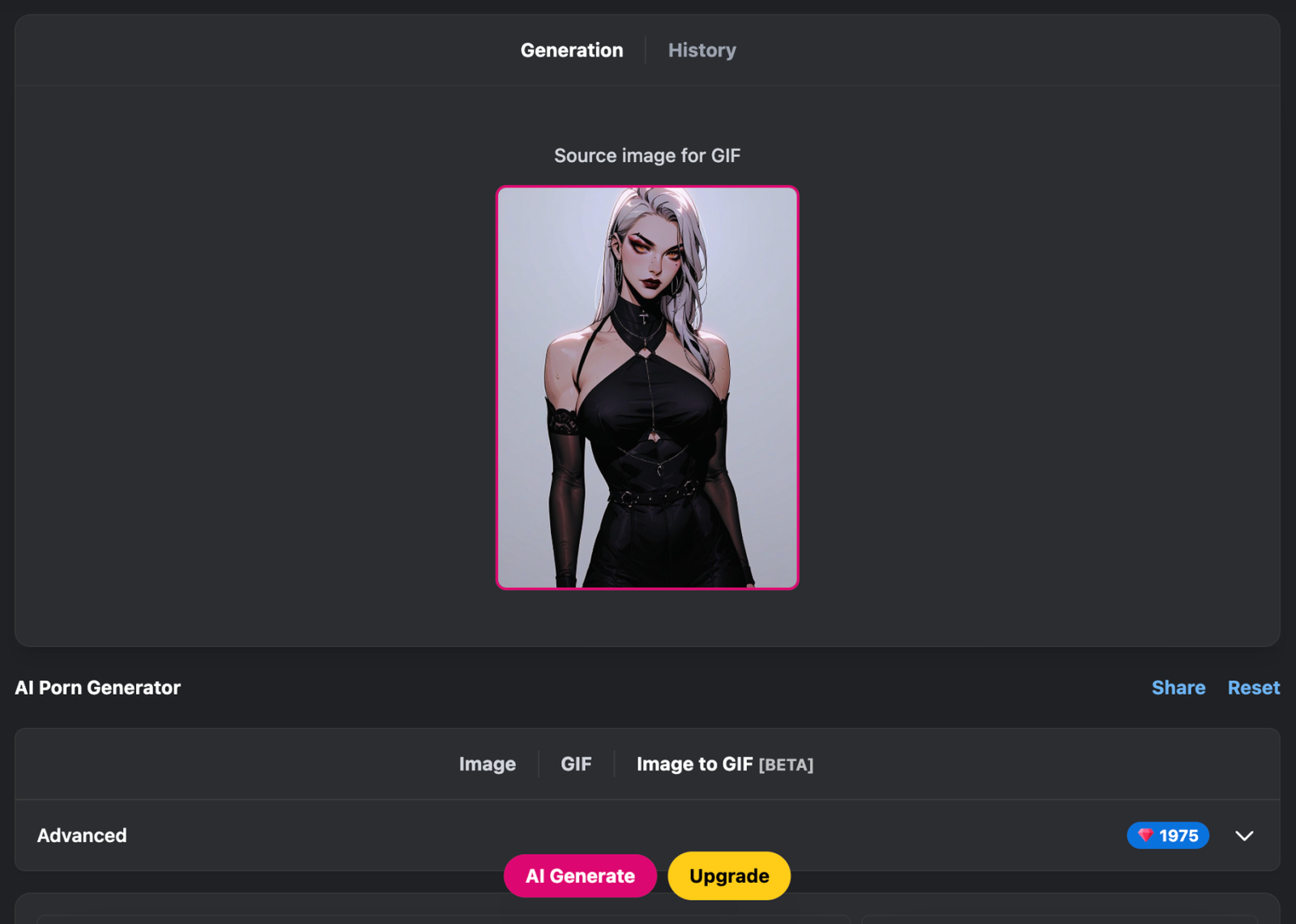
Open the Advanced Menu – On the Image to GIF page, open the Advanced menu and input your prompt to guide the animation.
Generate Your GIF – Hit Create GIF and watch your still image come to life.
Image to GIF via the Post Page:
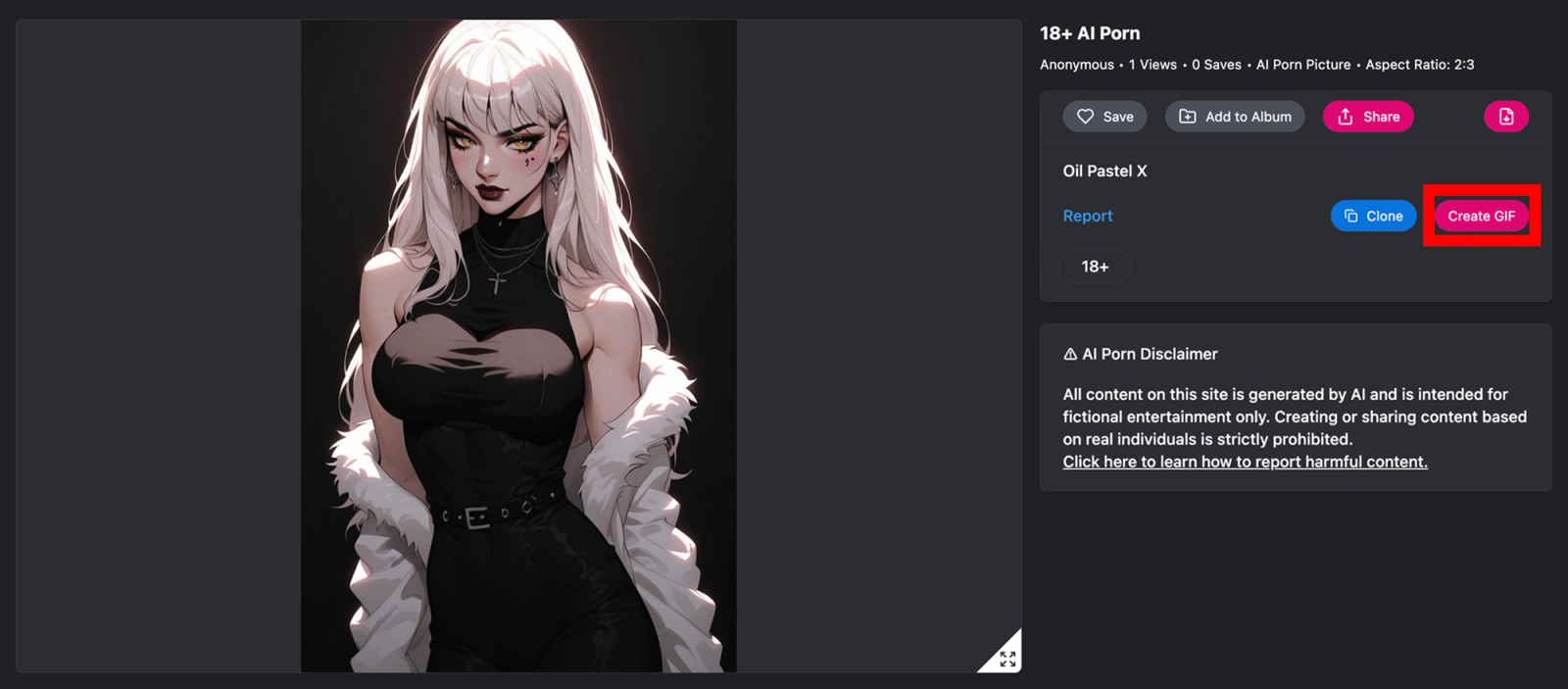
- Click on a post you're interested in on your feed
- Hit the Create GIF button
- Wait for your Gif to finish generating
Please Note: At this time, only 5 second GIFs are available.
This feature is perfect for adding motion to your favorite creations, whether for storytelling, showcasing art, or just having fun. Try it today and bring your images to life.
Let us know what you think. We’re always excited to hear your feedback.