AI Scene Prompts Guide: Locations and Backgrounds
Learn how to write AI scene prompts for locations, backgrounds, lighting, weather, composition, and atmosphere with templates and examples.
On this page
AI Scene Prompts: How to Describe Locations, Backgrounds, and Atmosphere
A strong subject can still produce an unconvincing image when the scene around it is vague. AI scene prompts give the generator information about where an image takes place, what appears around the subject, how the setting is lit, and what atmosphere the finished image should communicate.
Scene prompting is more than adding a location at the end of a character description. A useful scene combines compatible details: a recognizable place, a manageable number of background elements, coherent lighting, an appropriate camera view, and a mood that supports the intended image.
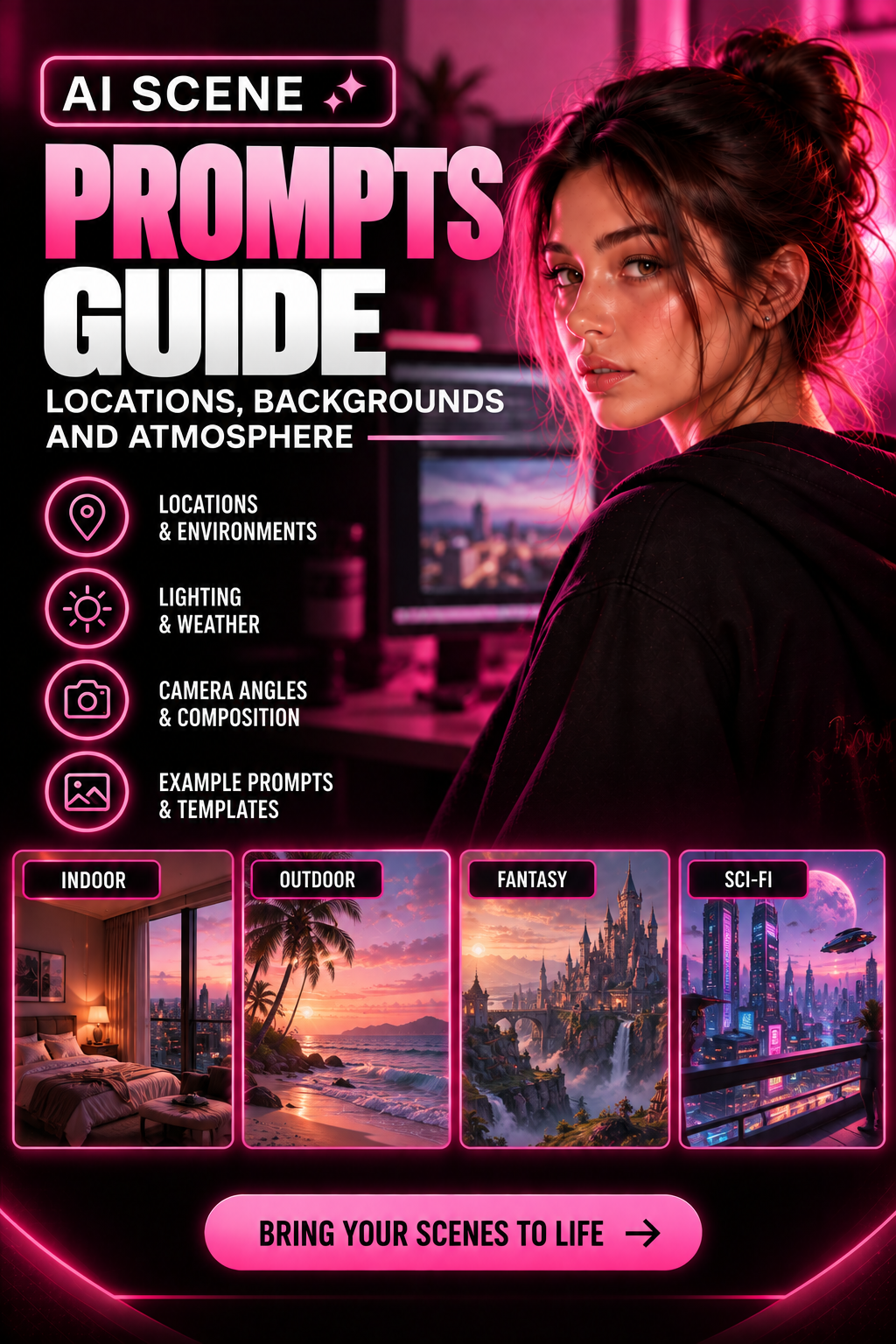
This guide explains how to write AI scene prompts for locations, backgrounds, environments, time of day, weather, lighting, and composition. It also shows how to use Createporn's documented Prompts and Tags structure without overloading the generator.
What Is an AI Scene Prompt?
An AI scene prompt is a group of descriptive keywords that tells an image generator where the subject is and how the surrounding image should look.
Scene instructions can describe:
- The primary location
- Indoor or outdoor context
- Important background objects
- Foreground and environmental details
- Time of day
- Weather
- Lighting
- Viewing distance
- Camera angle
- Color palette and atmosphere
In Createporn'sPrompts and Tags guide, scene information is generally added after the character, physical attributes, and pose or action. The documented Image Modifiers Tags include Location, Time of Day, Weather, Lighting, Viewing Distance, and Camera Angle.
You do not need to use every category in every image. Include only the details that materially affect the result.
Scene, Location, Background, and Environment: What Is the Difference?
These terms overlap, but treating them as separate layers can make prompts easier to plan.
- Term: Location
What it controls: The main place where the image occurs
Examples: Modern gym, city rooftop, or hotel room. - Term: Background
What it controls: What appears behind the subject
Examples: Tall windows, exercise equipment, or a distant skyline. - Term: Environment
What it controls: The wider physical conditions of the scene
Examples: Rainy street, windy beach, or misty forest. - Term: Atmosphere
What it controls: The emotional or visual feeling
Examples: Calm, intimate, energetic, or mysterious. - Term: Composition
What it controls: How the subject and setting are framed
Examples: Waist shot, wide shot, or low camera angle.
A location gives the generator a broad setting. Background details make that setting recognizable. Environment and atmosphere affect how the place feels, while composition determines how much of it the viewer can see.
For example:
Fictional adult woman, standing with hands on hips, inside a modern gym, exercise equipment in the background, large industrial windows, early morning, soft directional light, energetic atmosphere, waist shot,
The location is the gym. Equipment and windows establish the background. Morning light and an energetic atmosphere define the visual tone. The waist shot determines how the character and setting share the frame.
Why Scene Details Matter in AI Image Generation
Without a clear location, the generator may infer a setting from other words in the prompt. Createporn's documentation calls this contextual inference.
Athletic clothing, for example, may encourage a gym background even when the user does not explicitly request one. A formal outfit might lead to an upscale interior, and beachwear may suggest an outdoor coastal setting.
Inference can be useful, but it can also introduce unwanted details. Clearly naming the intended location reduces ambiguity and gives the generator a stronger direction.
Scene words can also affect one another. A color associated with the subject may spread into clothing or the background. Lighting and weather terms can alter the entire palette. A camera angle can determine whether the location is visible at all.
The goal is not to describe every object in the scene. It is to provide enough compatible information for the generator to establish the setting without competing with the subject.
AI Scene Prompt Formula
Use this focused structure for scene details:
Location + defining background elements + time or weather + lighting + atmosphere + camera framing
When combined with a complete image prompt, the broader structure
becomes:
Character + physical details + pose or action + location + background + lighting + camera framing
Example:
Fictional adult woman, long black hair, red evening dress, standing beside a balcony railing, luxury hotel balcony, city skyline in the distance, nighttime, warm window glow and cool blue city light, cinematic atmosphere, medium shot,
The scene portion is specific enough to establish a place but restrained enough to remain coherent.
For a simple background, shorten the formula:
Location + one defining detail + lighting
Example:
Minimal photography studio, seamless gray backdrop, soft diffused lighting,
How to Write an AI Scene Prompt
1. Start With One Clear Location
Name the main place before adding decorative details.
Useful location descriptions include:
- Modern gym
- Cozy bedroom
- Luxury hotel suite
- City rooftop
- Neon-lit hallway
- Tropical beach
- Rainy urban street
- Forest clearing
- Photography studio
- Fantasy castle interior
Choose one central location. Combining unrelated places—such as a beach, nightclub, forest, and hotel room—creates competing spatial instructions.
Use a descriptive modifier only when it changes the intended visual result. A modern gym communicates more than place, while a luxury hotel suite gives a different direction from a small rustic bedroom.
2. Add a Few Recognizable Background Elements
Select two or three details that make the location visually identifiable.
For a modern gym:
- Exercise equipment
- Wall mirrors
- Industrial windows
- Rubber flooring
For a city rooftop:
- Low safety wall
- Distant skyline
- Rooftop lights
- Ventilation structures
For a bedroom:
- Upholstered bed
- Bedside lamps
- Curtains
- Wooden floor
Avoid turning the prompt into an inventory list. Too many objects can make the scene cluttered or reduce attention on the subject.
3. Decide How Much Background Should Be Visible
The requested viewing distance affects whether the generator can show the environment.
- A close-up emphasizes the face and leaves little room for location details.
- A waist shot balances the character with part of the setting.
- A full-body shot provides more room for the floor, furniture, and nearby objects.
- A wide shot can establish the complete environment but may make the subject smaller.
Do not ask for a close-up while expecting an expansive landscape to dominate the image. Match the framing to the amount of scene information that matters.
4. Establish Time of Day and Weather
Time and weather help determine color, visibility, and atmosphere.
Time-of-day terms include:
- Sunrise
- Early morning
- Midday
- Golden hour
- Sunset
- Blue hour
- Nighttime
Weather terms include:
- Clear sky
- Light rain
- Heavy rain
- Snowfall
- Mist
- Fog
- Windy weather
- Overcast sky
Use weather when it naturally applies to the location. Rain makes sense on an outdoor street or against a visible window, but it may conflict with a sealed indoor studio unless the prompt explains the relationship.
5. Describe the Lighting
Lighting connects the subject with the environment and strongly influences the image's mood.
Useful lighting descriptions include:
- Soft window light
- Warm bedside lighting
- Bright natural daylight
- Golden-hour sunlight
- Cool moonlight
- Neon purple and blue lighting
- Dramatic side lighting
- Soft diffused studio light
- Warm rim lighting
Choose one coherent lighting direction. Instructions such as bright natural daylight, dark moonlight, and neon nightclub lighting in the same simple scene may compete.
When combining light sources, explain their relationship:
Warm indoor light, cool blue moonlight entering through the window,
This describes a deliberate contrast rather than two unrelated instructions.
6. Add Atmosphere Without Repeating the Location
The atmosphere describes how the scene should feel.
Examples include:
- Calm and intimate
- Energetic and modern
- Dreamy and romantic
- Dark and mysterious
- Bright and playful
- Cinematic and dramatic
- Quiet and reflective
The atmosphere should support the physical setting. A calm bedroom with soft light is coherent. A calm mood paired with chaotic strobe lighting and a crowded dance floor may be harder to reconcile unless contrast is intentional.
7. Choose a Compatible Camera Angle
Camera angle changes the relationship between the subject and the environment.
Examples include:
- Eye-level view
- Low camera angle
- High camera angle
- Side view
- Over-the-shoulder view
- Three-quarter view
Use one main angle. Combine it with a viewing distance when both matter:
Full-body shot, eye-level camera,
or:
Waist shot, slight low angle,
8. Check That Every Detail Belongs to the Same Scene
Read the scene portion as a single visual idea. Ask:
- Is there one recognizable location?
- Do the background objects belong there?
- Can the requested framing show those details?
- Do time, weather, and lighting agree?
- Does the atmosphere fit the visual direction?
- Are any colors or styles competing?
Remove details that do not support the central setting.
How to Use Scene Prompts With Tags
Createporn allows Prompts and Tags to work together. Tags provide prewritten options, while prompts can add details that are not represented by the selected Tags.
Relevant Image Modifier Tag groups include:
- Location
- Time of Day
- Weather
- Lighting
- Viewing Distance
- Camera Angle
- Number of People
For example, a creator might select Tags for Gym, Waist Shot, and a lighting option, then use the prompt field to add:
Large industrial windows, exercise equipment in the background, clean modern interior,
Avoid repeating the same instruction through several Tags and prompt phrases. Repetition does not guarantee stronger control and may overload the generation.
Createporn also provides Default Tags and approved Community Tags. Availability can vary by Style and current interface, so review the visible options before building the prompt around a particular Tag.
AI Scene Prompt Templates
Use these templates as starting structures rather than fixed formulas.
Indoor Scene Template
Fictional adult subject, [pose or action], inside a [type of room], [two defining background elements], [time of day], [lighting], [atmosphere], [viewing distance],
Outdoor Scene Template
Fictional adult subject, [pose or action], at a [outdoor location], [landscape or architectural details], [weather], [time of day], [natural lighting], [camera angle],
Studio Background Template
Fictional adult subject, [pose], professional photography studio, [backdrop color or material], minimal background, [lighting setup], [shot size],
Cinematic Location Template
Fictional adult subject, [action], [specific location], [foreground detail], [background depth], [contrasting light sources], cinematic atmosphere, [camera framing],
Fantasy Environment Template
Fictional adult character, [pose or action], [fantasy location], [architectural or natural elements], [magical environmental detail], [color palette], dramatic lighting, [viewing distance],
AI Scene Prompt Examples
The examples below use comma-separated details to match Createporn's documented prompt syntax.
Modern Gym
Fictional adult woman, athletic build, standing with hands on hips, inside a modern gym, exercise equipment and wall mirrors in the background, large industrial windows, early morning, soft directional sunlight, energetic atmosphere, waist shot,
Cozy Bedroom
Fictional adult woman, sitting beside the window, cozy modern bedroom, upholstered bed and warm bedside lamps, curtains moving slightly, nighttime, warm interior lighting with cool window light, calm intimate atmosphere, medium shot,
Rainy City Street
Fictional adult man, walking along a rainy city street, wet pavement reflecting storefront lights, distant traffic and soft urban haze, nighttime, light rain, cinematic blue and amber lighting, full-body shot, eye-level camera,
Tropical Beach
Fictional adult woman, standing near the shoreline, tropical beach, palm trees and gentle ocean waves, golden-hour sunset, warm natural light, relaxed atmosphere, full-body shot, wide background,
Neon Hallway
Fictional adult woman, walking toward the camera, futuristic neon-lit hallway, reflective floor and repeating wall lights, dark purple and blue color palette, cinematic lighting, confident atmosphere, full-body shot, centered composition,
Minimal Studio
Fictional adult character, relaxed standing pose, professional photography studio, seamless charcoal backdrop, uncluttered environment, soft diffused key light and subtle rim light, neutral atmosphere, waist shot,
Fantasy Castle
Fictional adult fantasy character, standing beside a stone archway, ancient castle interior, tall columns and glowing lanterns, drifting mist, deep blue and gold color palette, dramatic directional lighting, wide shot,
Rooftop at Night
Fictional adult woman, leaning against a rooftop wall, modern city rooftop, distant illuminated skyline and soft rooftop lights, clear night sky, cool blue light with warm city reflections, reflective mood, medium shot,
How to Keep AI Background Prompts Clear
Createporn recommends short, direct prompts rather than long combinations of highly specific instructions. Scene prompting follows the same principle.
Prioritize the most important setting information:
- Main location
- One or two defining background features
- Lighting or time of day
- Viewing distance or camera angle
- Atmosphere, when important
Keep related details close together. If a color belongs to the clothing, place it next to the clothing description. If it belongs to the background, connect it directly to that object.
Compare:
Black hair, white dress, inside a modern apartment, pale blue walls, warm window light,
with:
Black hair, dress, modern apartment, blue, warm light,
The first version makes the intended color relationships clearer.
Common AI Scene Prompt Problems
- Problem: The location is ignored
Likely cause: It appears too late or competes with other settings
What to try: Move the intended location earlier and remove conflicting places. - Problem: The background looks generic
Likely cause: The location lacks recognizable details
What to try: Add one or two defining objects or architectural features. - Problem: The image becomes cluttered
Likely cause: Too many objects or Tags were included
What to try: Keep only the elements needed to establish the setting. - Problem: The scene uses the wrong colors
Likely cause: Color terms are not attached to specific objects
What to try: Place each color directly beside the intended object or material. - Problem: The lighting looks inconsistent
Likely cause: Several incompatible light sources were requested
What to try: Choose one main light direction and one compatible secondary source. - Problem: The location is barely visible
Likely cause: The framing is too tight
What to try: Use a waist, full-body, or wide shot. - Problem: Extra people appear
Likely cause: The environment implies a crowd or the subject count is unclear
What to try: Specify the intended number of people and simplify the background. - Problem: Indoor and outdoor details conflict
Likely cause: Weather or landscape terms do not fit the location
What to try: Explain the relationship or remove the incompatible detail. - Problem: The Style interprets the scene differently
Likely cause: Styles support and interpret keywords differently
What to try: Test a simpler version or choose another Style. - Problem: A specific scene will not generate
Likely cause: The keyword combination may be unsupported
What to try: Search for successful examples, simplify the concept, or test another term.
How to Test a Scene Without Wasting Gems
Begin with the smallest version of the setting:
Fictional adult woman, standing inside a modern gym, exercise equipment in the background, waist shot,
Generate one test. If the core location appears correctly, add one meaningful layer at a time:
- Add time of day or lighting.
- Add a second background feature.
- Refine the viewing distance or camera angle.
- Add atmosphere or a controlled color palette.
If the first test fails, do not repeat the same generation immediately. Check whether the Style recognizes the scene, remove conflicting details, or search Createporn for successful examples using the same keyword.
Prompt Strength can increase the influence of an important supported term, but it cannot make an unsupported scene available. Use small increases and avoid emphasizing several competing scene details simultaneously.
For general prompt structure, strength syntax, Tags, adherence, and Negative Prompts, see the Complete AI Prompts Guide.
Frequently Asked Questions
What is an AI scene prompt?
An AI scene prompt describes where an image takes place and how the surrounding environment should appear. It can include location, background objects, time, weather, lighting, atmosphere, viewing distance, and camera angle.
How do you write a good AI background prompt?
Start with one clear location, add two or three recognizable background details, then specify compatible lighting and framing. Remove objects or styles that do not support the central setting.
What should come first: the character or the scene?
Createporn's documented structure generally begins with the character, physical attributes, and action before finishing with scene information. Move a location earlier only when it is the most important part of the intended image or is repeatedly ignored.
How many background details should an AI prompt include?
There is no fixed number, but two or three defining details are often enough to establish a recognizable location without overcrowding the prompt.
Can prompts and Location Tags be used together?
Yes. Tags can establish a supported location or image modifier, while the prompt adds specific background details. Avoid unnecessarily repeating the same instruction in both inputs.
Why does the AI choose a background I did not request?
The generator may infer a setting from related keywords. Clothing, activity, lighting, and other contextual details can influence the background even when no location is stated.
Why is my requested location not visible?
The prompt may use a tight close-up, place the location too late, or include competing settings. Try a wider framing, move the location earlier, and remove conflicting scene details.
Should a scene prompt include lighting?
Include lighting when it affects the mood, visibility, or color of the image. Use one coherent direction, such as soft window light, golden-hour sunlight, or neon purple and blue lighting.
Can Prompt Strength force an unsupported location?
No. Prompt Strength can increase the influence of a recognized term, but Createporn states that prompting controls cannot enable a generator to produce content beyond its capabilities.
Do different styles interpret the same scene differently?
Yes. A Style may support or interpret locations, lighting, and background details differently. Test one central scene concept before adding more specific instructions.
Build More Intentional AI Scenes
An effective scene prompt gives the subject a believable place to exist. Start with one recognizable location, add a few defining background elements, choose lighting and framing that can work together, and remove details that compete with the central idea.
Scene prompting becomes easier when each category has a clear purpose: location establishes the place, background details make it recognizable, environment defines the conditions, atmosphere shapes the mood, and composition determines what the viewer sees.
Start simple, generate one test, and add complexity only after the core setting works.